Omniverse: Audio2Face Tutorial

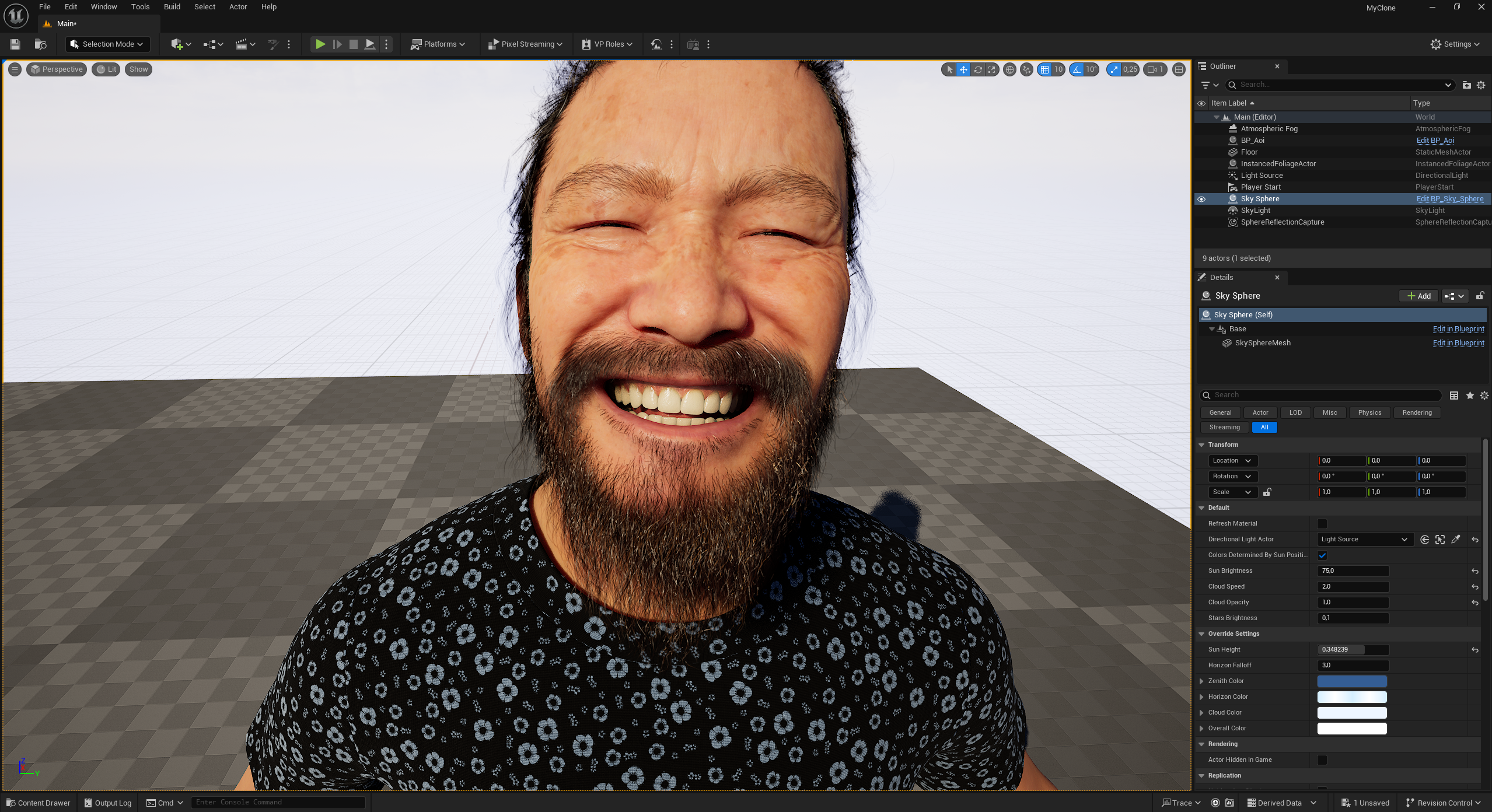
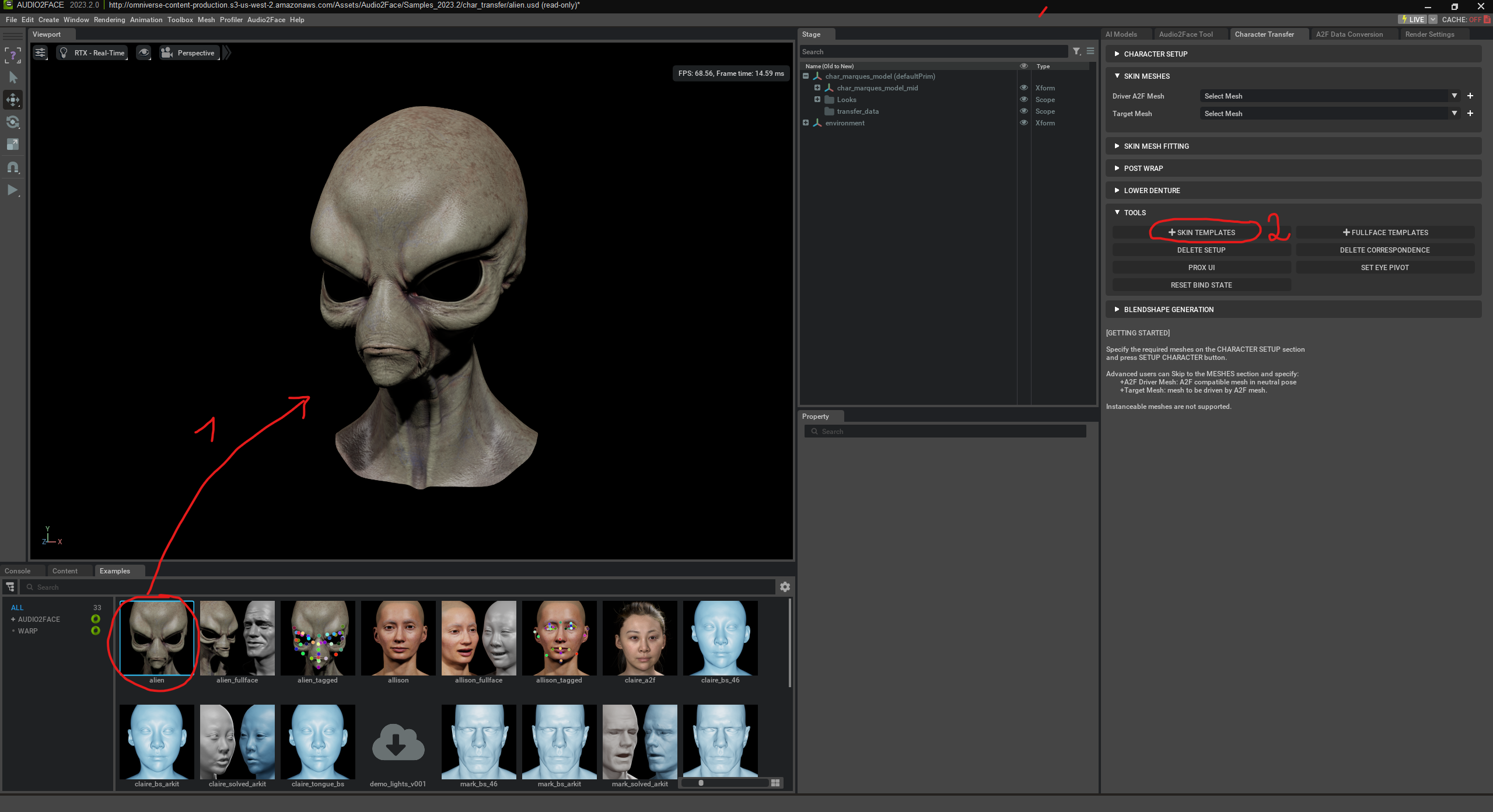
Audio2Face is an AI-powered tool within NVIDIA Omniverse specifically designed to generate realistic facial animations based solely on audio. It is part of the Omniverse platform, which provides a real-time collaboration and simulation environment for 3D workflows. Audio2Face uses a neural network to automatically convert spoken language into lively facial expressions and movements. Typically, Audio2Face is used to make characters in games, films, or digital avatars speak without complex keyframe animation. The generated movements can either be used directly or transferred to custom 3D characters, which is particularly interesting for virtual productions, digital twins, or interactive applications. ...

AI-powered Event Agent for Events

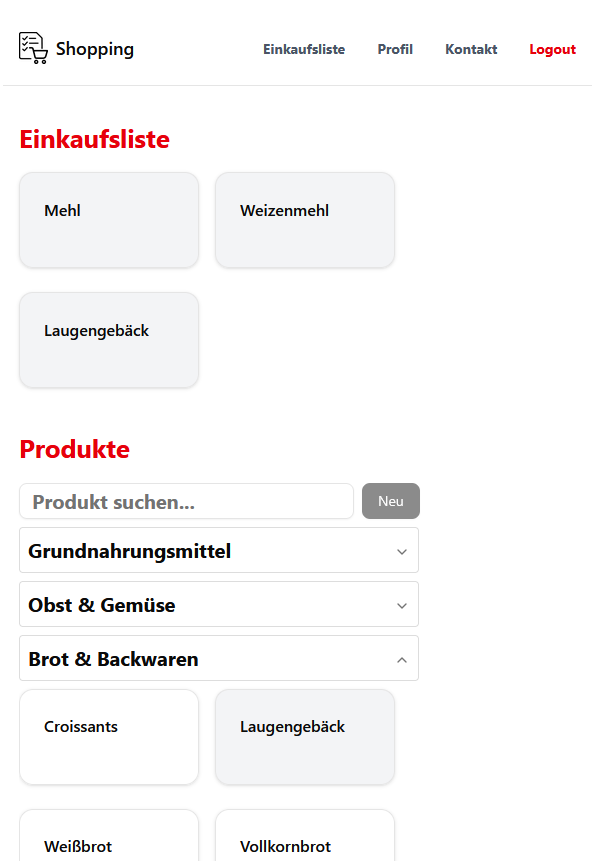
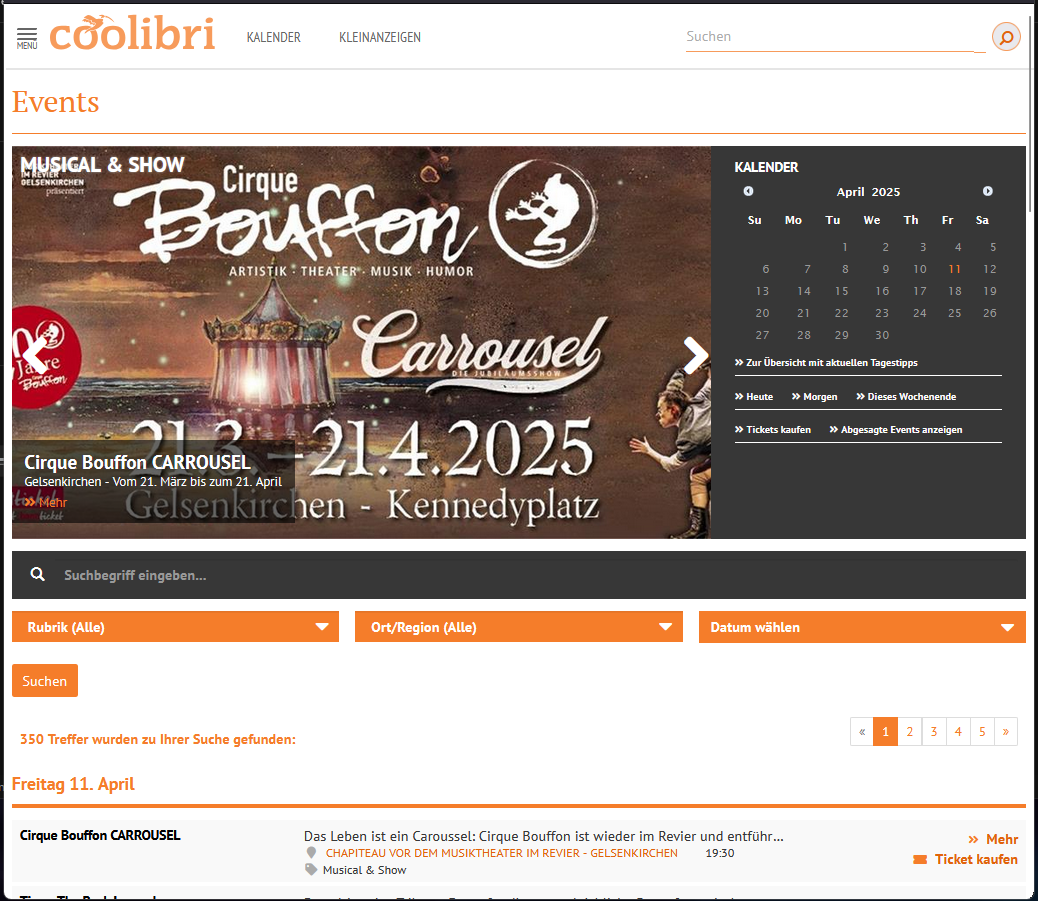
In this project, I developed an AI agent that automatically analyzes events from the NRW region and filters them according to personal criteria. The goal was to filter out only those events that are truly relevant – based on an individually defined prompt. This image shows the list of over 350 events taking place on a single day in Düsseldorf. Across all of NRW, there are several thousand events in one day. ...

LLMs Are Not a Cure-All: Practical Test for Music Classification Based on Metadata

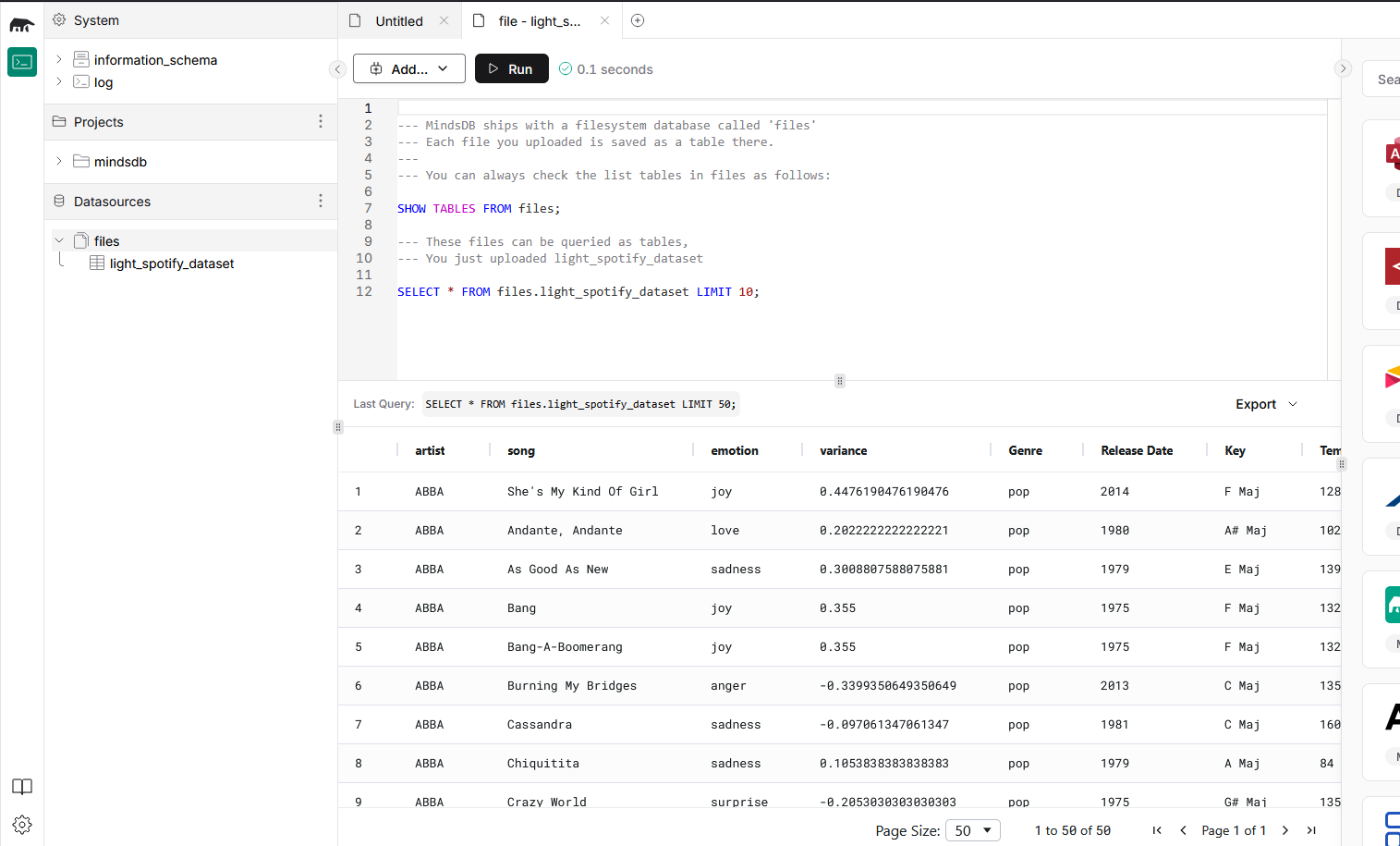
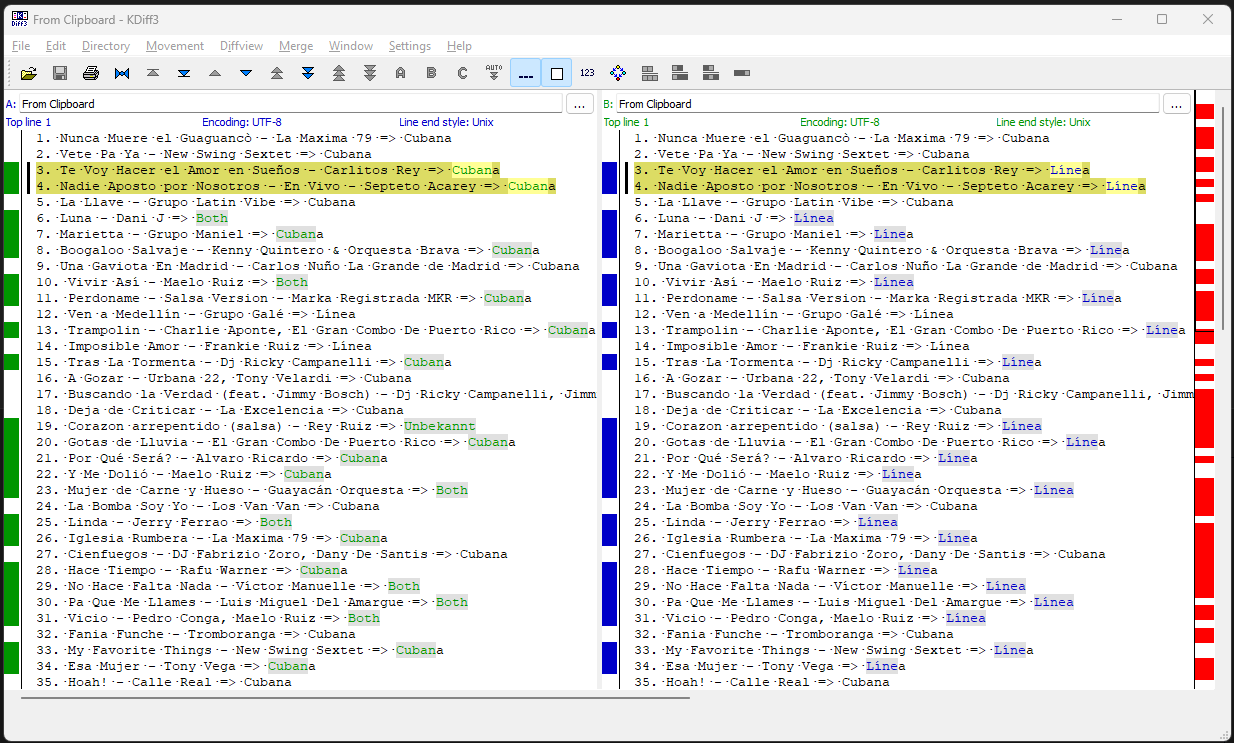
The question was whether current Large Language Models (LLMs) such as GPT-4 or DeepSeek are able to automatically and reliably classify music tracks, specifically salsa songs, based on title, artist, lyrics, and metadata into „Salsa Cubana“ or „Salsa Línea“. It was known that the available information (metadata, genre tags, lyrics) is incomplete and partly inconsistent. The test was explicitly designed to determine the practical limits of today’s LLMs in this context. ...

Omniverse Tutorial

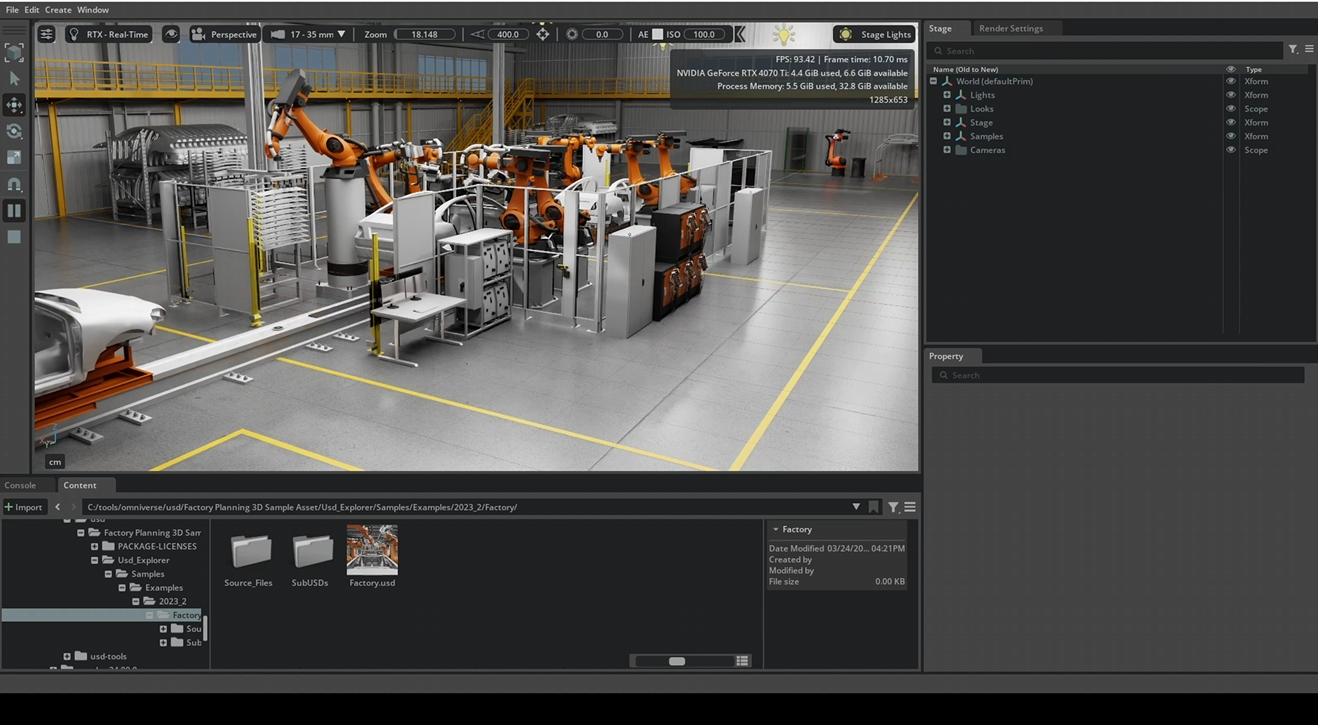
What is Omniverse? Omniverse is a platform from NVIDIA that allows you to create, connect, and simulate virtual 3D worlds – all in real time. Omniverse is an open platform for developers, designers, engineers, researchers, and creatives to: Connect 3D applications (e.g. Blender, Maya, Unreal Engine) Collaborate in a single scene – live and simultaneously. Create physically realistic simulations and AI-driven applications. What is Omniverse used for? Design, visualization & simulation of objects such as vehicles in real time. ...

Set up Wan 2.1 with ComfyUI including local GPU support

ComfyUI is a node-based user interface for controlling and modifying AI models for image and video creation. Wan 2.1 is a text-to-video model (T2V) specifically developed for generating videos based on text inputs. This guide provides step-by-step instructions on how to set up ComfyUI with Wan 2.1 locally. Each section explains the required components, why they are necessary, and how to install them correctly. This guide assumes Python 10 and a GPU with CUDA support. ...

Prompt Decorators: Steering AI Responses Precisely

AI models often produce unstructured or imprecise answers. Anyone who wants better results must adjust their prompts accordingly. One way to do this efficiently is with prompt decorators – clear instructions at the beginning of a prompt that control the AI’s response behavior. In this post, I show how to teach the AI to understand these decorators and how to use them afterward. Explain Prompt Decorators to the AI The AI is given a clear definition of the decorators, for example „+++StructuredAnswer“, so that it understands their meaning. The instruction to apply them in future answers ensures that they don’t apply to just a single question. If the AI doesn’t have long-term memory, this introduction must be repeated in each new session. ...

AI Agent Demo: Advanced Spam Detection via ChatGPT

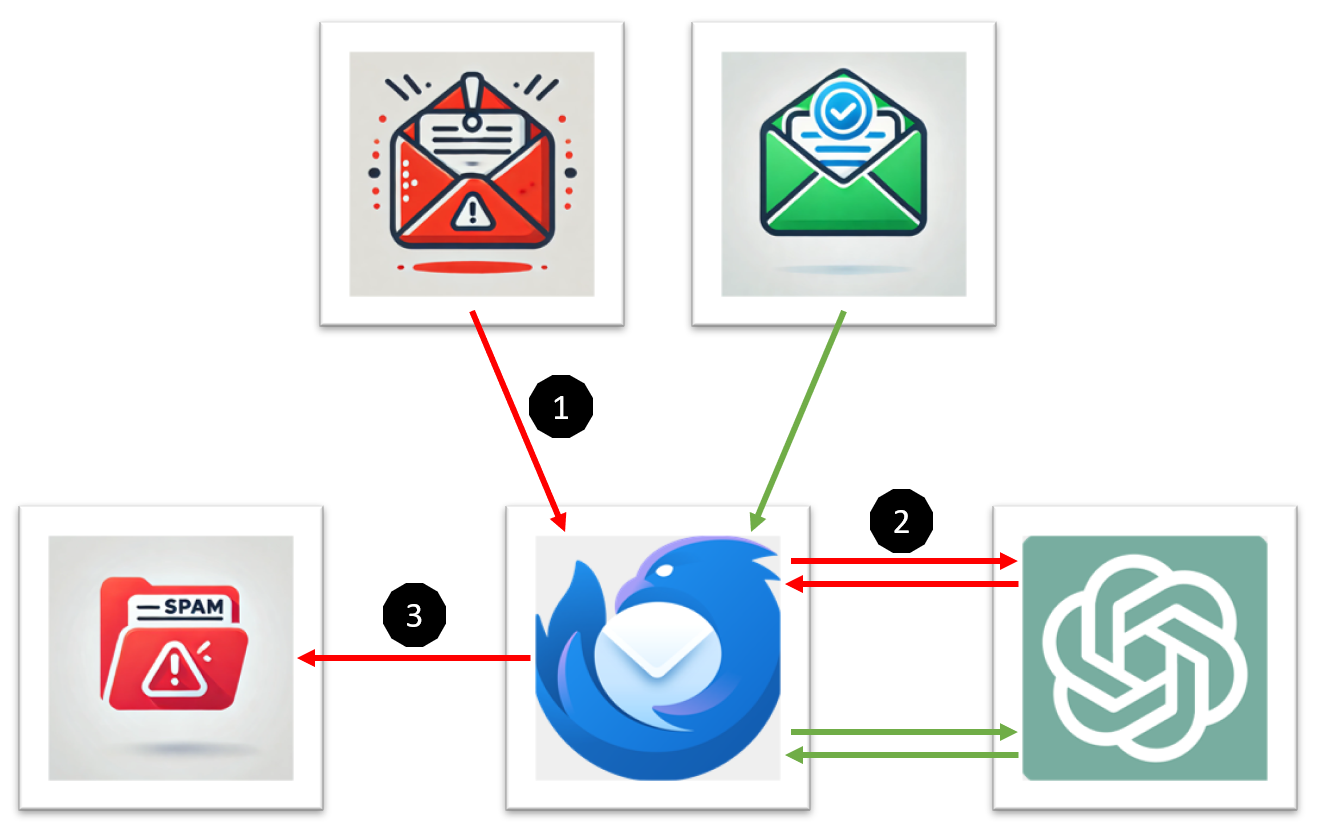
In this project, I developed a Thunderbird extension that uses ChatGPT for advanced spam detection. Incoming emails are automatically analyzed and classified according to various criteria. A local Flask server handles the communication with ChatGPT and assesses whether a message should be classified as spam. The implementation serves as a demo to explore the possibilities of AI-powered filtering in Thunderbird. Workflow As soon as Thunderbird receives a new email, the extension becomes active. The message is intercepted before it is viewed by the user. The extension extracts the subject, the sender, and the email body. ...

Run Ollama including models with NVIDIA GPU support offline under Docker + OpenWebUI

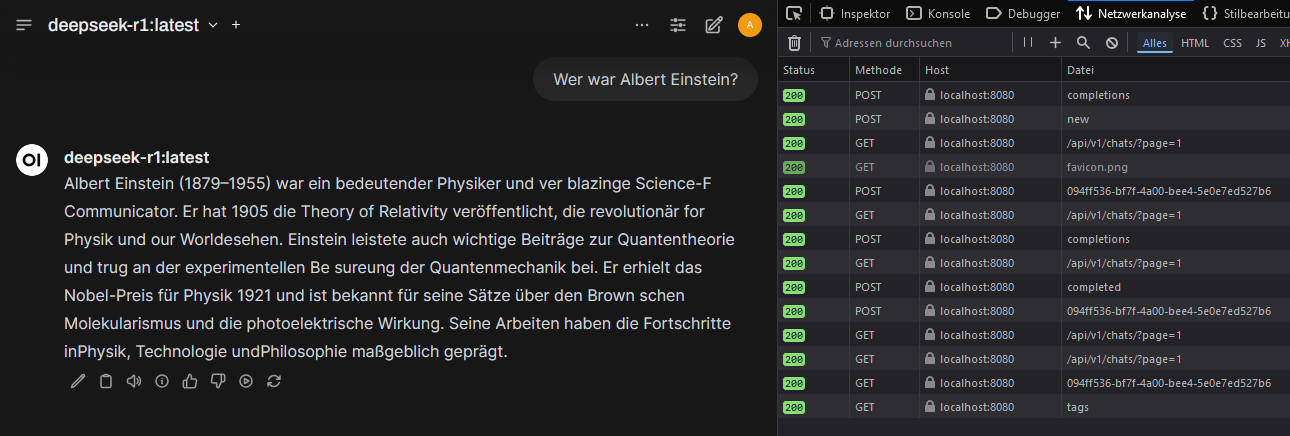
Here Ollama was run with NVIDIA-GPU-support under Docker on a Windows-11-system. OpenWebUI was used as a user-friendly interface to operate AI models locally. OpenWebUI offers the advantage that users can easily switch between different models, manage requests and conveniently control AI usage through a graphical interface. It also provides a better overview of running instances and facilitates testing different models without manual configuration changes. Install WSL 2 Install NVIDIA CUDA Drivers In order for Docker containers to access the GPU, the NVIDIA Container Runtime is required. This enables faster and more efficient computation of AI models, since compute-intensive processes are handled not by the CPU, but by the more powerful GPU. https://developer.nvidia.com/cuda/wsl ...

Neural Network with MNIST and TensorFlow

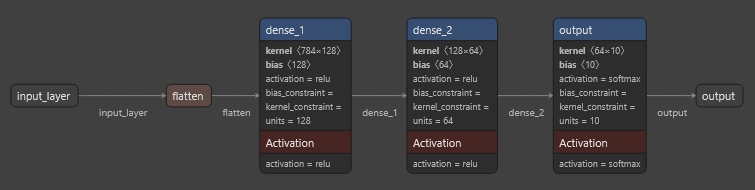
This code shows how an artificial neural network is trained with the MNIST dataset to classify handwritten digits (0-9). The goal is for the model to be able to predict which digit is shown based on the image data. This is achieved by: 1. Loading and preprocessing of the MNIST image data. 2. Creating a neural network with multiple layers (Layers). 3. Training the network with training data. 4. Evaluating the model’s performance on test data. 5. Testing the model on new sample data. ...

Using Ollama locally with llama3.2/3.3/DeepSeekv3 + REST call.

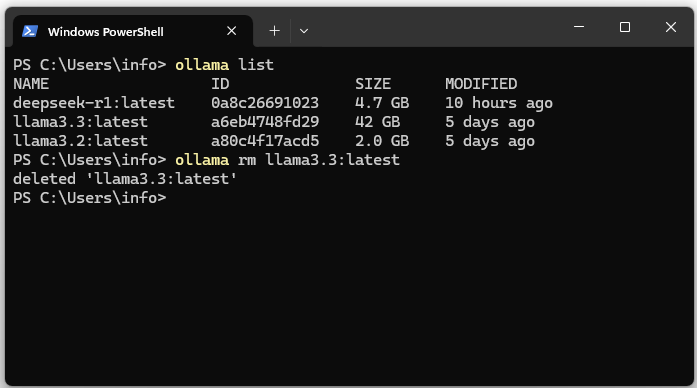
Download the Ollama LLM runtime environment download and install it. After installation the server can be accessed at http://127.0.0.1:11434/. 3. Show the list of installed models. The list should be empty. ollama list 4. Download the llama3.2 LLM and DeepSeekv3 (404 GB HD & 413 GB RAM). ollama pull llama3.2 ollama pull deepseek-v3 On the Meta website you can find the current versions of the LLM. 5. Start llama3. ...

Spring AI / OpenAI Tutorial

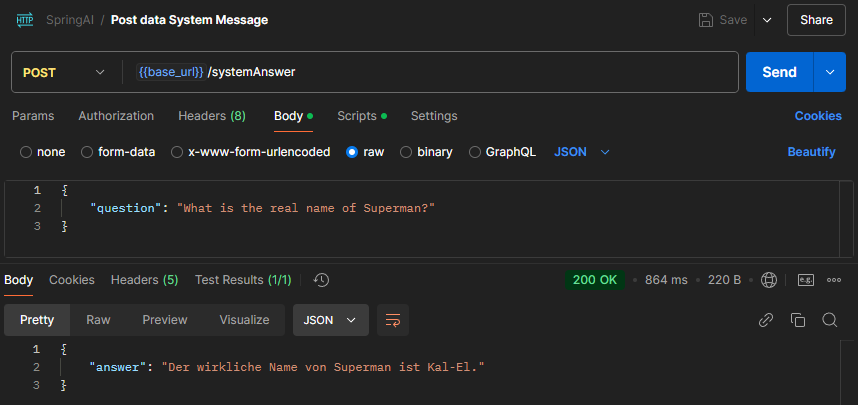
Send a question to OpenAI via Spring AI and display the answer Create OpenAI key https://platform.openai.com/settings/organization/api-keys Then set the key as an environment variable: OPENAI_API_KEY Create a new Spring Boot project: https://start.spring.io/ Within the Spring Boot application, i.e., in the “application.properties” file, reference the OpenAI key, i.e., environment variable (OPENAI_API_KEY). After creating the interface and classes, the project structure should look as follows: After running the unit test, the answer to the question “Who would win in a fight between Superman and Chuck Norris?” should be displayed. In this case: ...

Whisper: Automatic Transcription of Videos to Text

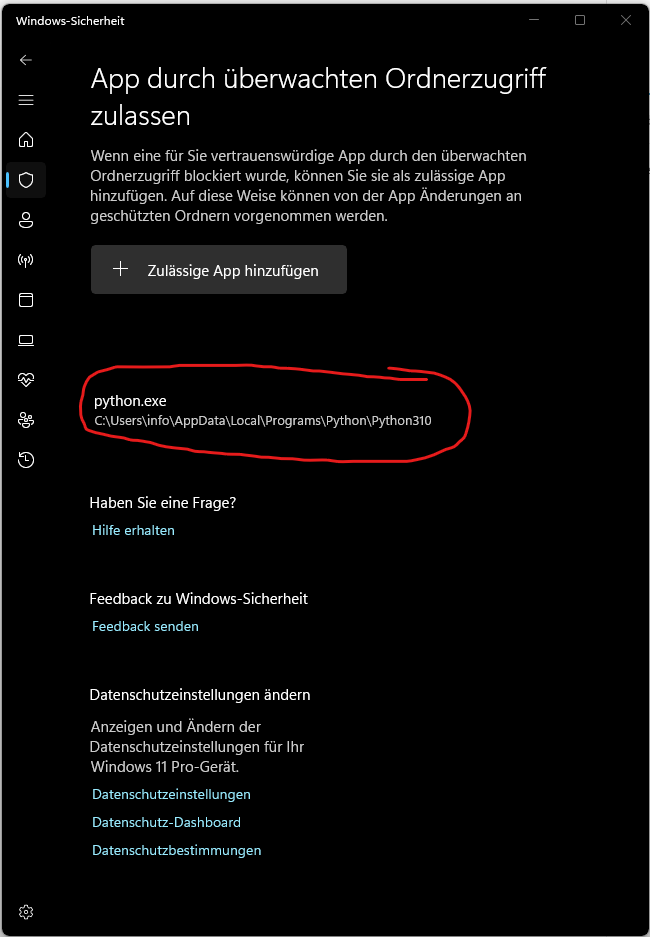
In this post, I explain how you can use Whisper, an AI-based tool from OpenAI, for automatic transcription of videos. Whisper is capable of accurately converting spoken language in various languages – including German – into text. This makes it ideal for transcribing, for example, interviews, lectures, or personal videos. Install Python 3.10 Whisper requires the Python programming language and needs a version between 3.7 and 3.10. In this guide, we use Python 3.10 to avoid compatibility issues. ...

Setting up DNS over HTTPS (DoH) within Firefox

Access advanced Firefox settings: about:config Set network.trr.mode from 0 to 2. Set network.trr.uri to https://mozilla.cloudflare-dns.com/dns-query. network.trr.mode is a configuration setting in Firefox that controls the use of DNS over HTTPS (DoH). TRR stands for Trusted Recursive Resolver and refers to the use of DoH to send DNS queries over an encrypted HTTPS connection instead of traditional, unencrypted DNS queries. 0 – DoH is disabled: Firefox uses only traditional, unencrypted DNS (over UDP or TCP) and sends no DNS queries over HTTPS. ...

Embedding via ChromaDB Vector Database

This blog post covers the concept of embeddings and vector databases. Initially, it explains what embeddings are and how they are used in the field of Natural Language Processing (NLP). Then, an explanation of vectors in a three-coordinate space and their extension to multidimensional vectors follows. Finally, ChromaDB is introduced, a specialized vector database. What is an Embedding? An Embedding is a technique in the field of machine learning and data processing that aims to transform objects such as words, sentences, or documents into a continuous vector space. In this vector space, similar objects are represented by similar vectors, meaning they lie close together. Embeddings are frequently used to capture and analyze the semantic meaning of texts. ...

Chatbot UI via Streamlit

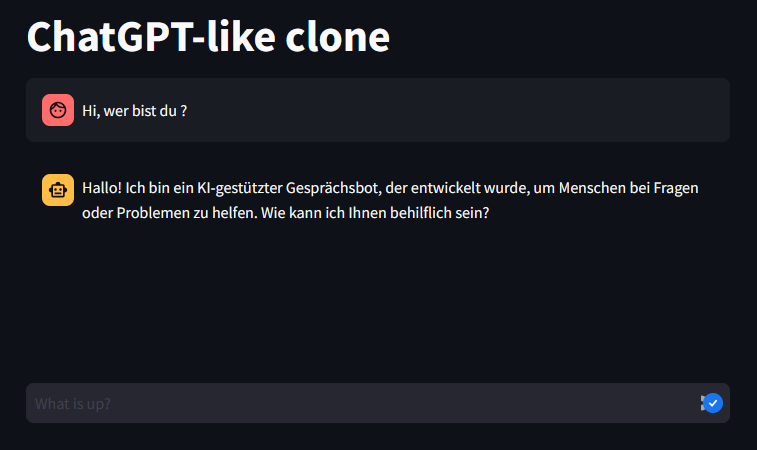
Forward requests 1:1 to ChatGPT via Streamlit and display the response. streamlit run ChatUI.py

LangChain & ChatGPT

Send Message via LangChain to ChatGPT Here we send a message via LangChain to ChatGPT and output the response. Perform Chaining with “chain” Use “chain” to link the model and the parser together. Template Prompts Prepare the prompts using a template. Use the template: The target language is externalized: Further Chaining Chain the template with model & parser: Server via FastAPI & REST Endpoint Create a server via FastAPI. The server loads the application (app.py), handles the REST request and outputs the translation: ...

Elastic Stack (Filebeat, Logstash, Elasticearch, Kibana) Tutorial

Logstash Logstash is an Event Processing Framework. With Logstach you can import data from different kind of input frameworks and sources. In the next step you can filter an modify the data and in the last step you can export the data to different kind of formats and frameworks e.g. you can read the data from a framework like Beats and forward the data to Elasticsearch for storage and further processing. Within Logstash you can process, filter and map the different input and output formats: ...

Turn on/off Elgato Key Light via Windows shortcut/button

Search for the IP address of your Key Light via Wireless Network Watcher e.g. 192.168.2.227 Your Key Light has a build in web server listening on port 9123 e.g. 192.168.2.227:9123 Send a GET request e.g. via Postman to the following endpoint to get more information about your Key Light: http://192.168.2.227:9123**/elgato/lights** Turn on the light by using the following PUT request. You need to set the ‘on’ value to ‘1’ instead of ‘0’. ...

Photography Basics + Sharp Long-Exposure- & Landscape Shots

Better quality: https://www.flickr.com/photos/aaron_kreis/13591624245/ Better quality: https://www.flickr.com/photos/aaron_kreis/35959541982/ To create razor-sharp long-exposure shots, you must know some basic concepts in photography and set or configure your camera accordingly. I’ll first explain the terms very superficially and later discuss the interaction of these terms, e.g., what influence the ISO value has on the exposure time, etc. Anyone who wants to create images like those shown above should know the following basic concepts and their dependencies on each other. ...

Angular & Cumulocity IoT Platform

The following topics are covered here: Installation of the Cumulocity IoT Platform (C8Y) CLI Project creation via the C8Y CLI Creation of components Setting up navigation (routing) Custom branding & using Bootstrap 4 instead of 3 (default) First of all, we need the Cumulocity (C8Y) Angular CLI (Command Line Interface). We can install the CLI as follows: npm install -g @c8y/cli Using the C8Y CLI, a new project can be created as follows: c8ycli new myApp ...