Prompt Decorators: Steering AI Responses Precisely

AI models often produce unstructured or imprecise answers. Anyone who wants better results must adjust their prompts accordingly. One way to do this efficiently is with prompt decorators – clear instructions at the beginning of a prompt that control the AI’s response behavior. In this post, I show how to teach the AI to understand these decorators and how to use them afterward. Explain Prompt Decorators to the AI The AI is given a clear definition of the decorators, for example „+++StructuredAnswer“, so that it understands their meaning. The instruction to apply them in future answers ensures that they don’t apply to just a single question. If the AI doesn’t have long-term memory, this introduction must be repeated in each new session. ...

February 27, 2025 Â· Aaron

AI Agent Demo: Advanced Spam Detection via ChatGPT

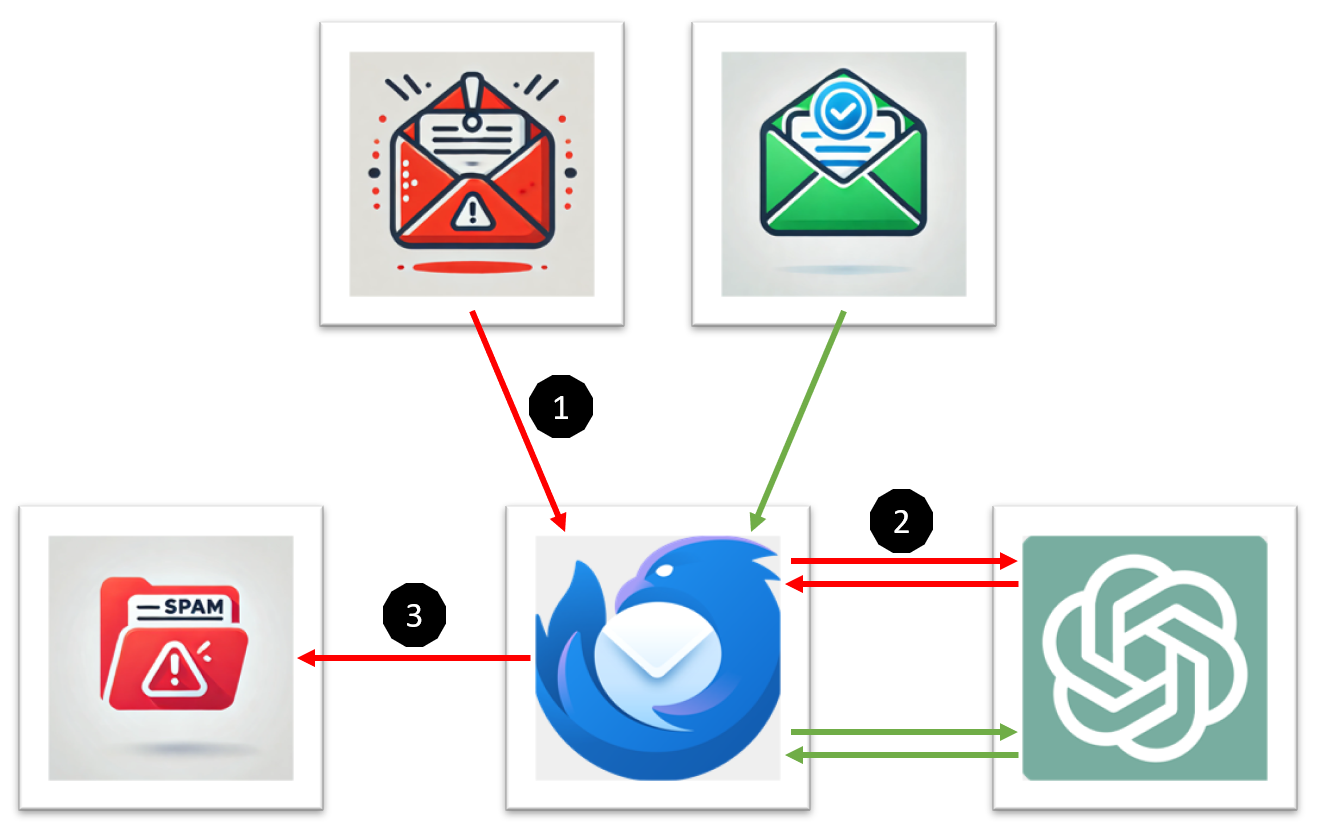
In this project, I developed a Thunderbird extension that uses ChatGPT for advanced spam detection. Incoming emails are automatically analyzed and classified according to various criteria. A local Flask server handles the communication with ChatGPT and assesses whether a message should be classified as spam. The implementation serves as a demo to explore the possibilities of AI-powered filtering in Thunderbird. Workflow As soon as Thunderbird receives a new email, the extension becomes active. The message is intercepted before it is viewed by the user. The extension extracts the subject, the sender, and the email body. ...

February 4, 2025 Â· Aaron

Run Ollama including models with NVIDIA GPU support offline under Docker + OpenWebUI

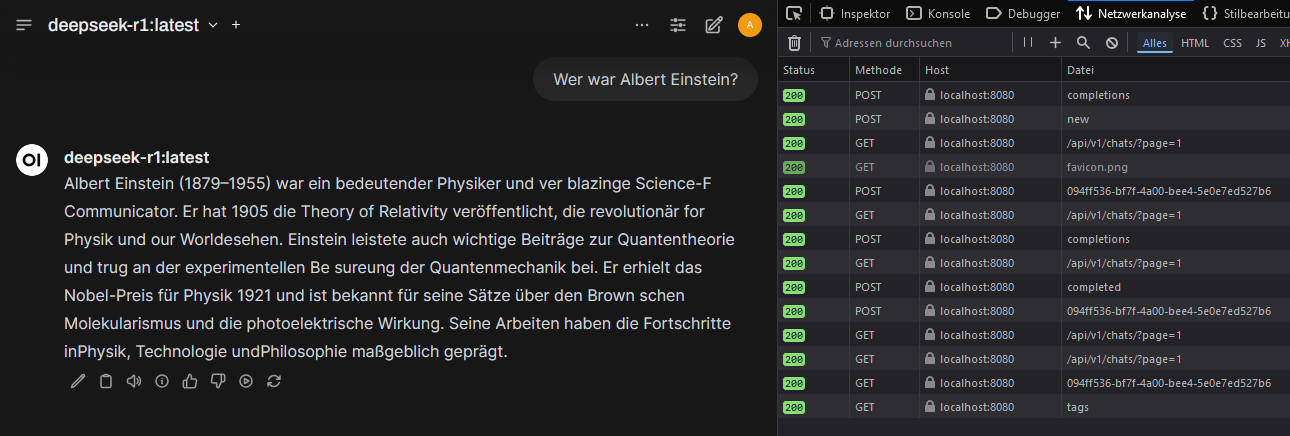
Here Ollama was run with NVIDIA-GPU-support under Docker on a Windows-11-system. OpenWebUI was used as a user-friendly interface to operate AI models locally. OpenWebUI offers the advantage that users can easily switch between different models, manage requests and conveniently control AI usage through a graphical interface. It also provides a better overview of running instances and facilitates testing different models without manual configuration changes. Install WSL 2 Install NVIDIA CUDA Drivers In order for Docker containers to access the GPU, the NVIDIA Container Runtime is required. This enables faster and more efficient computation of AI models, since compute-intensive processes are handled not by the CPU, but by the more powerful GPU. https://developer.nvidia.com/cuda/wsl ...

February 1, 2025 Â· Aaron

Neural Network with MNIST and TensorFlow

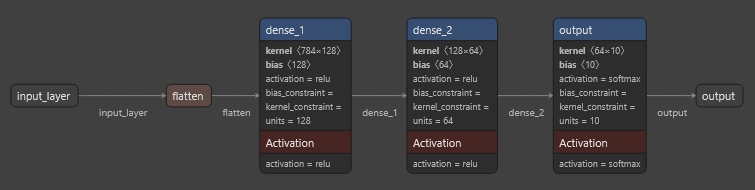
This code shows how an artificial neural network is trained with the MNIST dataset to classify handwritten digits (0-9). The goal is for the model to be able to predict which digit is shown based on the image data. This is achieved by: 1. Loading and preprocessing of the MNIST image data. 2. Creating a neural network with multiple layers (Layers). 3. Training the network with training data. 4. Evaluating the model’s performance on test data. 5. Testing the model on new sample data. ...

January 31, 2025 Â· Aaron

Using Ollama locally with llama3.2/3.3/DeepSeekv3 + REST call.

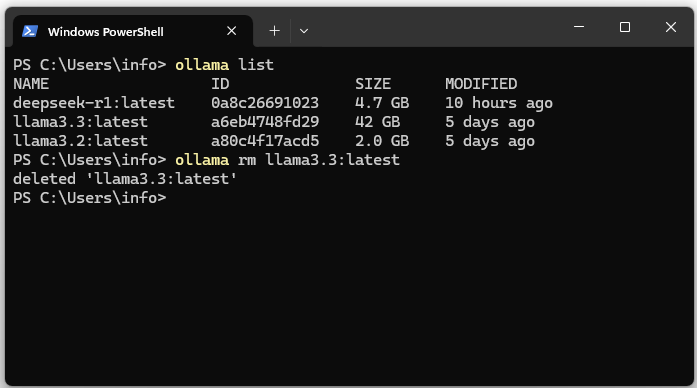
Download the Ollama LLM runtime environment download and install it. After installation the server can be accessed at http://127.0.0.1:11434/. 3. Show the list of installed models. The list should be empty. ollama list 4. Download the llama3.2 LLM and DeepSeekv3 (404 GB HD & 413 GB RAM). ollama pull llama3.2 ollama pull deepseek-v3 On the Meta website you can find the current versions of the LLM. 5. Start llama3. ...

January 18, 2025 Â· Aaron

Spring AI / OpenAI Tutorial

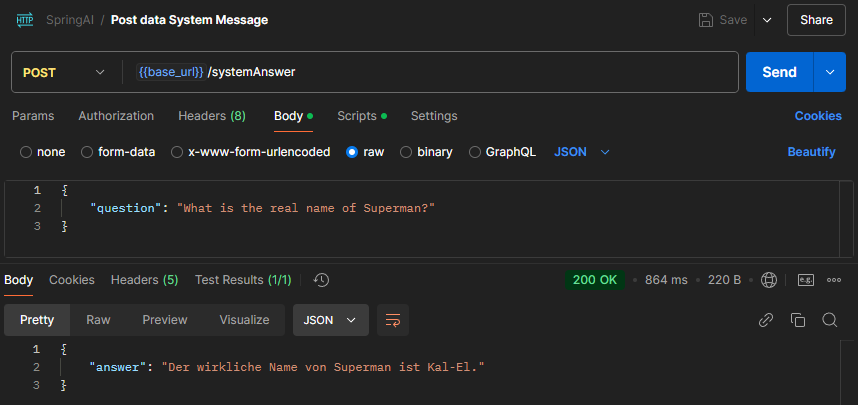
Send a question to OpenAI via Spring AI and display the answer Create OpenAI key https://platform.openai.com/settings/organization/api-keys Then set the key as an environment variable: OPENAI_API_KEY Create a new Spring Boot project: https://start.spring.io/ Within the Spring Boot application, i.e., in the “application.properties” file, reference the OpenAI key, i.e., environment variable (OPENAI_API_KEY). After creating the interface and classes, the project structure should look as follows: After running the unit test, the answer to the question “Who would win in a fight between Superman and Chuck Norris?” should be displayed. In this case: ...

December 1, 2024 Â· Aaron

Whisper: Automatic Transcription of Videos to Text

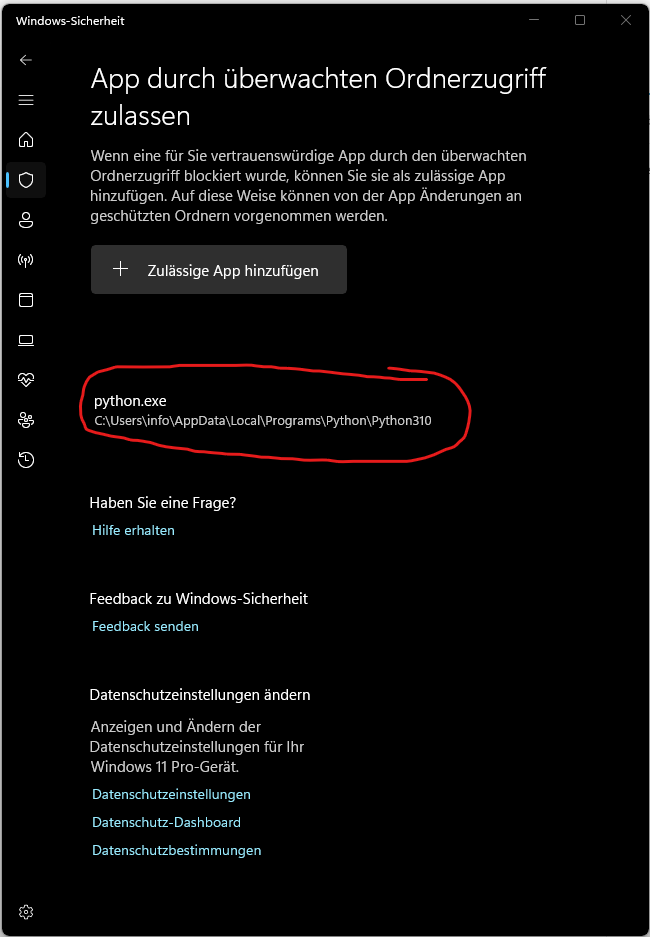
In this post, I explain how you can use Whisper, an AI-based tool from OpenAI, for automatic transcription of videos. Whisper is capable of accurately converting spoken language in various languages – including German – into text. This makes it ideal for transcribing, for example, interviews, lectures, or personal videos. Install Python 3.10 Whisper requires the Python programming language and needs a version between 3.7 and 3.10. In this guide, we use Python 3.10 to avoid compatibility issues. ...

November 13, 2024 Â· Aaron

Setting up DNS over HTTPS (DoH) within Firefox

Access advanced Firefox settings: about:config Set network.trr.mode from 0 to 2. Set network.trr.uri to https://mozilla.cloudflare-dns.com/dns-query. network.trr.mode is a configuration setting in Firefox that controls the use of DNS over HTTPS (DoH). TRR stands for Trusted Recursive Resolver and refers to the use of DoH to send DNS queries over an encrypted HTTPS connection instead of traditional, unencrypted DNS queries. 0 – DoH is disabled: Firefox uses only traditional, unencrypted DNS (over UDP or TCP) and sends no DNS queries over HTTPS. ...

October 30, 2024 Â· Aaron

Embedding via ChromaDB Vector Database

This blog post covers the concept of embeddings and vector databases. Initially, it explains what embeddings are and how they are used in the field of Natural Language Processing (NLP). Then, an explanation of vectors in a three-coordinate space and their extension to multidimensional vectors follows. Finally, ChromaDB is introduced, a specialized vector database. What is an Embedding? An Embedding is a technique in the field of machine learning and data processing that aims to transform objects such as words, sentences, or documents into a continuous vector space. In this vector space, similar objects are represented by similar vectors, meaning they lie close together. Embeddings are frequently used to capture and analyze the semantic meaning of texts. ...

July 26, 2024 Â· Aaron

Chatbot UI via Streamlit

Forward requests 1:1 to ChatGPT via Streamlit and display the response. streamlit run ChatUI.py

July 20, 2024 Â· Aaron