What it is about
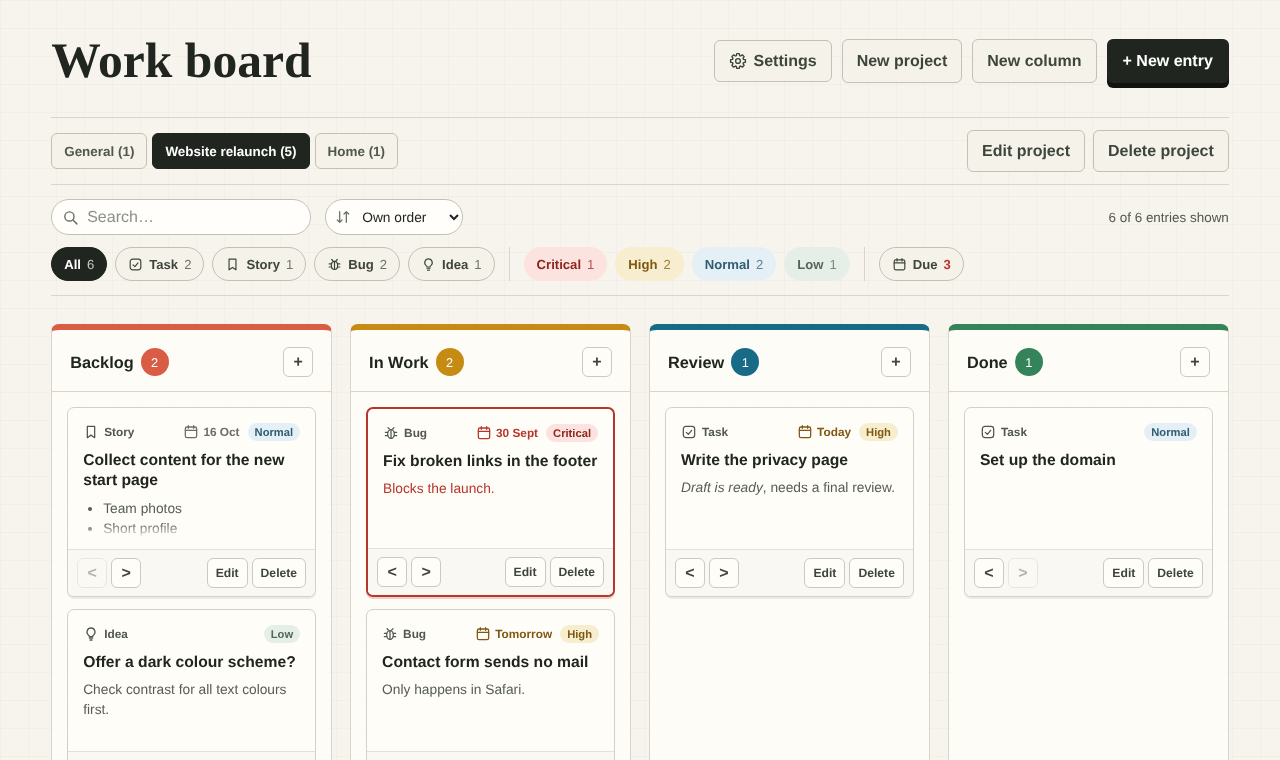
Work board is a personal Kanban board that runs entirely in the browser. There is no server, no account and no tracking. You open the file board.html with a double click and can start right away. Your data never leaves your own browser.
The current version is available directly as a ZIP file:
https://github.com/netperformance/Kanban/archive/refs/tags/v1.0.2.zip
The project is open source under the MIT license and is hosted on GitHub:
github.com/netperformance/Kanban
Features
- Projects: separate boards for different topics, shown as tabs. Each tab shows the number of open entries.
- Columns: create, rename, recolor, move, clear and delete. Any column can be marked as “done”.
- Entries: title, formatted description, type (task, story, bug, idea), priority (low to critical) and due date. Overdue entries are marked in red, entries due today or tomorrow are highlighted.
- Drag and drop between and within columns. On tablets and smartphones, press and hold an entry, then drag it with your finger.
- Quick add: every column has its own + button.
- Search in titles and descriptions, reachable with the / key.
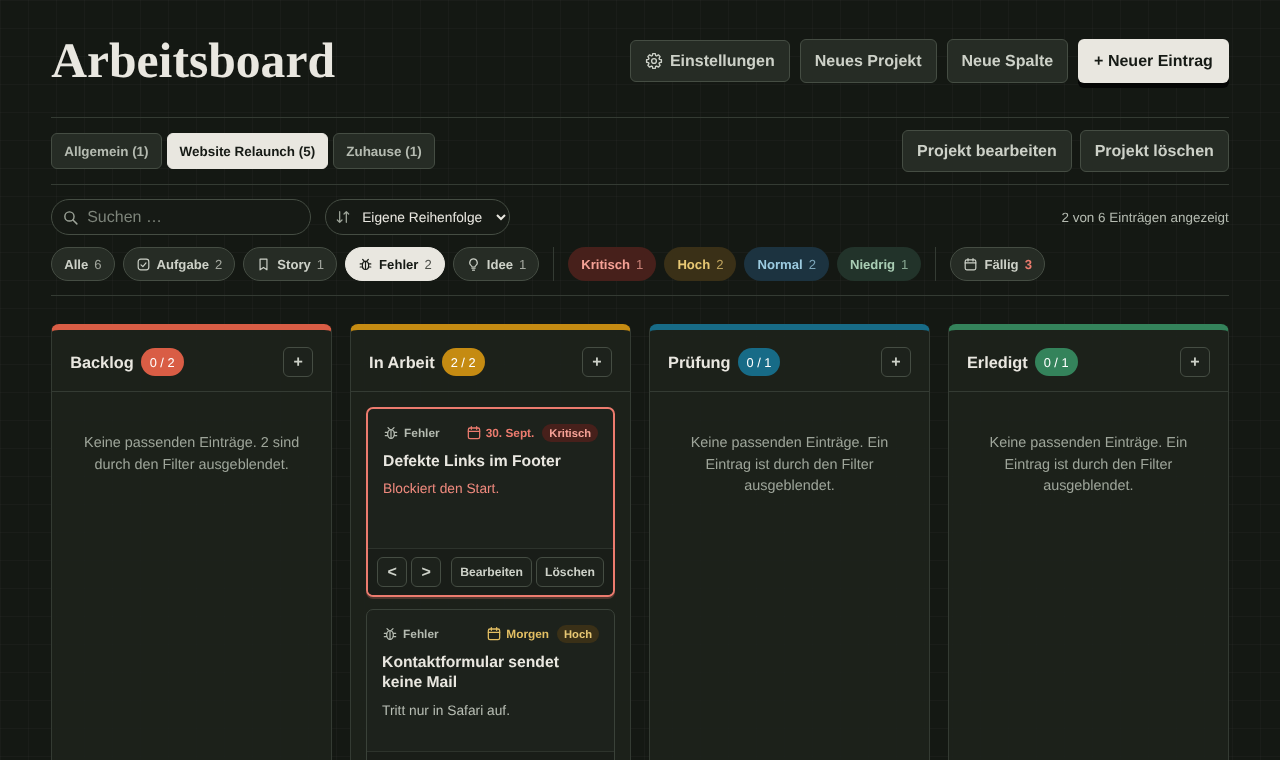
- Filters by type, priority and due date, freely combinable, for example only critical bugs. Each project remembers its own search and filters.
- Sorting by your own order, due date or priority. Your own order is preserved.
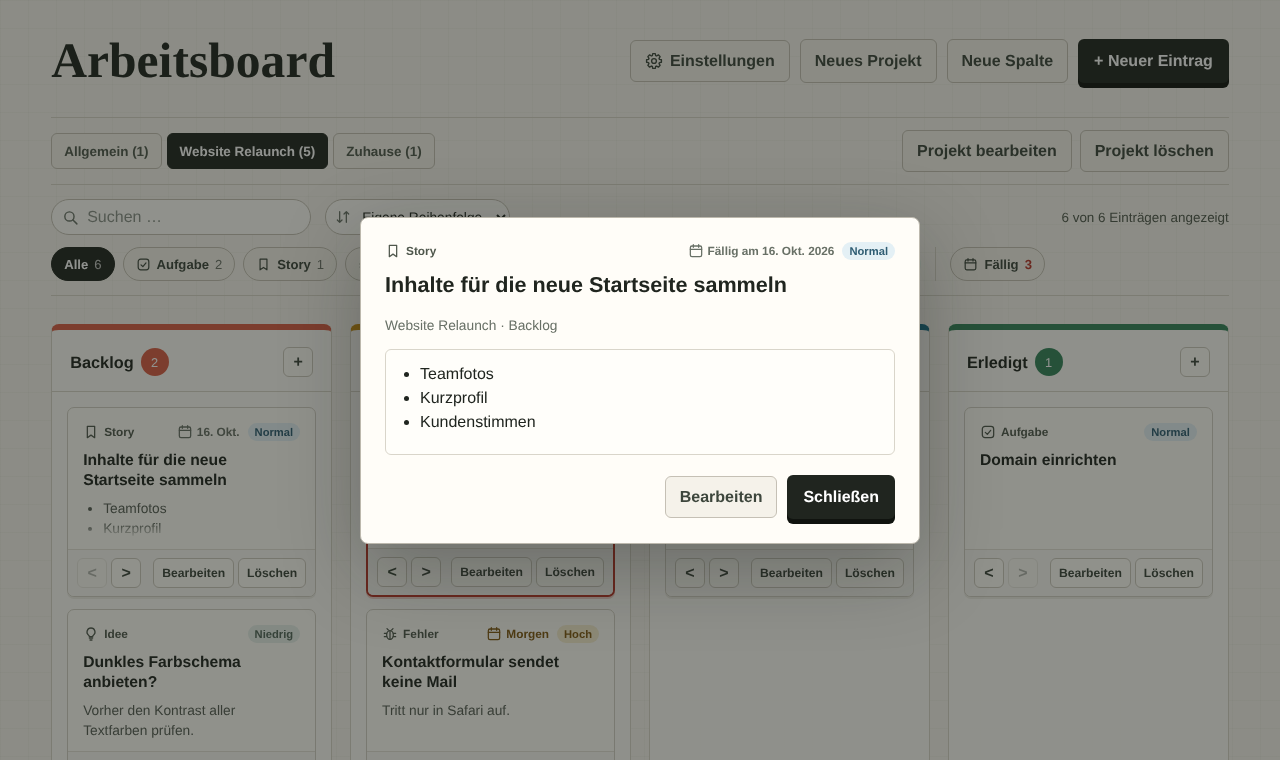
- Read view: a click on the title shows the whole entry. The rest of the card stays free for dragging, so moving a card never opens a dialog by accident.
- Settings: a custom name for the board, language, light or dark theme or the theme of the operating system, export and import.
Where the data lives
Everything is stored in the browser’s localStorage. This has an important side effect: every browser keeps separate storage for every location the board is opened from. If you unzip the files into a new folder, you will see an empty board there at first.
To update, simply copy the new files over the old ones in the same folder. Your entries are kept. To move a board to another browser or another computer, use the export and import as a JSON file under Settings. Before every import, the board backs up the current state in the browser.
Clearing your browser data also deletes the board. Regular exports are therefore the best insurance.
If the stored data is ever damaged, the board repairs only the faulty parts and keeps the original data as a backup. When several tabs are open, they stay in sync. If two tabs make changes at the same time, the second change is rejected instead of silently overwriting the first.
Security
Even a local application should be properly secured, especially since descriptions contain formatted text.
- Content Security Policy: only the board’s own scripts and styles may run, external requests are blocked.
- Allowlist sanitizer: in descriptions, only the formatting the editor itself offers survives. All other elements and attributes are removed.
- Pasted text is always inserted as plain text, so foreign formatting or code never ends up in an entry.
- No runtime dependencies and no build step. What is in the repository is exactly what runs in the browser.
The description editor uses the browser’s Selection and Range APIs and works without the deprecated document.execCommand().
Limitations
- There is no sync between devices. Export and import are the way to move a board.
- The order within a column can only be changed with a mouse or a finger, not with the keyboard.
- The board is meant for one person. Team collaboration is not the goal.
Conclusion
Work board is deliberately kept small: one HTML file, a little CSS and JavaScript, no installation. Still, it has everything you need for your own everyday planning, from filters and due dates to the dark theme. Feedback and pull requests are welcome on GitHub.