This post describes the project DerArchitekturkompass.de: a German-language decision aid that explains 146 software architecture concepts in everyday language, each with a running example, an animated flow diagram and an open list of its advantages and disadvantages.
Why Architecture Knowledge Is Hard to Access
Anyone who has a say in an IT project sooner or later comes across terms such as circuit breaker, saga, CQRS or event sourcing. Behind each of these terms lies a decision that shapes a system for years: how it deals with failures, how data is kept consistent between services, and what a user sees when part of the system does not respond.
The available explanations of these terms often help only specialists. Many assume prior knowledge, explain one technical term with the next, or jump straight into program code. Others describe a concept by way of a particular product, so it remains unclear what belongs to the concept and what belongs to the product. Almost always, the part that matters most for a decision is missing: what advantages an approach has and when it does not fit.
The decision for an architectural approach is usually made by the architect, often together with the development team. It is based on the requirements of the other stakeholders: the business department defines what the system must do, requirements analysts describe these requirements, and project managers keep an eye on budget and deadlines. Many consequences of an approach directly affect the business department, for example how long a customer still sees old data after a change. That is why these stakeholders also need to understand what an approach changes in the system.
What the Architekturkompass Is
The Architekturkompass (German for “architecture compass”) is a collection of currently 146 architecture concepts.
All concept pages share the same structure:
- First, the basic idea is explained briefly.
- Next, the page describes the flow in detail using an example. An animated diagram shows this example step by step.
- Then the page clarifies when using the concept makes sense and when it does not.
- After that, it names typical disadvantages and typical mistakes.
- Finally, the page points to related approaches, to sources and, where available, to suitable tools.
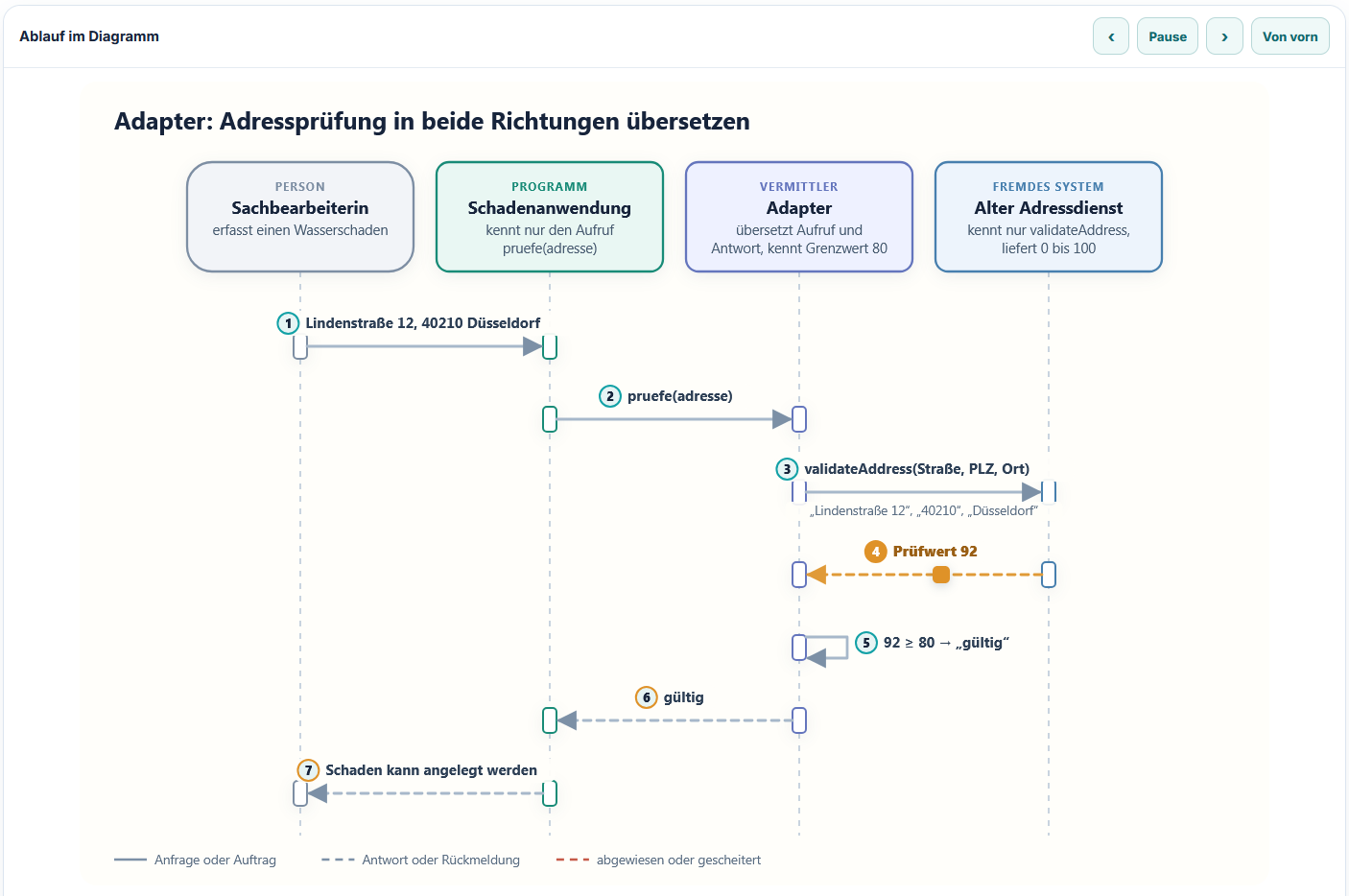
The examples come mostly from everyday insurance work: a customer portal, a claim notification, a premium calculator. This shows for every concept which people, systems and data it affects.
The concepts can be found by topic or through search:
- By topic: 16 topic groups, from fundamentals through integration as well as messages and events to security architecture and modernisation.
- Through search: The search also takes into account everyday words that do not appear verbatim on the concept page. Anyone who types „langsamer Dienst“ (“slow service”) ends up at the circuit breaker.
Starting From Your Own Concern
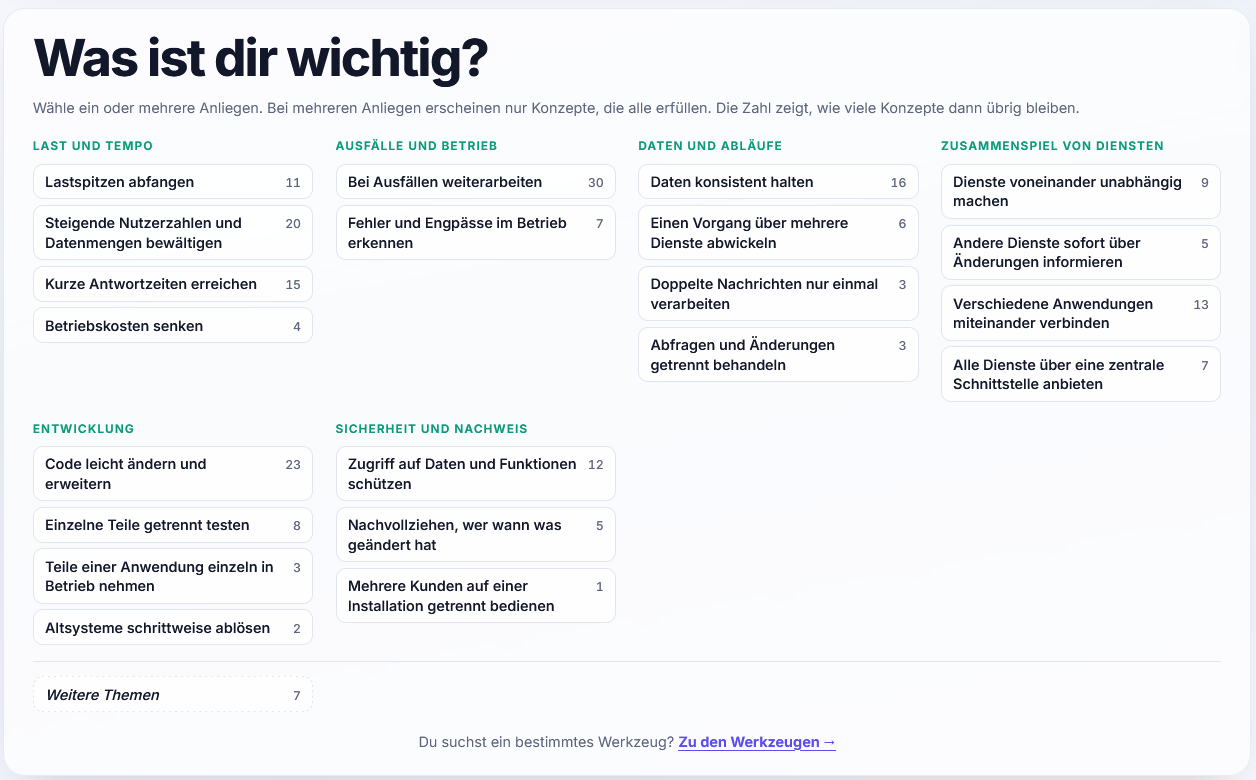
Anyone who has a problem rarely already knows the name of the solution. That is why the home page begins with the question „Was ist dir wichtig?“ (“What matters to you?”). Below it are 21 concerns in six groups, phrased as goals rather than technical terms, for example:
- Absorbing load peaks
- Keeping going during outages
- Processing duplicate messages only once
- Replacing legacy systems step by step
- ….
A click on a concern shows the matching concepts. Several concerns can be combined; only concepts that meet all selected concerns are then shown. Next to each concern is the number of concepts that would remain after clicking it. Concerns without matches are greyed out. This makes it visible before the click whether a combination returns any results at all.
Tools for the Concepts
The explanation of a concept does without product names. But anyone who wants to implement a concept will need a concrete tool at some point. That is why many concept pages list suitable tools in the section „Werkzeuge und Umsetzungen“ (“tools and implementations”), and alongside the concepts the Architekturkompass has a second section with 219 open source tools in 13 groups, from messaging platforms through databases to security and identity.
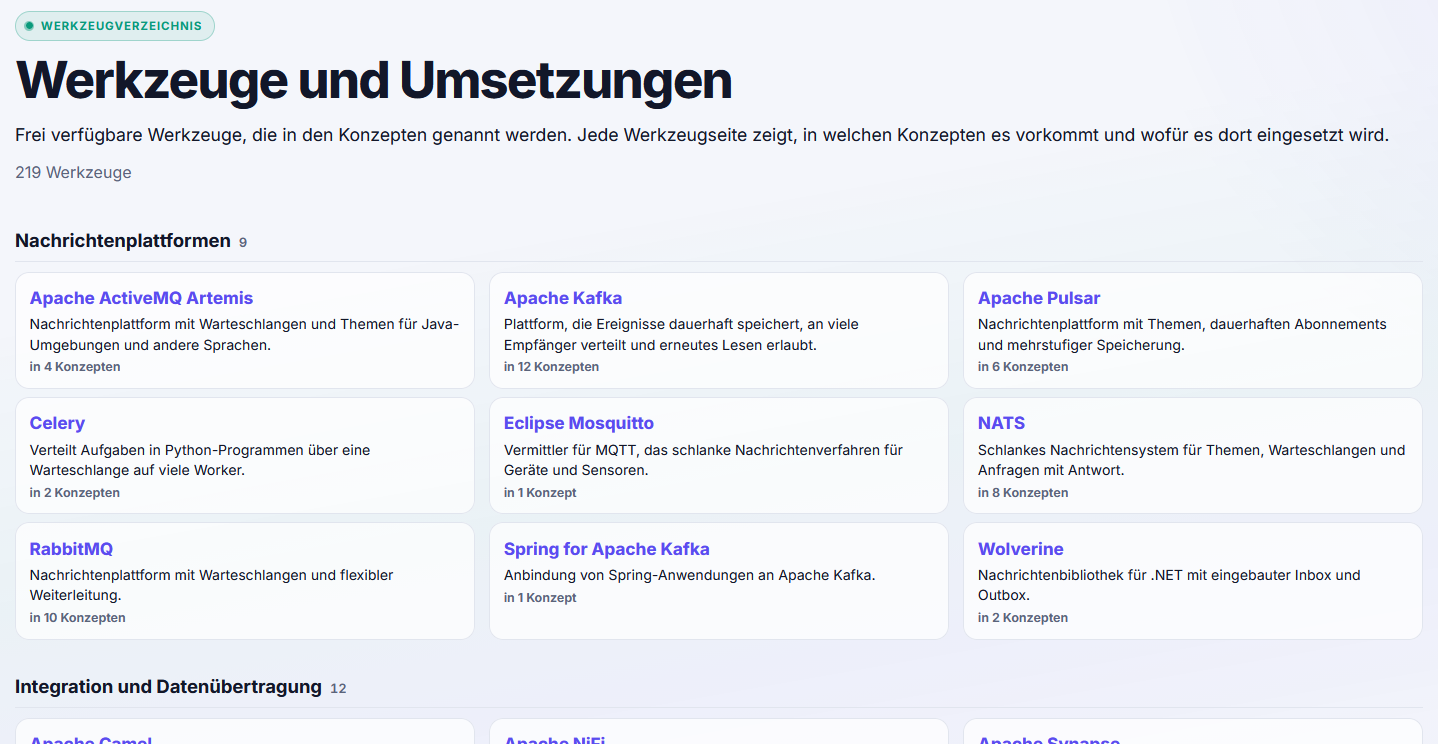
Every tool page shows in which concepts the tool appears and what exactly it is used for there.
The Map of Concepts
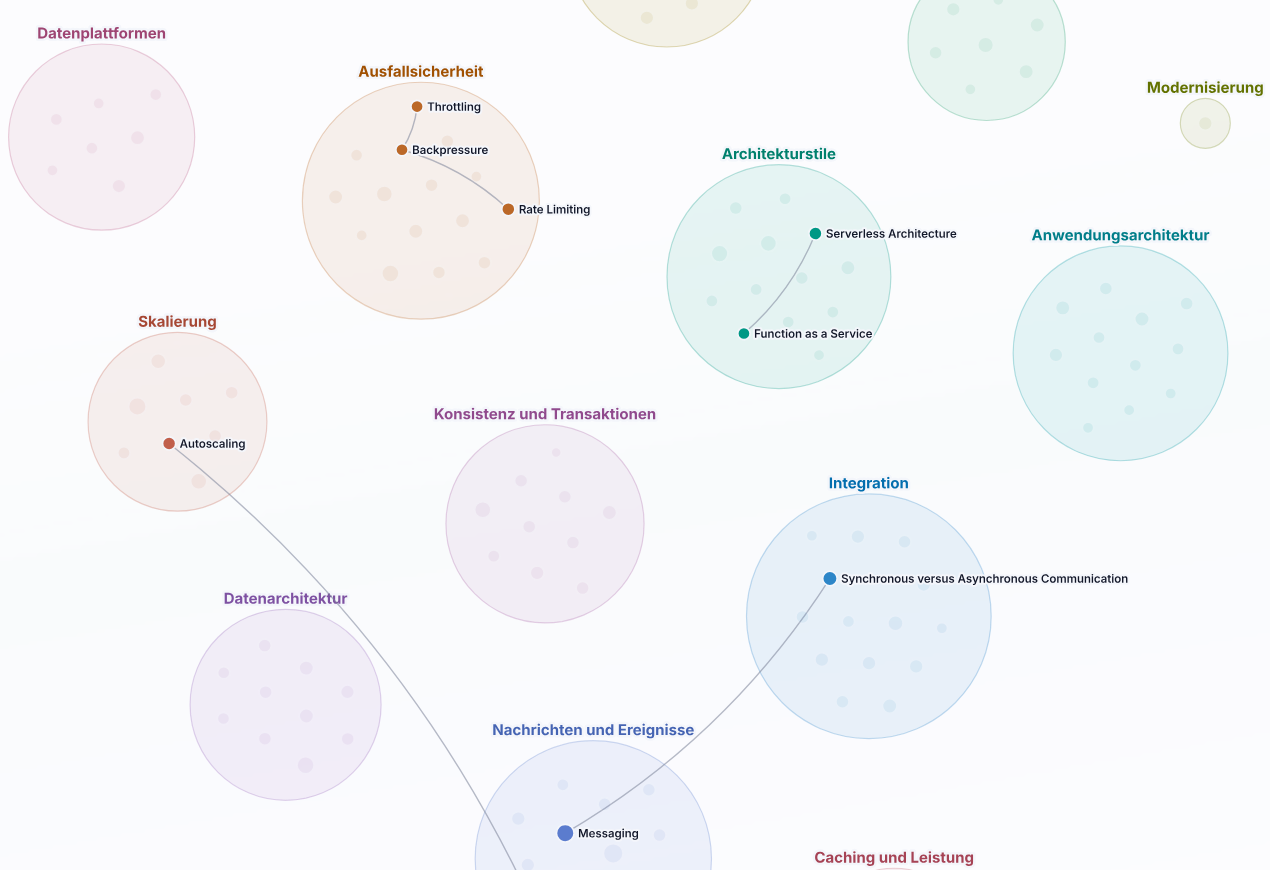
The map („Landkarte“) shows all 146 concepts on one page, grouped by topic. Lines connect each concept with its related approaches. This makes visible which concepts belong together. The map can also be filtered by concern, and every point leads to the page of its concept.
From Concept to Architecture Decision
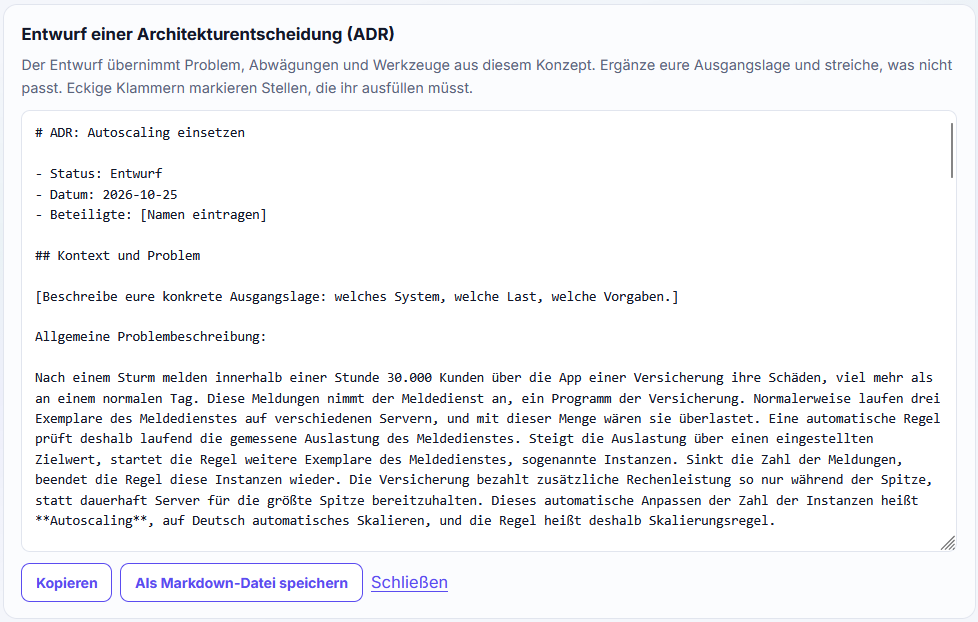
Many teams record architecture decisions as an architecture decision record, ADR for short. An ADR is a short document that describes a decision, its reason, the alternatives considered and the consequences. On every concept page, the button „Als Architekturentscheidung übernehmen“ (“Adopt as architecture decision”) generates such a draft in Markdown. It takes the problem from the concept, the related approaches as alternatives, the trade-offs and the suitable tools. For the team’s own starting situation and rationale it contains placeholders that the team fills in itself. The draft can be copied or saved as a file.
Bookmarks and Print Version
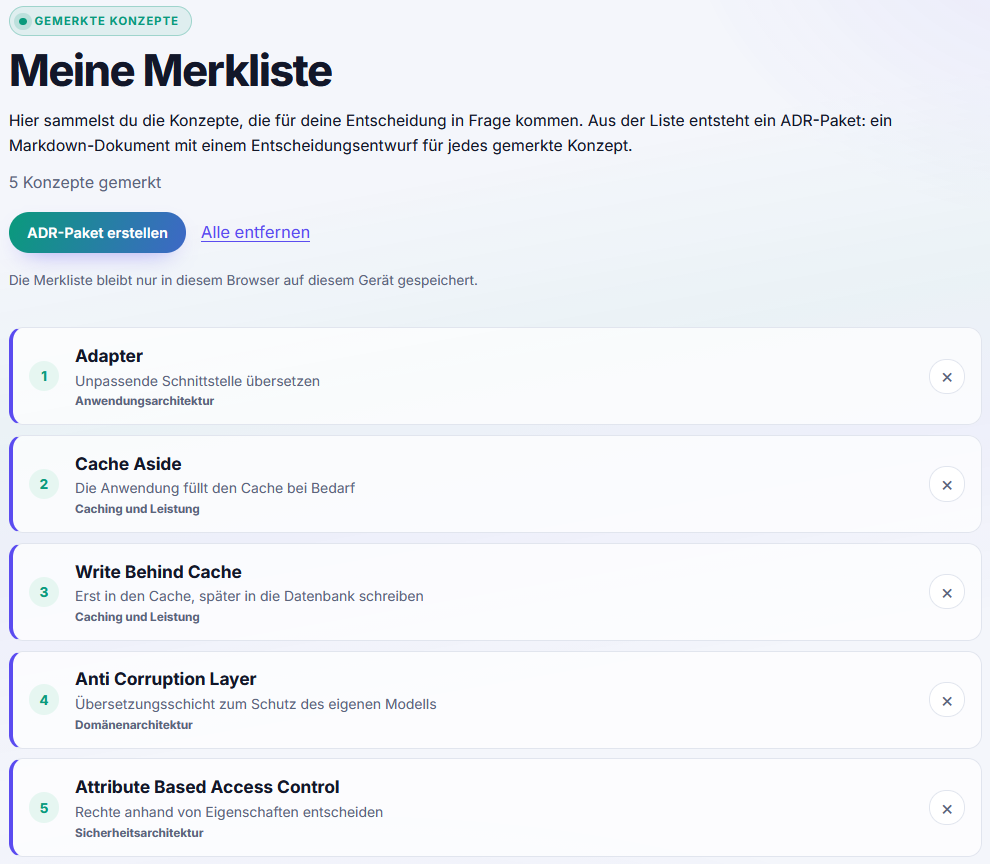
Any concept can be added to a bookmark list („Merkliste“). The list is stored only in your own browser and needs no user account. Every concept page can also be printed or saved as a PDF, for example as a handout for a meeting.
What the Architekturkompass Does Not Replace
All 146 concept pages have been editorially reviewed: text, diagram and animation steps were read side by side and aligned to the same case. This review, however, is not a technical approval by external experts. The Architekturkompass explains concepts and their trade-offs. Which approach fits a particular system depends on its requirements, constraints and team. The people involved make that decision themselves.
Conclusion
Good architecture decisions come about when everyone involved understands which problem an approach solves and when it does not fit. The Architekturkompass is meant to create this understanding: with a concrete example instead of an abstract definition, with a diagram that shows the same case, and with advantages and disadvantages that are named openly.
You can find the Architekturkompass at DerArchitekturkompass.de.