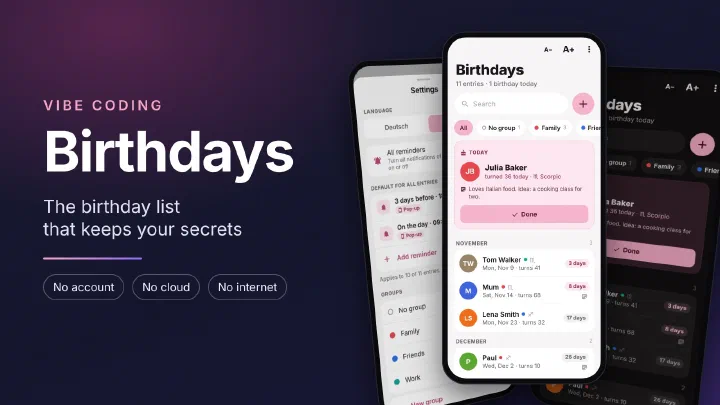
What it is about
Birthdays is an Android app that stores birthdays and reminds you of them in time. There is no account, no cloud and no sync through third party servers. All entries are stored in a database on the phone and only leave it when you share a backup yourself. I built the app with the help of AI, modeled on my apps Shopping List and My Notes.
The current version is available directly as an APK file:
https://github.com/netperformance/birthdayreminder/releases/download/v1.0.6/Birthdays-1.0.6.apk
The project is open source under the MIT license and is hosted on GitHub:
github.com/netperformance/birthdayreminder
Why a birthday app of my own
A collection of birthdays is a list of people: names, dates of birth, often a photo and a note like “would like a cookbook”. Most of these people were never asked whether their data may be stored anywhere. Many birthday apps still store this data on their provider’s servers. That puts this knowledge in the hands of another company.
On top of that, if you enter birthdays in your phone’s calendar, you are usually only reminded on the day itself. By then it is too late for a gift. I wanted to decide for each person when I get reminded, including days or weeks in advance.
The app at a glance
Whoever has a birthday today appears in a card at the top of the home screen. Below it, all entries follow by month, starting with the next birthday. For each entry, the app shows how many days are left until the birthday, how old the person will turn and what their star sign is. The plus button adds a new entry.
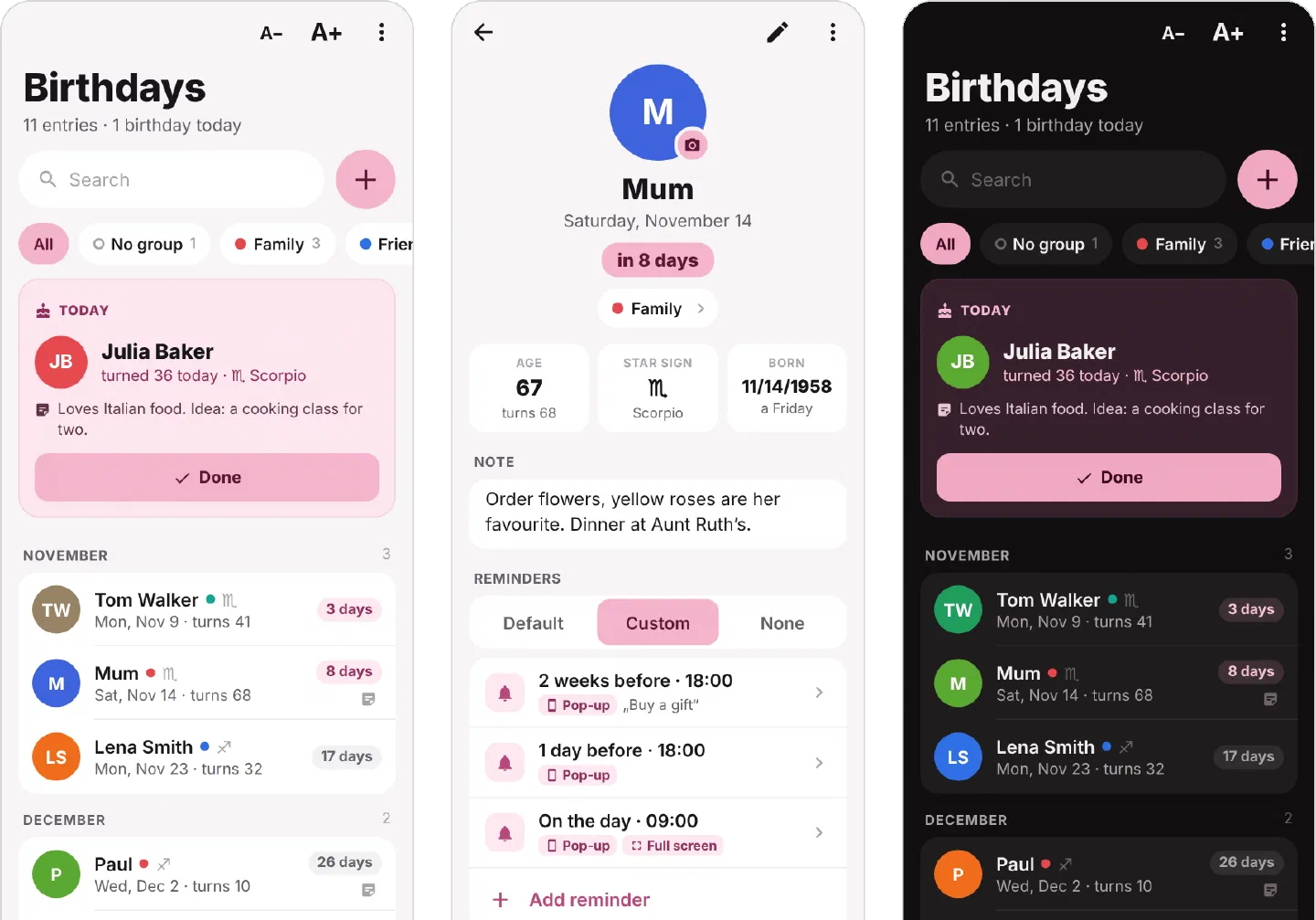
- Entries: An entry has a name, a birthday, a note and a picture. The year of birth is optional.
- Reminders per person: For each entry you choose whether the default reminders from the settings apply, whether it gets its own reminders or none at all. Several points in time can be combined, for example two weeks before, one day before and on the birthday itself. Each reminder has its own time and, if you like, a short hint such as “Buy a gift”.
- Pop-up or full screen: A reminder appears as a notification, also on the lock screen. If you do not want to miss a reminder under any circumstances, you also switch on full screen. The reminder then fills the whole screen like an alarm clock, even when the phone is locked, and rings until you react. If you tap “In 1 hr”, the reminder comes again one hour later. If you tap “Done”, no further reminder comes for this person on that day.
- Groups: After installation there are four groups: “No group”, “Family”, “Friends” and “Work”. You can add more. Each group has one of twelve colors. Groups are only for sorting and filtering. They have no effect on the reminders.
- Search: The search finds words in names and notes. Upper and lower case do not matter, “muller” also finds “Müller”. If you enter the name of a month, for example “March”, the app shows all birthdays in that month.
- Import from contacts: The app reads the birthdays from the phone’s contacts. Only contacts with a birthday are imported. If you import again, the app does not add anyone twice. If a name or a date has changed in the address book since the last import, the app shows this separately and only applies the change once you confirm it with a tick.
- Time zones: A birthday lasts from midnight to midnight in the time zone you set as “Home” in the settings. Where the phone is at the moment does not matter. An example: home is Berlin, and you are in Sydney right now. It is already midnight there, while it is still afternoon in Berlin. Until the birthday begins in Berlin, the card says “Starts soon”. If a reminder on the birthday falls into the night between 10 pm and 7 am because of the time difference, it comes at 7 am local time. Daylight saving time and restarting the phone do not mess up the reminders.
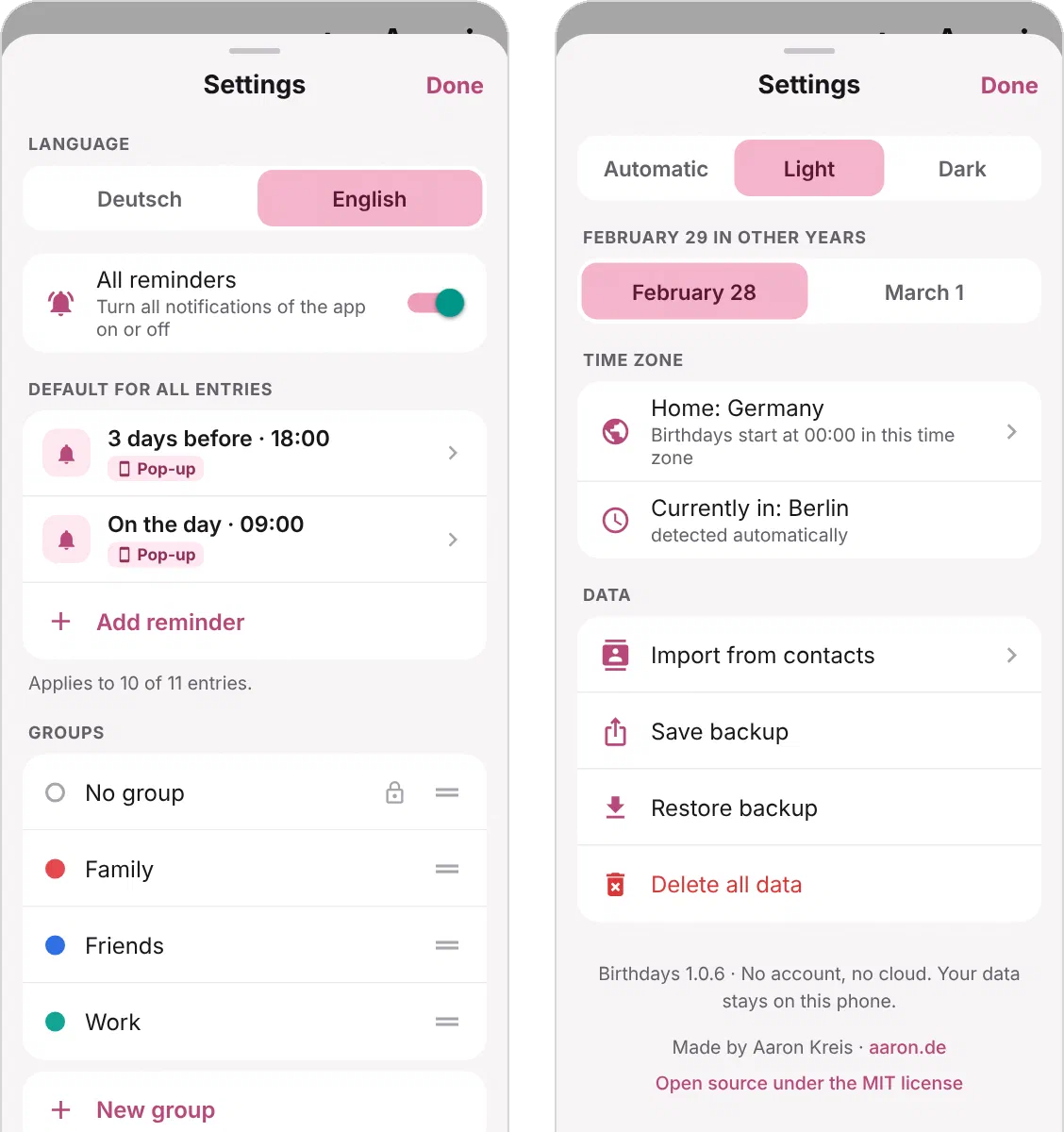
- February 29: Anyone born on February 29 has their birthday on February 28 or March 1 in the other years, depending on the setting.
- Pause: With the “All reminders” switch in the settings you turn all notifications of the app off and back on when needed. Nothing is deleted.
- German and English: The language of the app can be changed in the settings.
- Light and dark: The app starts in light mode. Dark or “Automatic” can be chosen in the settings.
- Backup: All entries, including their pictures, can be saved as a file and restored, for example when switching to a new phone.
Permissions and privacy
Unlike Shopping List and My Notes, Birthdays needs a few permissions, because a reminder should appear even when the app is closed. The app asks for each permission only when it is needed:
- Notifications: Without this permission the app cannot show any reminder. From Android 13 on, Android asks once.
- Exact time: This makes a reminder appear at the time you set. Without this permission Android may delay it. Android grants it automatically.
- Start after switching on: After the phone restarts, the app schedules the reminders again.
- Full screen: The app only needs this permission for reminders in full screen. From Android 14 on, Android asks once.
- Vibration: The phone vibrates when a reminder appears in full screen.
- Battery optimization off: This setting is optional. Some manufacturers, such as Samsung and Xiaomi, close apps in the background so quickly that reminders may otherwise not come.
- Contacts: The app only asks for this permission when you import birthdays from your contacts or want to use a contact’s photo for an entry. The app does not change the contacts, it only reads them.
- Camera: The app only asks for this permission when you take a photo for an entry.
One permission is missing on purpose: access to the internet. Without it, Android itself blocks every connection to the outside. Contacts and photos that the app reads therefore cannot leave the phone through the app. Microphone, location and storage stay blocked as well. You pick a picture from the gallery through Android’s photo picker. The app only receives this one picture and needs no access to the storage for it.
In addition:
- Lock screen: Normally a notification on the locked phone shows everything, including the note and the hint. With the setting “Name only”, it only shows a line like “Julia turned 36 today”. With the setting “Nothing”, it only shows “Birthday today” or “A birthday is coming up”, without a name.
- No backup to Google’s cloud: Android’s automatic backup is turned off. So the entries do not end up with Google on the side either.
- No ads and no analytics: The app contains no ads, no tracking and no third party components that collect usage data.
- Backup only on request: A backup is only created when you make one yourself. Where the file goes is up to you, via Android’s share menu.
- The links to aaron.de and GitHub in the settings open the phone’s browser. The app itself loads nothing.
Besides the permissions listed above, the app’s installation file (APK) contains one more entry, DYNAMIC_RECEIVER_NOT_EXPORTED_PERMISSION. This is not a permission granted to the app, but an internal protection of Android: it makes sure that other apps cannot send messages to the app.