What it is about
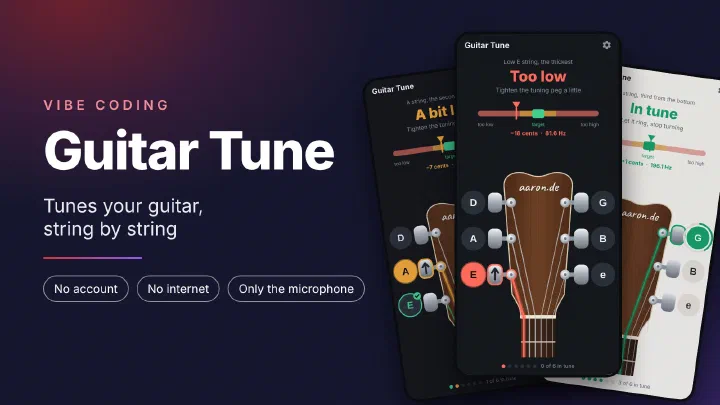
Guitar Tune is a tuner for the six string guitar. The app runs on Android, tunes to standard tuning E A D G B e and focuses entirely on this one task. It shows which string to pluck, how far that string is off and which way to turn the tuning peg. There is no account and no internet access. I built the app with the help of AI, modeled on my apps Shopping List, My Notes and Birthdays.
The current version is available directly as an APK file:
https://github.com/netperformance/GuitarTune/releases/download/v1.0.2/GuitarTune-1.0.2.apk
The project is open source under the MIT license and is hosted on GitHub:
github.com/netperformance/GuitarTune
Why a tuner of my own
Many tuner apps are packed with features you do not need for tuning. I wanted an app that lets you tune quickly and without distraction.
On top of that, anyone tuning a guitar for the first time often does not know which string is the A string, which tuning peg to turn and in which direction. A typical tuner only shows a note name and a needle. Guitar Tune shows the headstock of a guitar instead, the upper end with the tuning pegs. The string and the tuning peg in question are highlighted on it, and an arrow shows which way to turn.
The app at a glance
The app has a single screen. You can see which string is up at the headstock at the bottom: the string and its tuning peg are highlighted in color. At the top, a large word says how the string sounds right now: “Pluck the string”, “Too low”, “A bit low”, “In tune”, “A bit high” or “Too high”. A short sentence says what to do, for example “Tighten the tuning peg a little”.
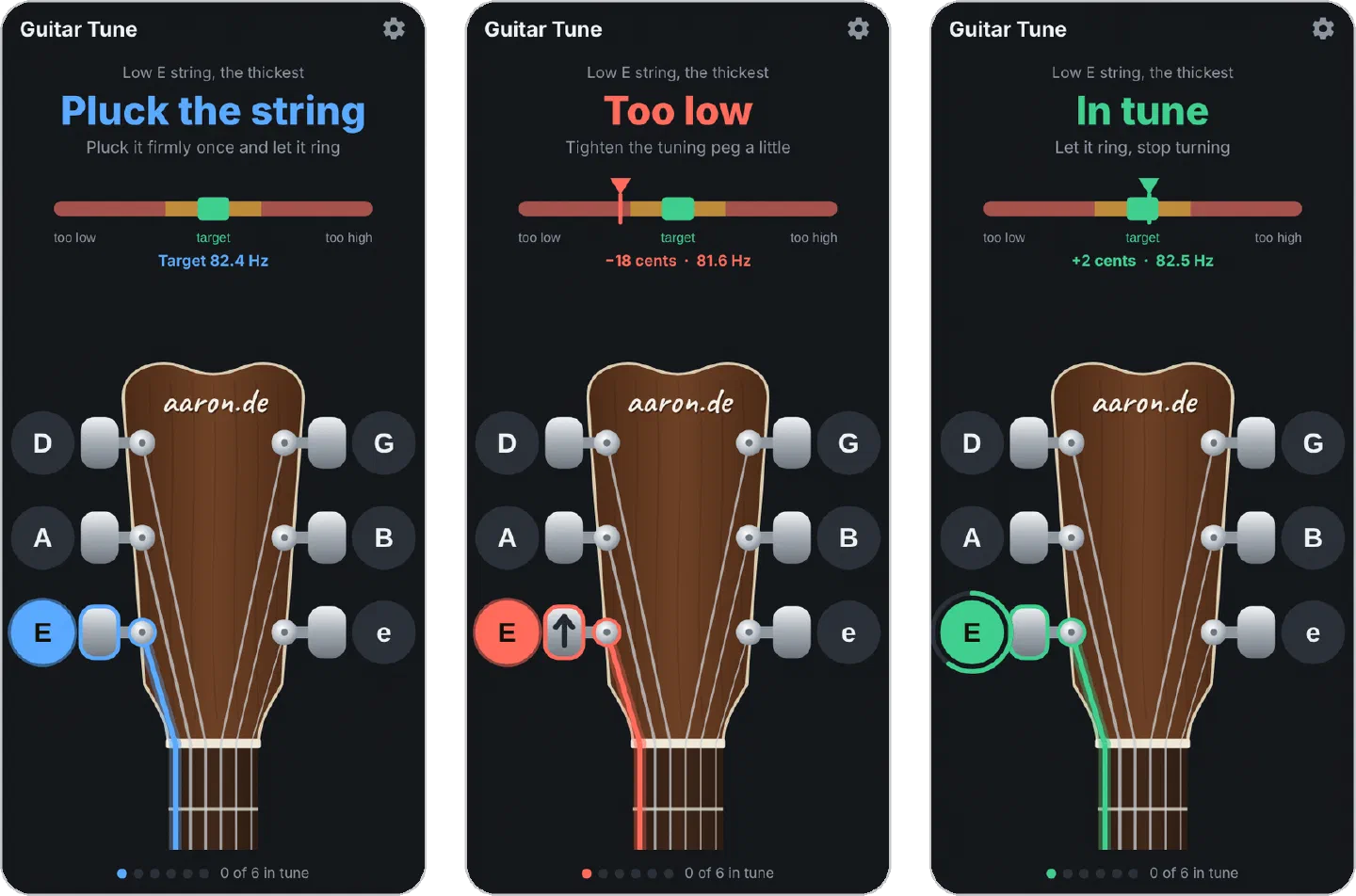
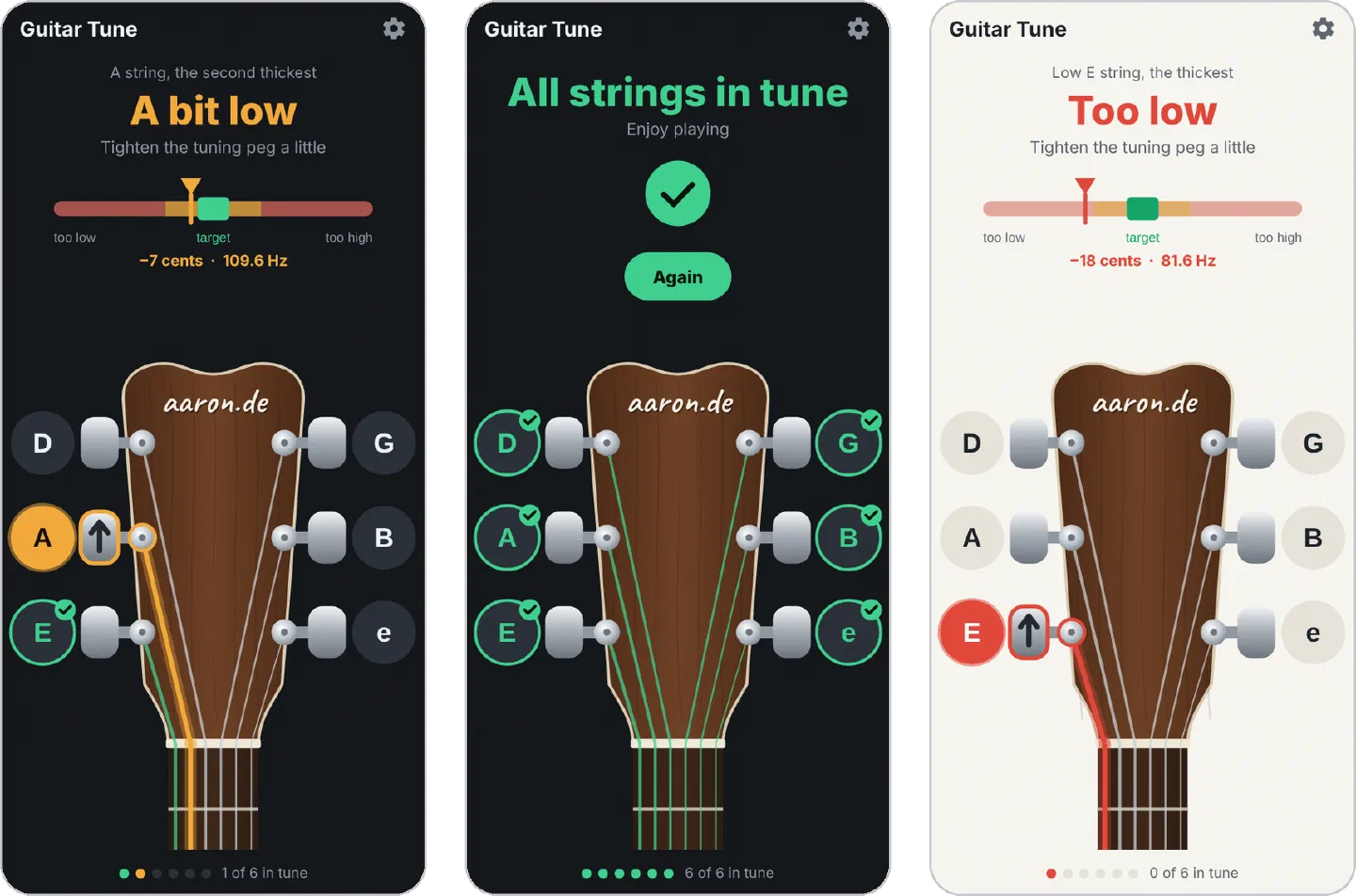
- Guided tuning: The app starts with the low E string, followed by A, D, G, B and the high e string. Once a string has been in tune for one second, it gets a green check mark and the app moves on to the next one. During this second, a green ring fills up around the letter of the string.
- Choose a string yourself: Tap a letter next to the headstock and the app jumps to that string. This also lets you retune a string that already has a check mark.
- One color, one meaning: Blue means the app is waiting for a sound. Red means the string is far off, orange means it is close, green means it is in tune. The deviation is measured in cents. A cent is one hundredth of a semitone, that is one hundredth of the distance between two neighboring frets. Red stands for more than 15 cents, orange for 6 to 15 cents, green for at most 5 cents. The large word, the pointer, the string, the tuning peg, the letter and the dot at the very bottom always have the same color. Because the word is always shown as well, the app also works for people with red green color blindness.
- Which way to turn: An arrow on the tuning peg shows which way to turn: up to tighten, down to loosen. The arrow applies to the usual design. If a guitar has different tuning machines and you turn the wrong way, the pointer shows it right away.
- Bar with pointer: Below the word there is a horizontal bar. The green field in the middle is the target. Below the bar are the deviation in cents and the measured frequency in hertz.
- Wrong string: If the sound is more than three and a half semitones off, you have probably plucked the wrong string. The app then asks: “Far off. Is it the right string?”
- Done: Once all six strings are in tune, the app shows “All strings in tune” and switches off the microphone. “Again” starts over with the low E string.
- Screen stays on: The screen does not turn off while you tune.
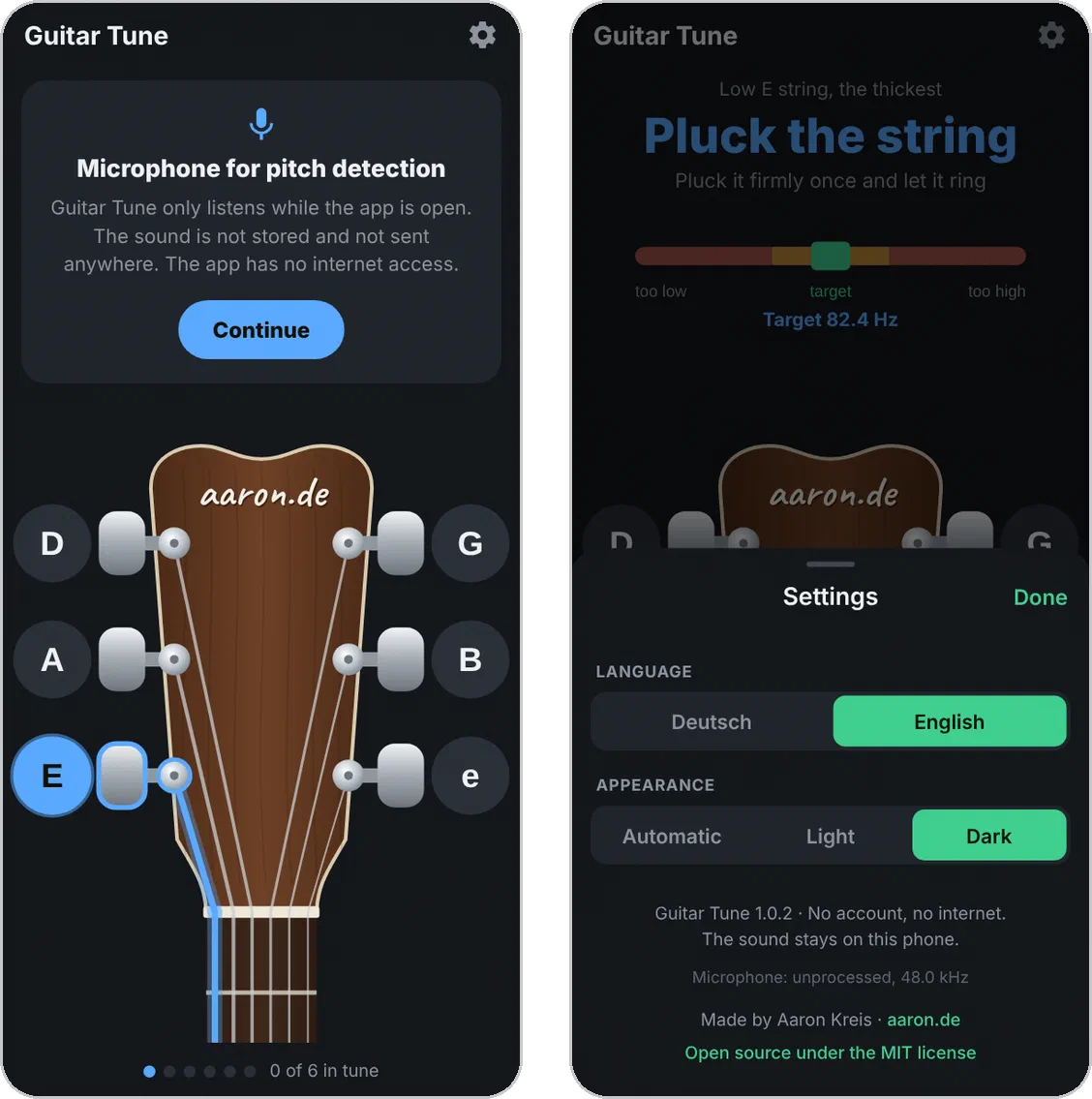
- German and English: Unless you choose otherwise, the app uses the language of the phone. You can change it in the settings.
- Light and dark: The app starts in dark mode. Light or “Automatic” can be chosen in the settings.
How the app detects the notes
A tuner is only as good as its pitch detection. That is why I spent most of the work on it.
Many tuners on the phone measure how long one vibration of the string takes. With a steel string, this leads to an error: a steel string is stiff, so its overtones vibrate slightly higher than they should by calculation. Right after the string is plucked, many overtones sound along with it, later only a few. The display therefore drifts, even though the string does not change. In a simulation, this method showed a perfectly tuned string as 10 cents too high right after plucking, and still 1 cent too high after 0.8 seconds. A beginner then loosens the string, and one second later it is too low.
Guitar Tune works in five steps:
- Search only around the string: The app knows which string is up. It therefore only searches for the note up to 7 semitones above or below it. This way it cannot be off by an octave.
- Measure the overtones one by one: The app splits the sound into its frequencies and measures each of the first 8 partials. From them, it calculates the fundamental using the formula for stiff strings. This works even when the phone microphone barely picks up the low fundamental of the E string.
- Learn the stiffness: During the first half second, the app determines how stiff the string is and then keeps this value fixed. This makes the display steadier.
- Skip the pluck: When you pluck a string, it is briefly stretched further and therefore sounds higher. The app therefore ignores the first 120 milliseconds after plucking. After that, it always combines the last 5 measurements.
- Better to show nothing than to guess: If the sound is too quiet or the partials do not fit together, the app discards the measurement.
The app measures about 23 times per second. The microphone records at 48 kHz. The phone’s noise suppression and automatic volume control are switched off, because both are built for speech and change the sound of a string. In automated tests with artificially generated guitar tones, 95 out of 100 measurements are off by at most 0.7 cents, even with loud background noise. A string counts as in tune at a deviation of at most 5 cents.
On my phone, I tuned all six strings of my guitar with the app.
The app does not use a third party library for pitch detection. The common libraries measure how long one vibration takes, for example with the YIN or McLeod methods. That gives them the same problem with the overtones of the steel string being too high. In the simulation, 95 out of 100 measurements were off by up to 8 cents with YIN, up to 6 cents with McLeod and less than 1 cent with the method of Guitar Tune. YIN was also often off by a whole octave. Guitar Tune therefore does its calculations in a small module of its own, written in Kotlin. Within it, the app uses the McLeod method only for the first step, the search around the string. If you want the details: the research with measurements and sources is in the project under research/Recherche_Tonerkennung.md (in German).
Permissions and privacy
Guitar Tune needs exactly one permission: the microphone. On first start, the app explains what it needs the microphone for and only then asks for it.
- Microphone only in the foreground: The microphone only runs while the app is open and in the foreground. If you switch to another app, turn off the screen or all strings are in tune, the app stops listening.
- The sound is not stored: The app analyzes the sound in memory. It does not store it and does not send it anywhere.
- No internet: One permission is deliberately missing: internet access. Without it, Android itself blocks every outgoing connection. Whatever the microphone records therefore cannot leave the phone through the app. Vibration and storage stay blocked as well.
- Microphone source visible: The settings show which microphone source the app uses. If the phone offers an unprocessed source, the app uses it. Otherwise it uses the source for voice recognition, for which Android switches off noise suppression from the start.
- No backup to Google’s cloud: The automatic Android backup is switched off. The app only stores two settings anyway: language and appearance.
- No analytics: The app contains no tracking and no third party components that collect usage data.
- The links to aaron.de and GitHub in the settings open the browser of the phone. The app itself loads nothing.
Besides the microphone, the app’s installation file (APK) contains one more entry, DYNAMIC_RECEIVER_NOT_EXPORTED_PERMISSION. This is not a permission granted to the app, but an internal protection of Android: it makes sure that other apps cannot send messages to the app.