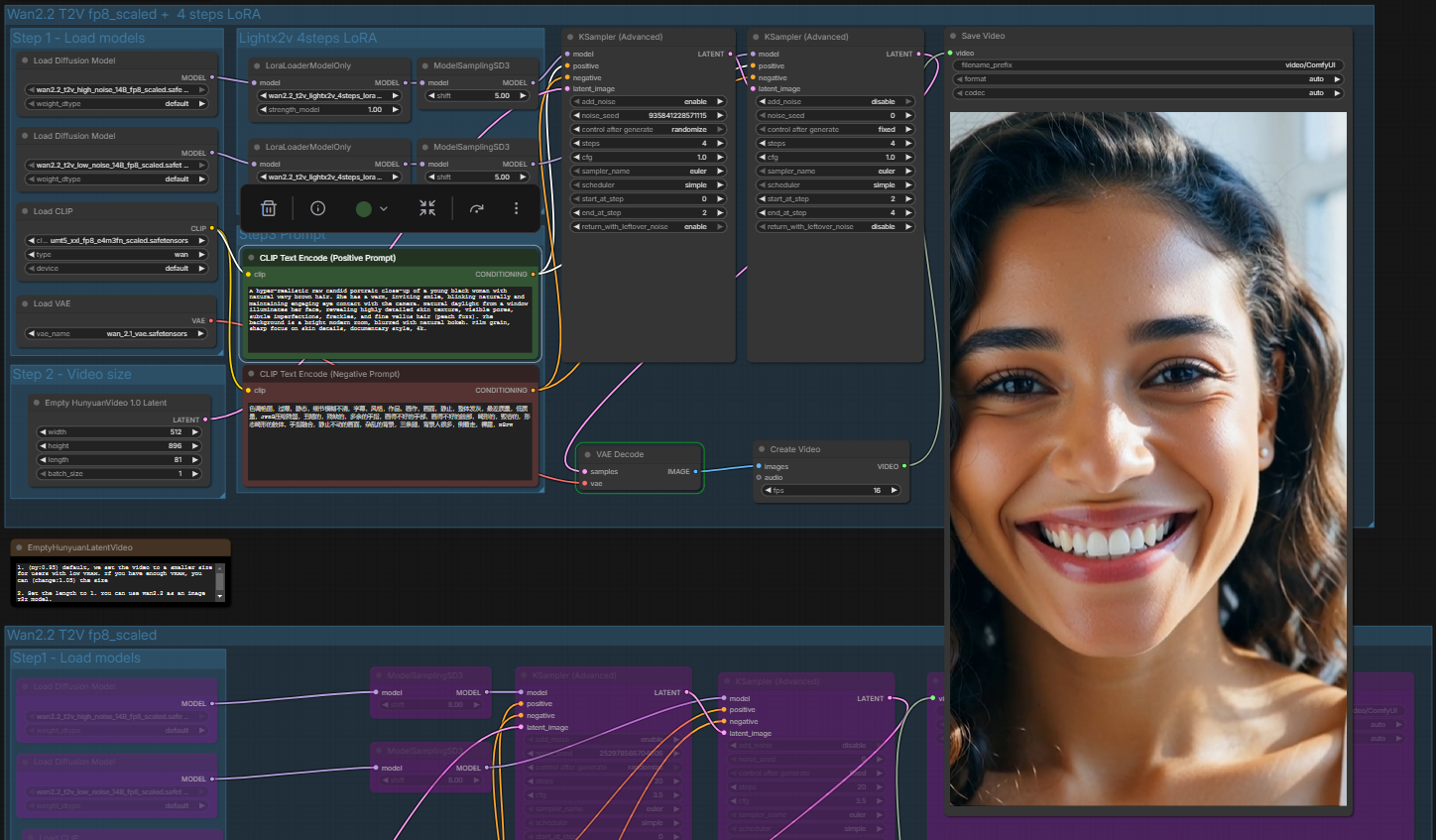
The automation of AI content generation offers an efficient solution to significantly reduce the manual effort involved in creating image and video material. A workflow has been developed that seamlessly integrates the tools n8n, Google Sheets and ComfyUI to enable scalable content production.
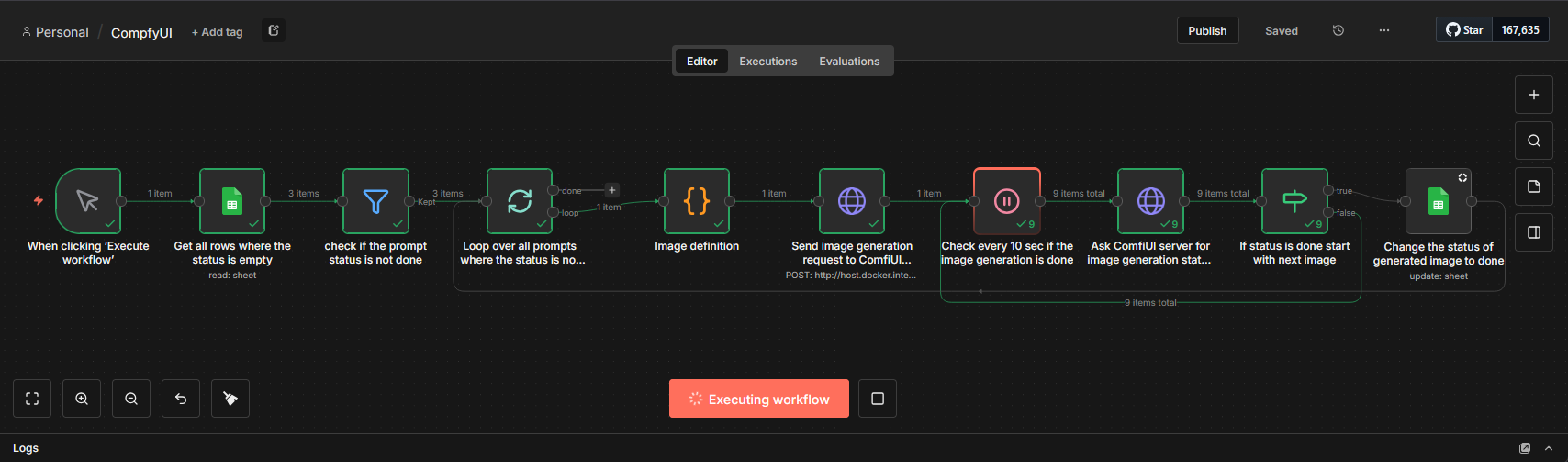
Instead of entering prompts individually into the generation software, a Google Sheet serves as a central database and task list. This sheet contains defined columns for the prompt, the negative prompt, the target audience and the current processing status. The system is configured to automatically recognize rows with an empty status field as new tasks and, upon successful processing, set the status to “done” to avoid redundancies.
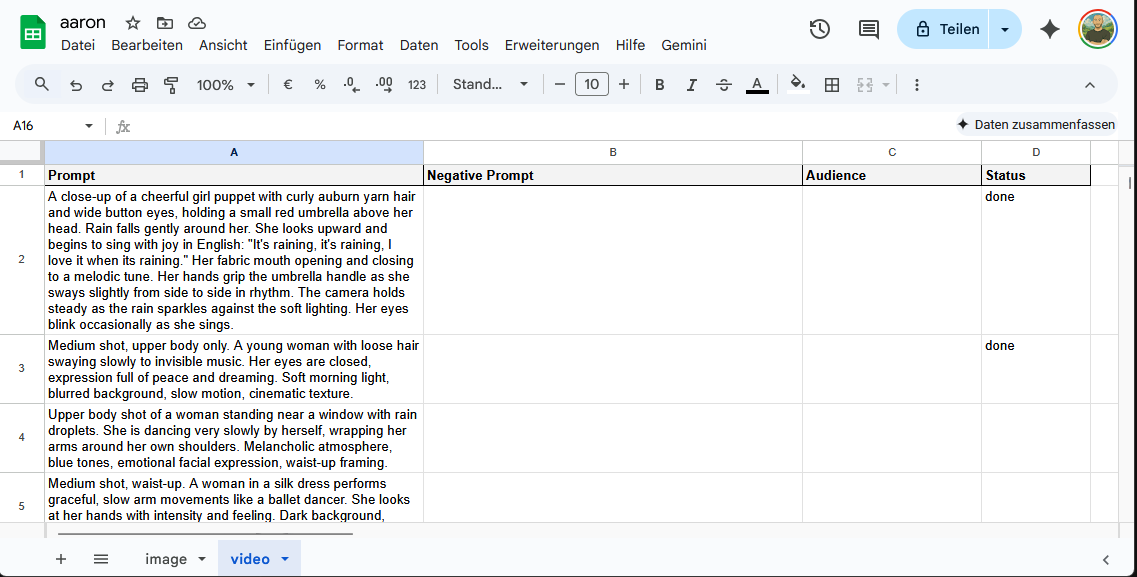
The technical orchestration of this process is handled by n8n. The workflow regularly checks the Google Sheet for open tasks and filters out the relevant data. A script translates the information from the sheet, such as the prompt and the target audience, into a JSON format that can be processed by the ComfyUI API before the generation request is sent to the local server. Since video creation requires computation time, the n8n workflow includes a loop that queries the generation status every ten seconds until the process is complete, then updates the database.
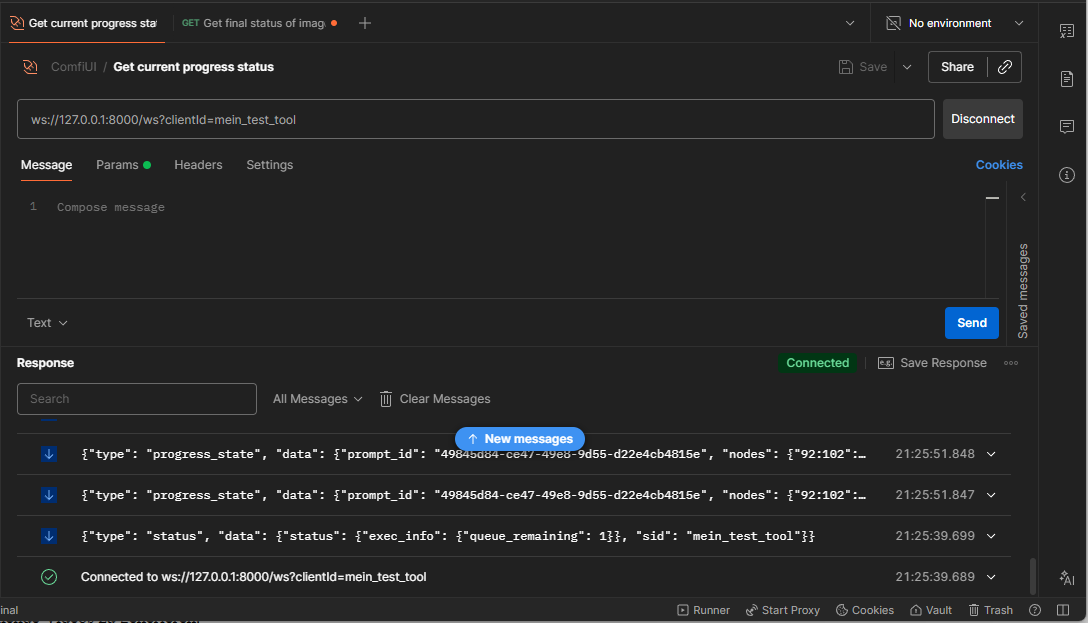
A more technically elegant real-time communication via WebSockets was deliberately avoided in order to avoid adjustments to the Docker infrastructure and to keep the implementation effort low.
For the visual implementation, ComfyUI (server) is used, with for example the LTX-2 or WAN2.2 model to generate corresponding videos based on the text descriptions.

Through this automation, content creation is decoupled from manual execution, allowing new ideas to be asynchronously entered into the sheet at any time, which the system then processes independently.
This setup can be extended with little effort, for example by having the AI regularly generate new prompts itself, continuously produce videos from them, or by placing external inputs such as Telegram messages to a bot directly into the sheet as new tasks.