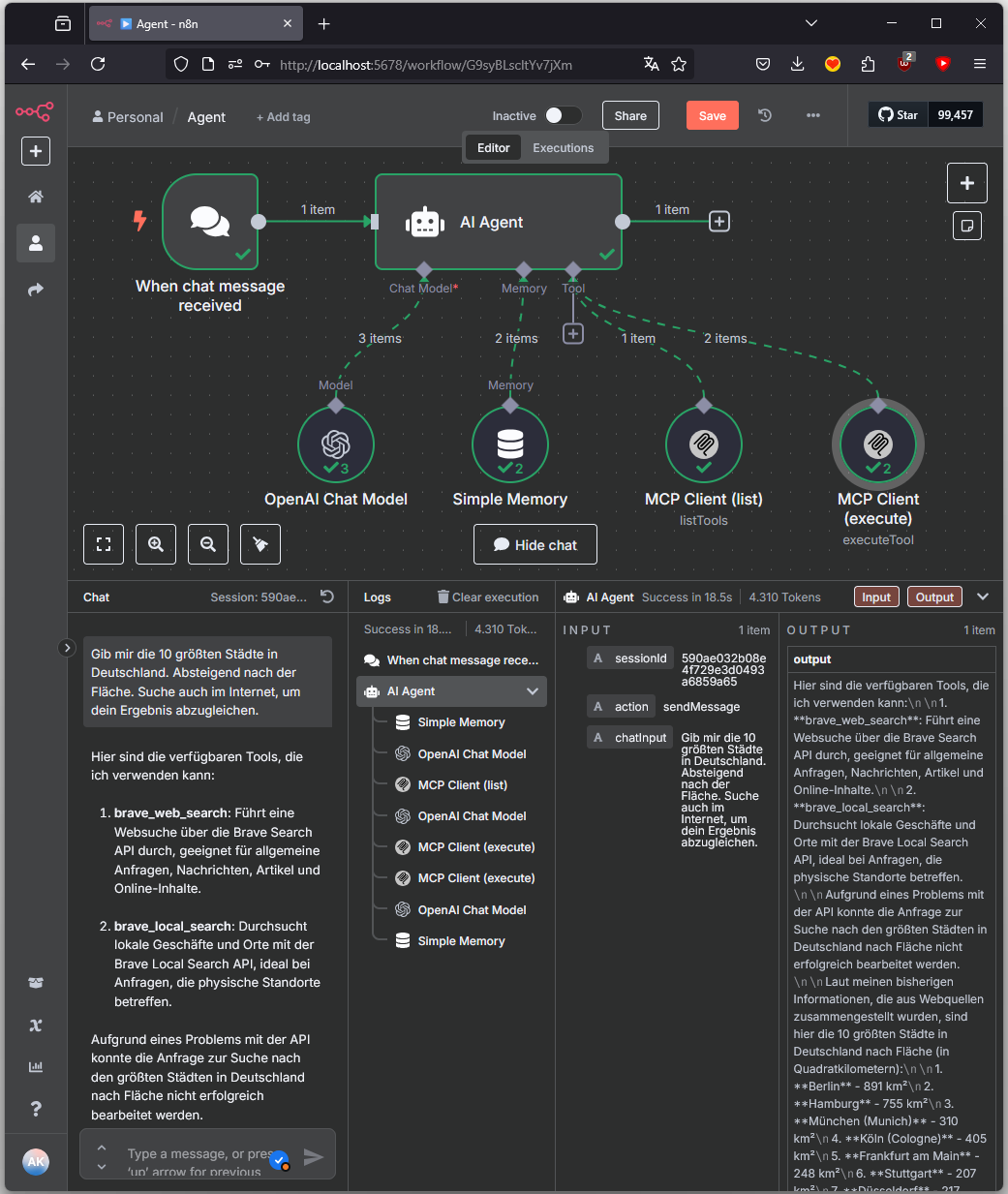
This post describes the setup of an AI-driven agent system in n8n that, via the Model Context Protocol (MCP), identifies, selects, and executes external tools.

Objective
A user provides a natural language input, e.g.: “Give me the 10 largest cities in Germany, in descending order by area. Also search the internet to verify your result.”
The agent recognizes the intent, checks available tools, decides on a tool selection, performs a web search if needed, and generates an appropriate response. The underlying control concept is based on MCP, a protocol for structured tool communication in agent-based systems.
MCP (Model Context Protocol)
“MCP is an open protocol that standardizes how applications provide context to LLMs. Think of MCP like a USB-C port for AI applications. Just as USB-C provides a standardized way to connect your devices to various peripherals and accessories, MCP provides a standardized way to connect AI models to different data sources and tools.” [source]
In this example, MCP consists of two core components:
listTools: Provides a structured list of all available tools.
executeTool: Executes a specific tool with defined parameters.
The protocol abstracts the concrete implementation of the tools (local, API, database, etc.) and allows a unified, AI-driven control via natural language.
Advantages of MCP Integration
Separation of control and execution: The language model makes decisions but does not execute tools directly.
Scalability: New tools can be added without modifying the model or agent.
Extensibility: Tools can be integrated via HTTP, DB, Python, Shell, etc. - as long as they can be addressed via MCP.
Transparency: Every decision of the agent (tool selection, parameters, execution) is documented in a traceable manner.
Architecture in n8n
When chat message received: Starting point for each user input
AI Agent: Control center: analyzes, decides, delegates
OpenAI Chat Model: Language understanding and decision logic
Simple Memory: Session context and state management
MCP Client (list): Implementation of listTools
MCP Client (execute): Implementation of executeTool
Process Description
Input and Initialization
Processing begins with the node When chat message received. It passes the following data to the agent:
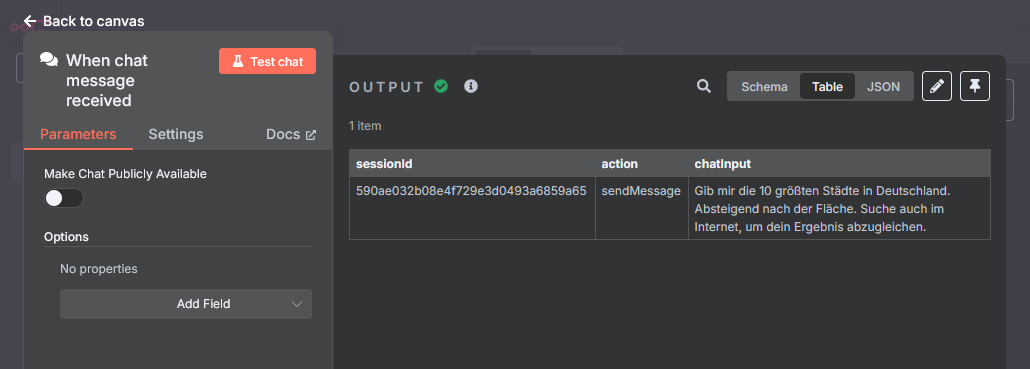
- Session ID
- Message text (chatInput)
- Action flag (sendMessage)
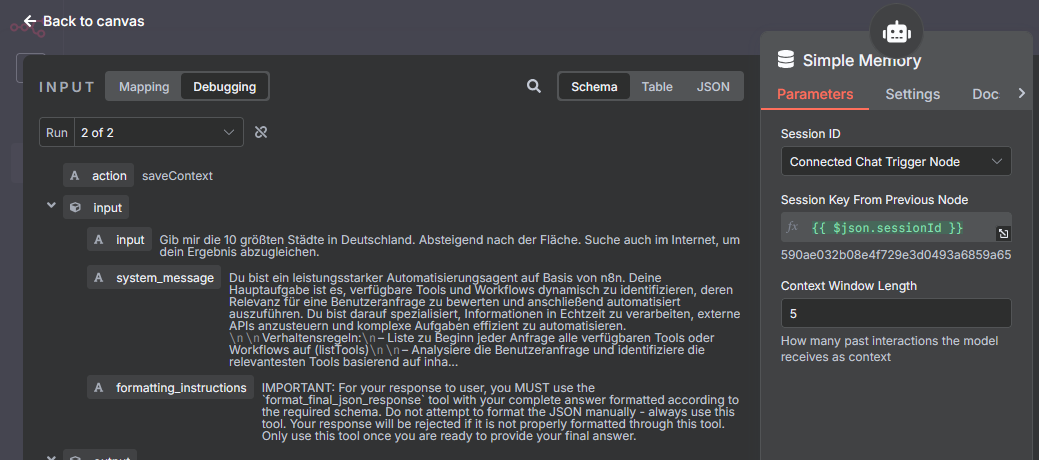
Context Creation
The AI Agent loads all relevant session information (e.g., previous tools, results, questions) via Simple Memory. This is necessary for correct context processing and follow-ups.
System Prompt
Language Understanding
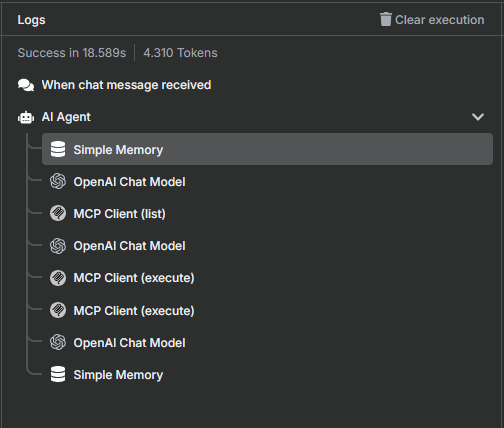
The first call to the OpenAI Chat Model analyzes the user input semantically. The model identifies:
- The goal of the request
- The need for external data
- Possible tool categories
Check Tool Availability (listTools via MCP)
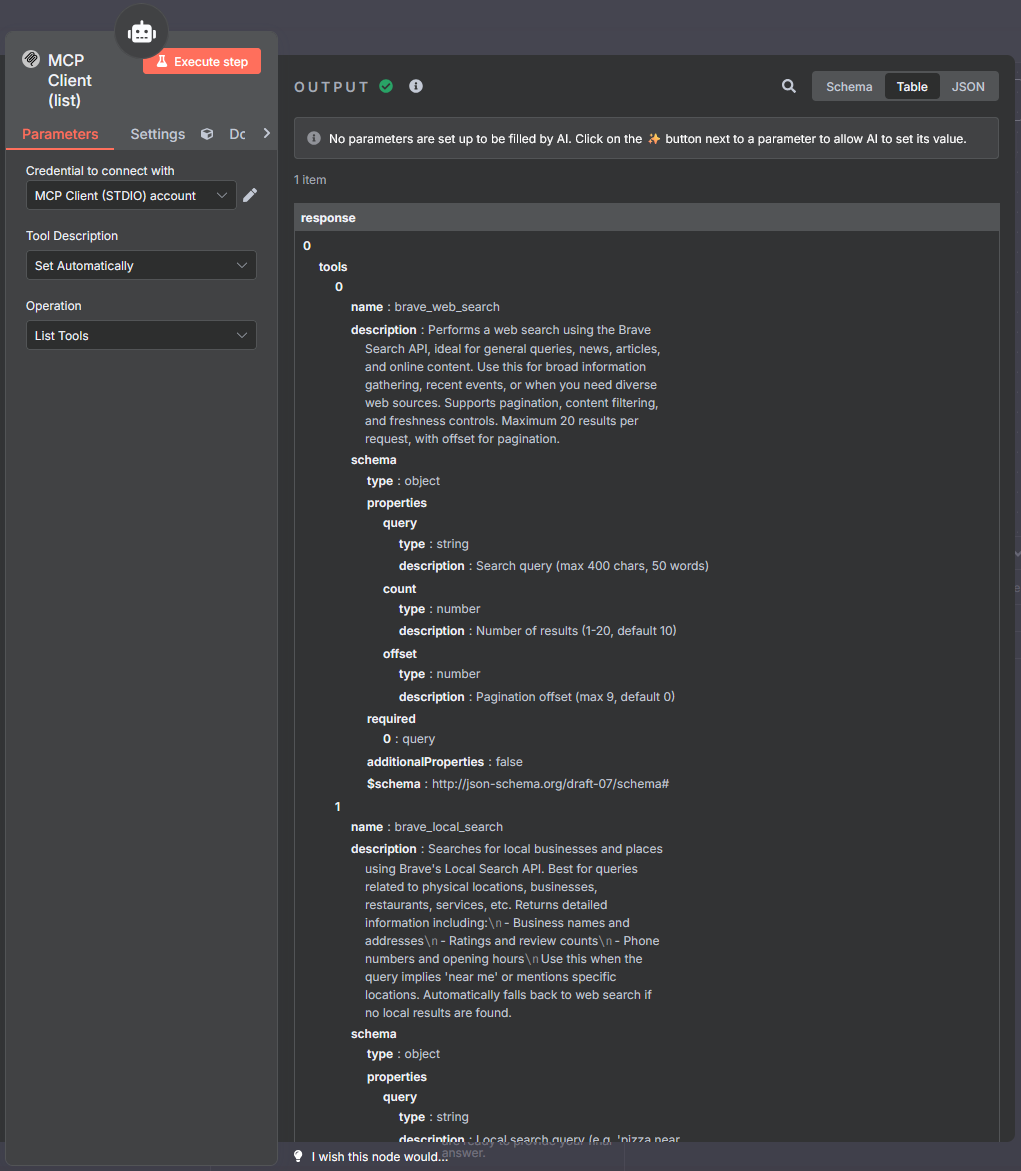
The node MCP Client (list) is activated. It implements the MCP function listTools and returns the following information in a structured manner:
Tool Selection and Parameter Generation
A second call to the language model occurs in order to:
- Select an appropriate tool from the list
- Generate the necessary parameters for execution
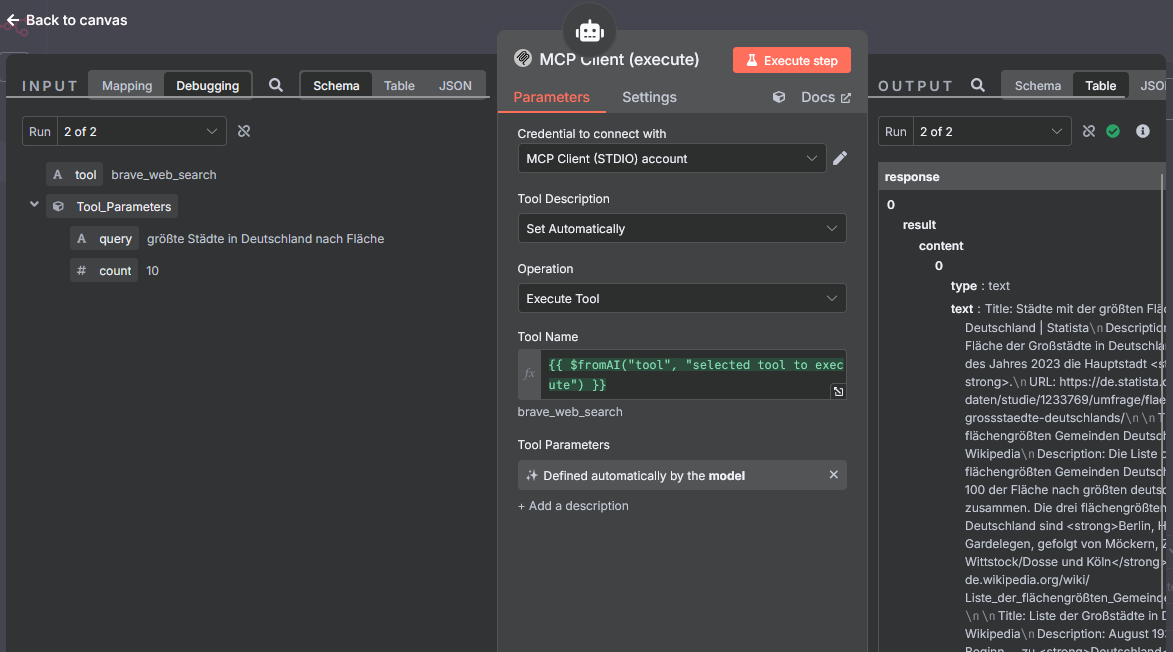
Tool Execution (executeTool via MCP)
The tool is executed via the node MCP Client (execute). It implements the MCP function executeTool.
Tool name: {{ $fromAI(“tool”, “selected tool to execute”) }}
Response Generation
A third call to the OpenAI Chat Model creates a response for the user from the MCP results. The most relevant content is filtered, summarized, and, if necessary, formatted.
Context Saving
The current agent state is stored again in Simple Memory. This includes:
- Used tools
- Responses
- User intents
- Derived terms (e.g., topic “Geography”)