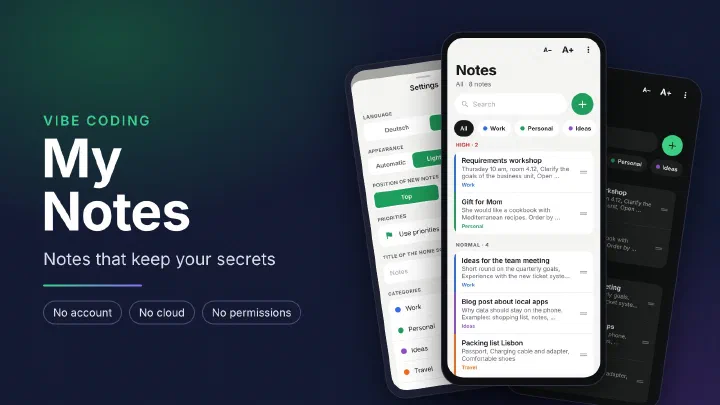
What it is about
My Notes is a note taking app for Android. There is no account, no cloud and no sync through third party servers. All notes are stored in a database on the phone and only leave it when you share a backup yourself. I built the app with the help of AI, modeled on my shopping list app Shopping List.
The current version is available directly as an APK file:
https://github.com/netperformance/MyNotes/releases/download/v1.1.1/MyNotes-1.1.1.apk
The project is open source under the MIT license and is hosted on GitHub:
github.com/netperformance/MyNotes
Why a notes app of my own
Notes often contain more personal things than any shopping list: thoughts after a conversation, ideas for work, gifts for the family, appointments and plans. Many notes apps store everything on their provider’s servers so the notes show up on every device. That puts this knowledge in the hands of another company.
On top of that, many notes apps are packed with features. I wanted an app where writing comes first.
The app at a glance
The home screen shows the notes in three sections, sorted by priority: High, Normal and Low. Above them, the categories work as filters, “All” shows everything. Each note carries the color of its category. The plus button opens a new note.
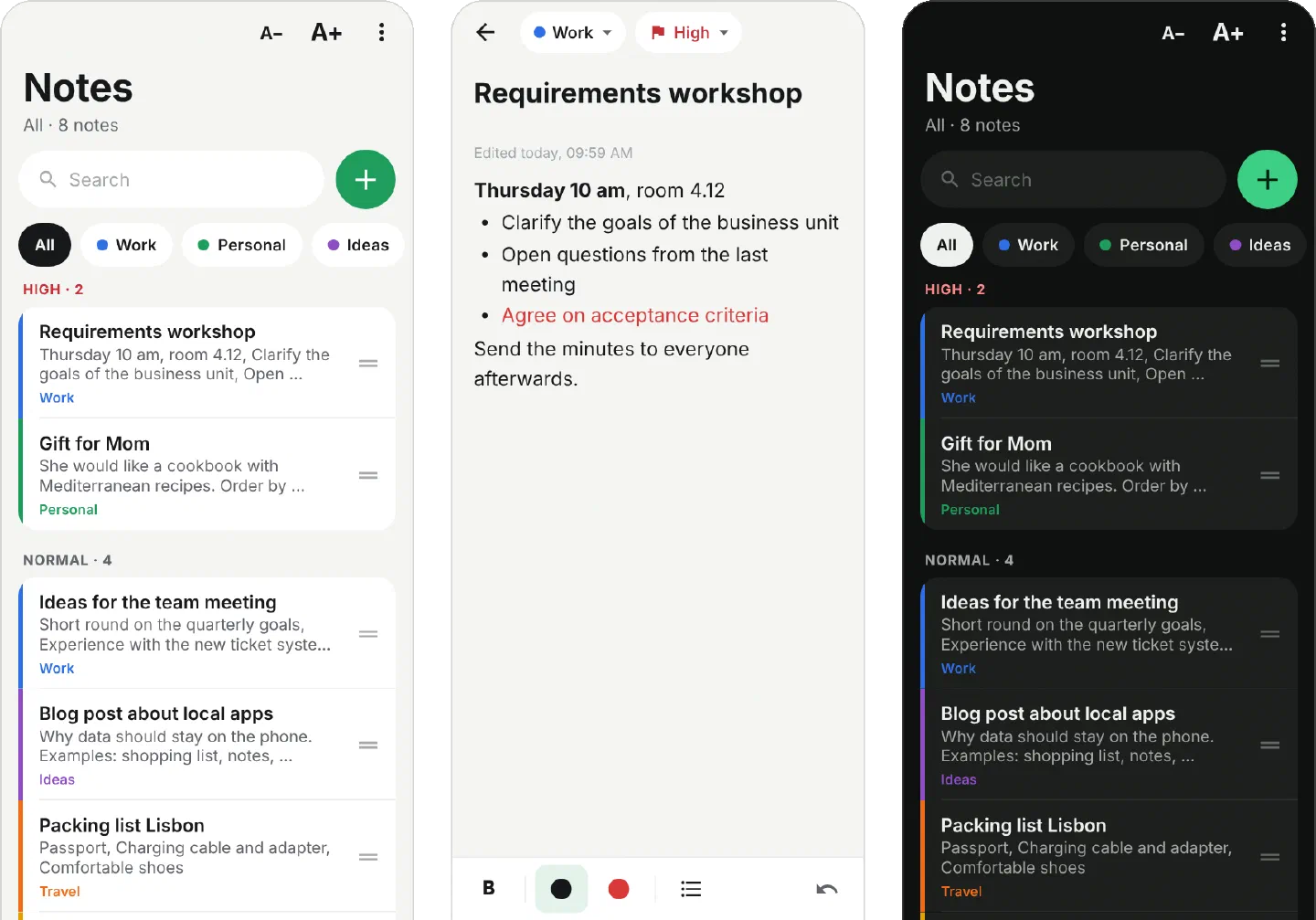
- Writing: a note has a title and a text. The text supports bold, red, black and bullet lists, visible while you type. Saving is automatic. If title and text stay empty, nothing is saved.
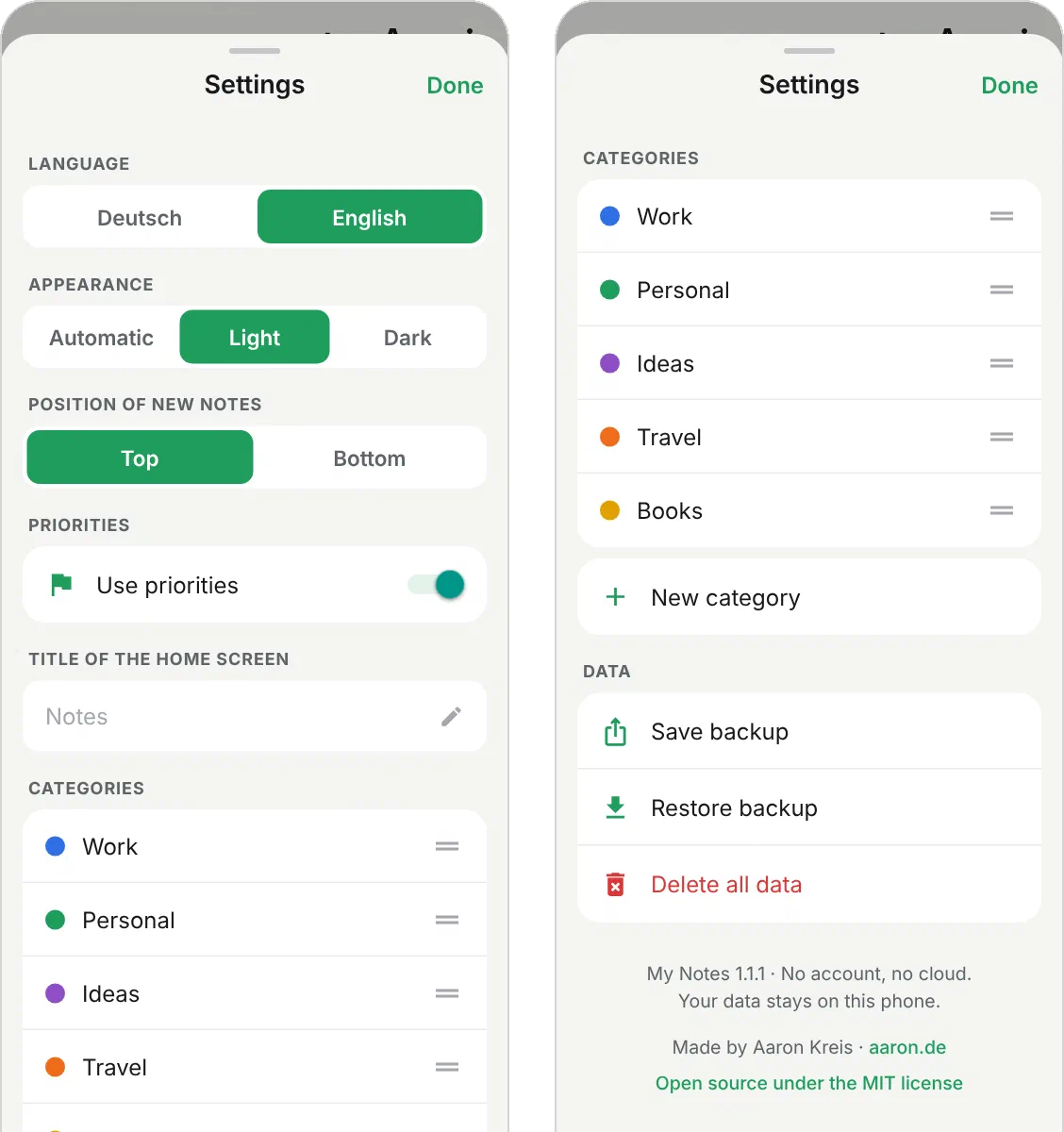
- Categories with their own color: categories can be created, renamed and given one of twelve colors. Their order is changed by dragging.
- Priority and order: a note can be moved by the handle on the right. Dragging it into another section changes its priority. If you prefer to work without priorities, turn them off in the settings. All notes are then shown in one list. When you turn priorities back on, the previous arrangement is back.
- Dictation: using the microphone of your keyboard, for example Gboard or Samsung Keyboard, you can speak into any field. The keyboard does the speech recognition, My Notes needs no permission for it.
- Search: the search finds words in title and text. Upper and lower case do not matter, “mueller” also finds “Müller”. Matches are highlighted in yellow.
- Text size: A− and A+ at the top of the home screen make the text of the whole app larger or smaller.
- English and German: the language of the app can be switched in the settings. The keyboard then switches to that language as well, provided the language is set up in the keyboard.
- Light and dark: the app starts in light mode. Dark or “Automatic” can be chosen in the settings.
- Custom title: instead of “Notes”, the home screen can show a title of your own.
- Backup: all notes can be saved as a file and restored, for example when moving to a new phone.
Permissions and privacy
The app does not ask for a single permission. Since the app has no internet access either, Android itself blocks every outside connection. Microphone, contacts, location, camera and storage stay locked. Even vibration is not granted: the short haptic feedback when tapping comes from an Android feature that needs no permission.
The text editor is a small web page built into the app. Android shows it in an embedded web view, because that is the only way to show bold, red and bullet lists while you type. This page loads nothing from the internet and opens no addresses. When you paste text from another app, only the text comes in, without foreign formatting. Android’s web view also sends usage statistics to Google if you have allowed this on the phone in general, and checks visited addresses through Google Safe Browsing. Both are turned off in My Notes.
In addition:
- No backup to Google’s cloud: Android’s automatic backup is turned off, so the notes do not end up at Google on the side either.
- No ads and no analytics: the app contains no ads, no tracking and no third party code that collects usage data.
- Backups only when you want them: a backup is only created when you make one yourself. You decide where the file goes through Android’s share menu.
- The links to aaron.de and GitHub in the settings open the phone’s browser. The app itself loads nothing.
The app’s installation file (APK) lists exactly one entry under permissions, DYNAMIC_RECEIVER_NOT_EXPORTED_PERMISSION. This is not a permission for the app but an internal Android safeguard: it makes sure that other apps cannot send messages to the app.
Limitations
- There is no sync between devices. This is intentional. To move to another phone, use the backup file.
- Uninstalling the app without saving a backup first deletes your notes.
- When dictating, the keyboard decides whether speech is recognized on the phone or on a server. If you don’t want that, use Gboard’s offline voice typing or type.
- Notes consist of text only. There are no images or attachments.
- The app is only available for Android and only for phones with a 64 bit processor. It comes as an APK file and not through the Play Store, so Android asks during installation whether apps from this source should be allowed.