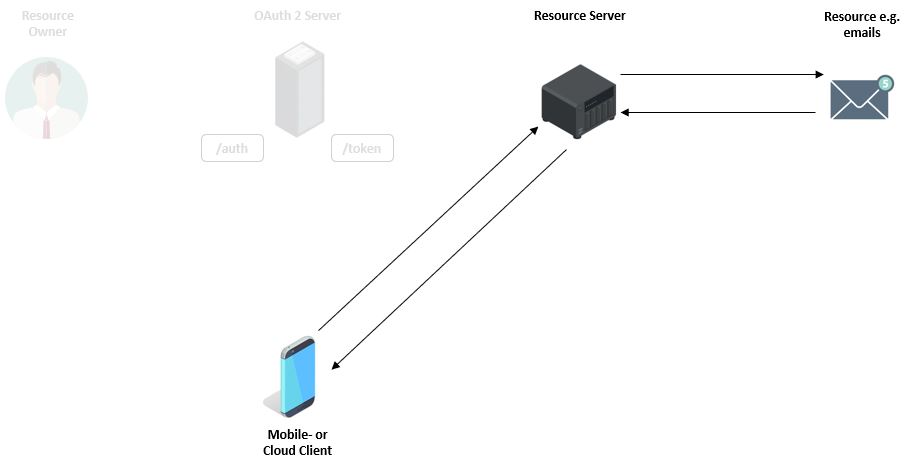
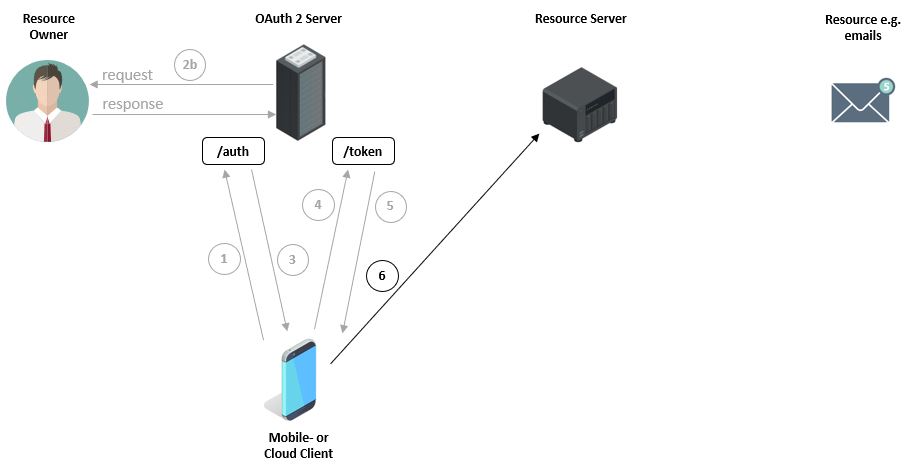
The first image shows how a user, with their device via a mobile application, e.g. an email program from an unknown company, wants to query emails (Resources) from, for example, a Google Server (Resource Server). For this purpose, the user must enter their Google credentials within the mobile application. However, this is associated with certain risks, since a) the email program can store the password and b) the application can use the password to, for example, access other Google services.
OAuth (Open Authorization) is an open protocol that allows standardized, secure API authorization for desktop, web, and mobile applications.
An end user (User or Resource Owner) can, with the help of this protocol, grant an application (Client or Third-Party) access to their data (authorization), which is provided by another service (Resource Server), without revealing secret details of their credentials (authentication) to the client. The end user can thus instruct third parties to consume a service on their behalf. Typically, this avoids transmitting passwords to third parties. [wikipedia]
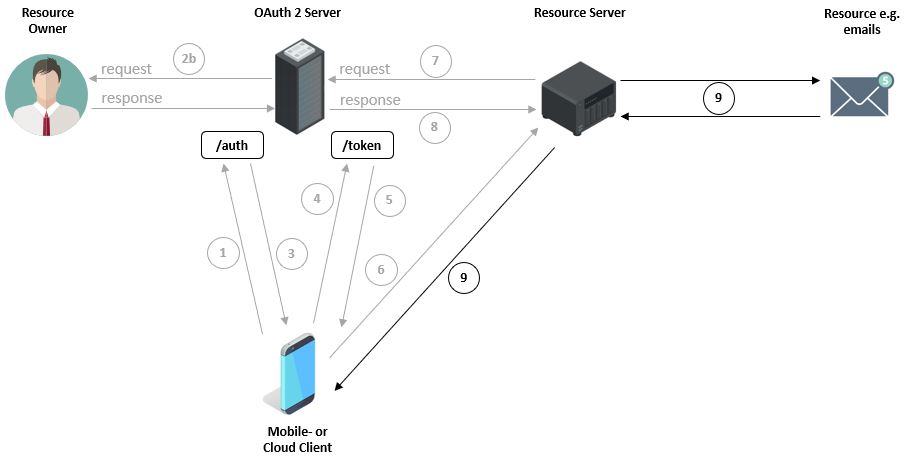
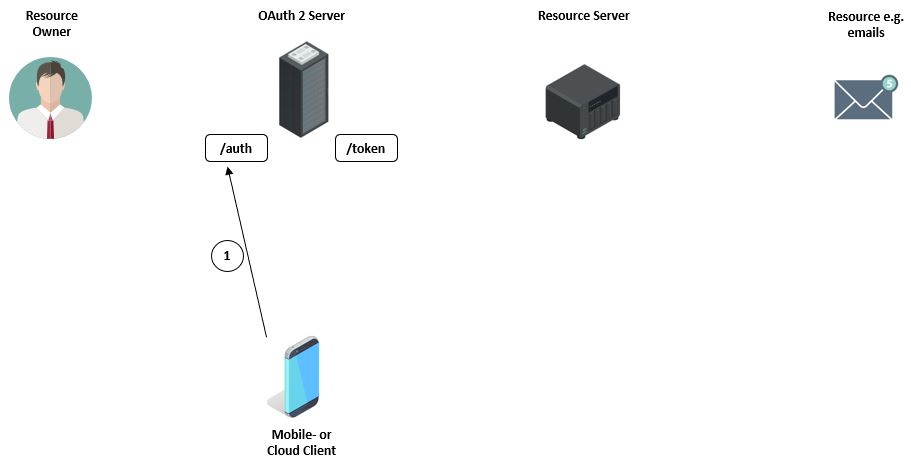
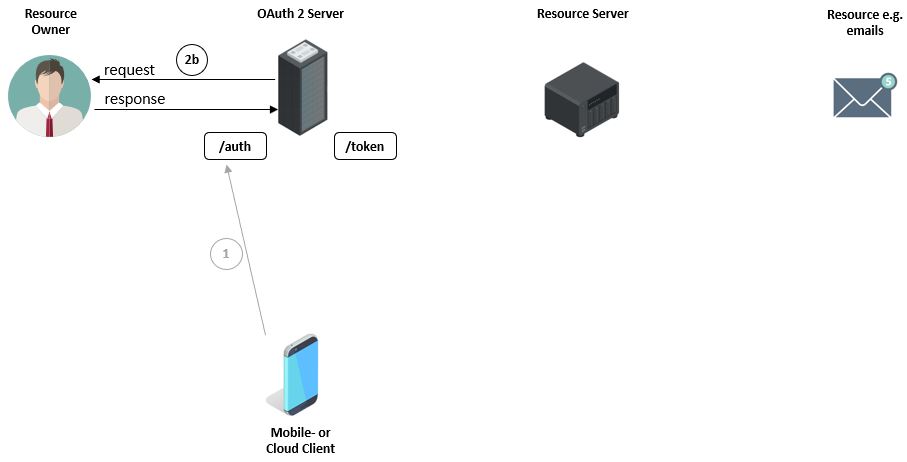
Before the device can even make a request to the OAuth Server, it must first register. After registration, the device receives an authentication code at the /auth endpoint. For this, the device must, among other things, transmit its Client ID, which it used during registration, to the OAuth Server, e.g.: https://server.com/auth?response_type=code&client_id=CLIENT_ID&redirect_uri=REDIRECT_URI&scope=email&state=1234zyx
| https://server.com/auth | Authentication endpoint of the server |
|---|---|
| response_type=code | Specifies that the application wants to receive an authentication code (grant). |
| client_id | Device ID which was used for OAuth Server registration. |
| redirect_url | The page to which the user is redirected after successful authentication. |
| scope | Here the device indicates which resources, e.g. emails, it wants to access. |
Before the authentication code is issued, the OAuth Server contacts the owner of the files or emails. To ensure that the owner is the correct person, they must first authenticate by entering their credentials. For this, they are redirected to a login page.
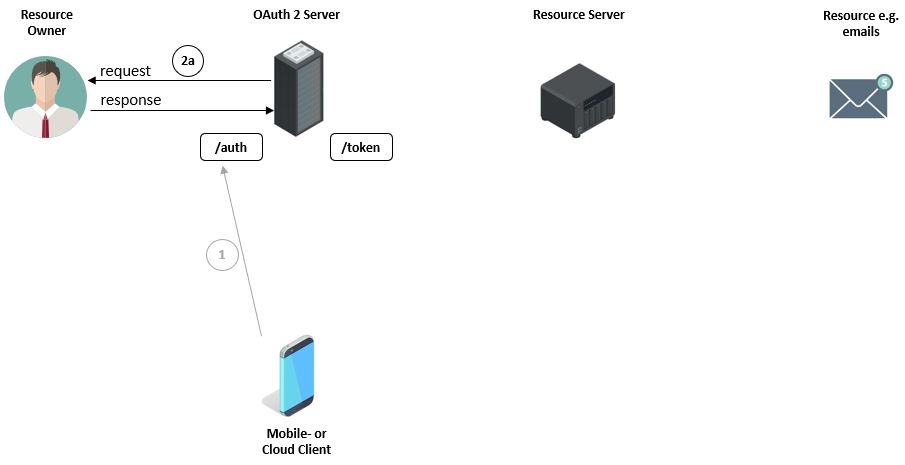
After ensuring that it is the correct person, the owner receives a list of all resources that the client wants to access, e.g. emails. The owner must confirm this request.
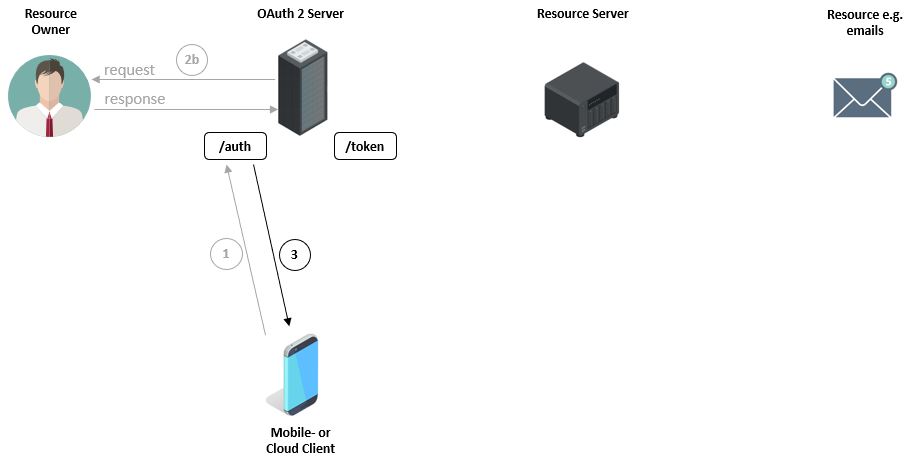
Only now does the OAuth Server generate the authentication code (NOT token), which it sends to the client. This code represents the owner + access permission for the emails. The authentication code remains valid only for a few minutes.
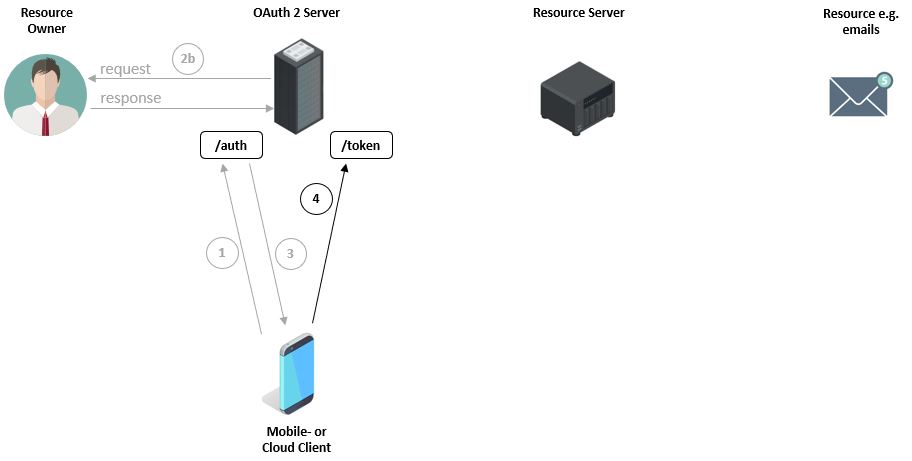
Now the client can call the /token endpoint, authenticate first, and transmit the previously received authentication code to the OAuth Server.
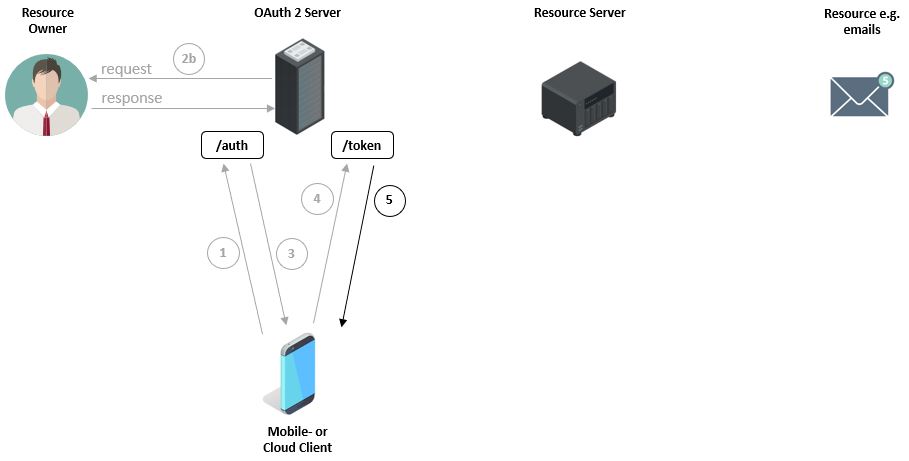
Subsequently, the client’s credentials and the
authentication code are validated. If both pieces of information are correct, an ‘Access Token’ is generated and sent to the client. The email application is responsible for securely storing the token.
Next, the client requests the emails from the Resource Server. However, the server must first ensure that the client is still authorized in the meantime to query the emails.
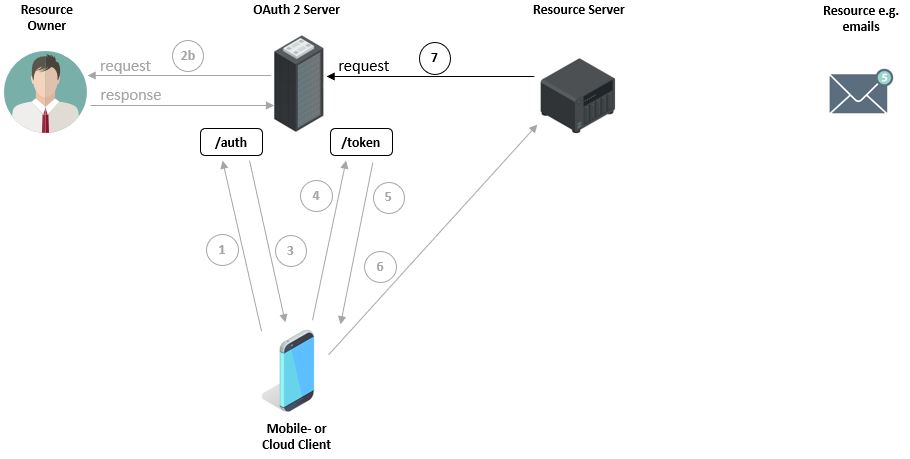
Therefore, the Resource Server asks the OAuth Server if the token is still valid.
The Resource Server is then informed about the status of the validation.
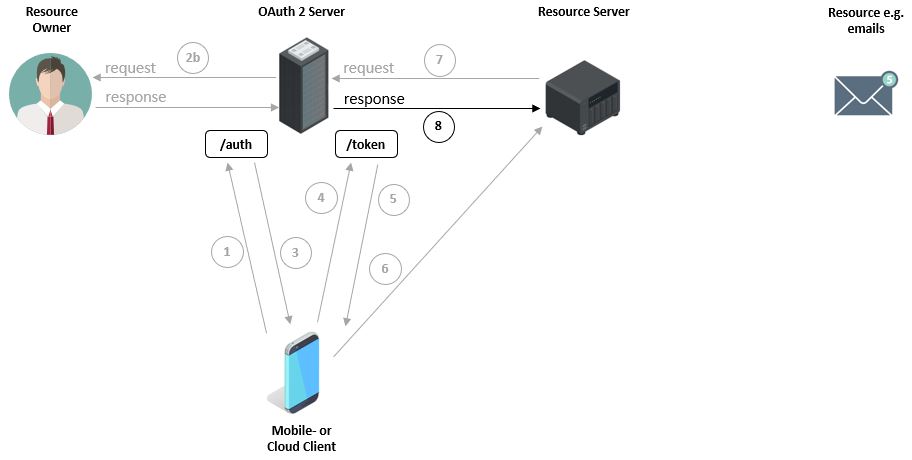
And only at this point are the emails transmitted to the client.

Image License:
“Designed by Freepik”
“Designed by macrovector / Freepik”
“Designed by rawpixel.com / Freepik”