Audio2Face is an AI-powered tool within NVIDIA Omniverse specifically designed to generate realistic facial animations based solely on audio. It is part of the Omniverse platform, which provides a real-time collaboration and simulation environment for 3D workflows. Audio2Face uses a neural network to automatically convert spoken language into lively facial expressions and movements. Typically, Audio2Face is used to make characters in games, films, or digital avatars speak without complex keyframe animation. The generated movements can either be used directly or transferred to custom 3D characters, which is particularly interesting for virtual productions, digital twins, or interactive applications.
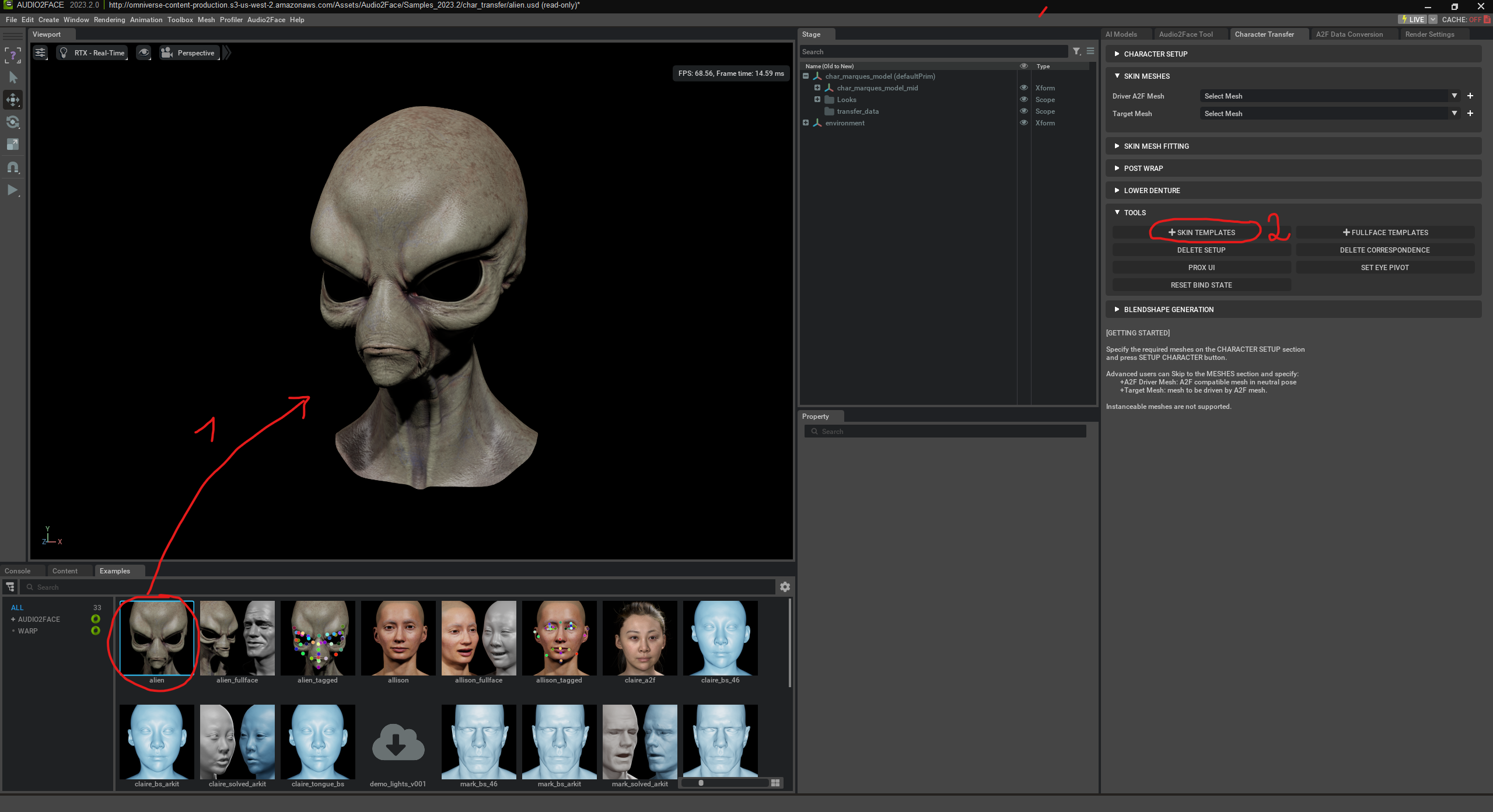
First, we can select one of the existing faces. Then we choose “Skin Templates”.

Skin Templates in NVIDIA Audio2Face are predefined templates that divide the face into various zones – such as mouth, jaw, eyes, nose, or forehead. These zones help the AI understand how specific areas of the face should move during speech and emotions. A skin template thus describes which vertices (points in the 3D mesh) belong to which facial regions and how strongly they deform with certain phonemes or expressions. If you want to use your own character in Audio2Face, the skin template defines how movements from the AI-driven „Driver Mesh“ are transferred to the target model.
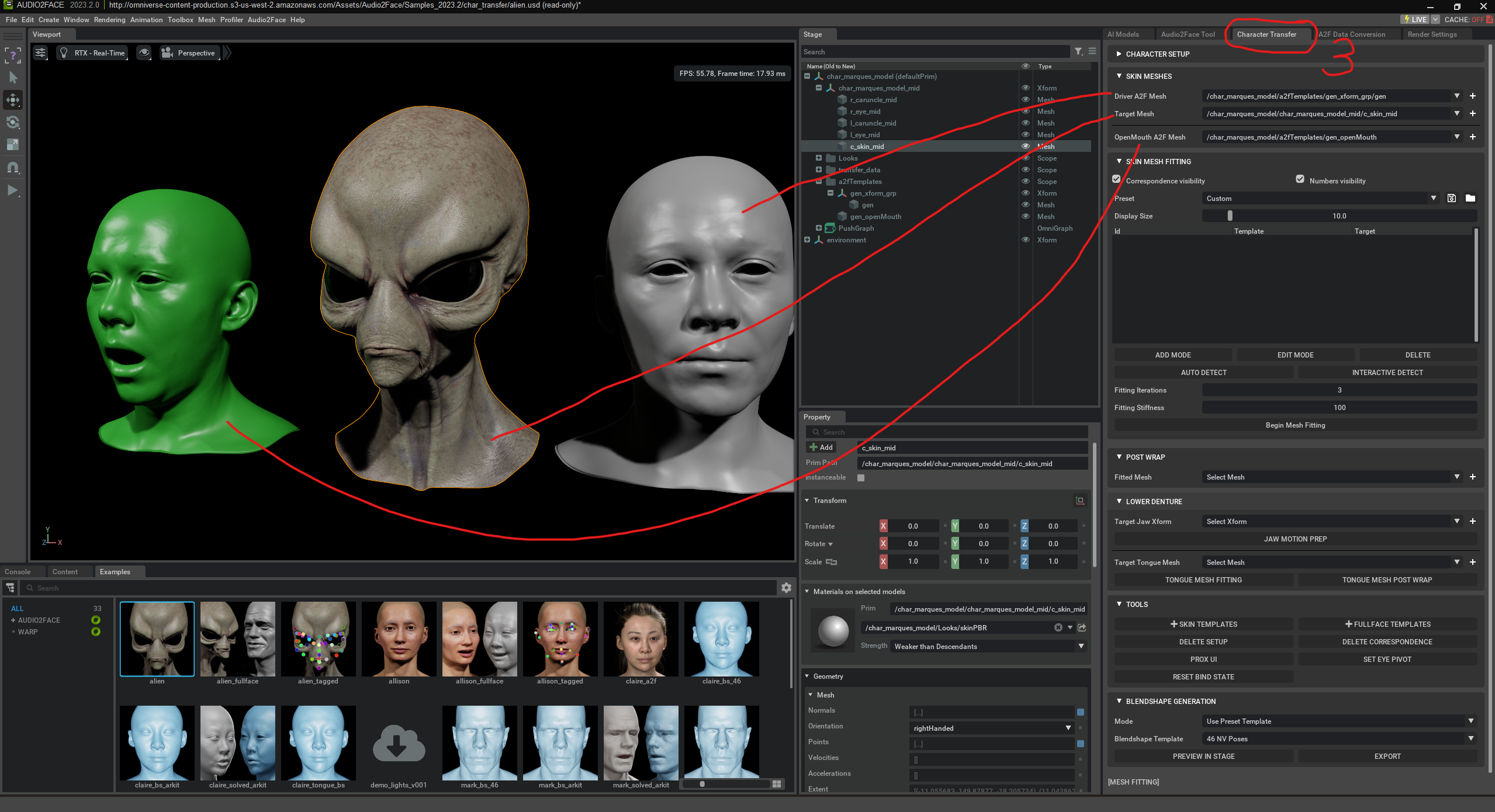
Skin Mesh Fitting is used to automatically bind your own character (Target Mesh) to the AI-driven „Driver Mesh“ (fitting).
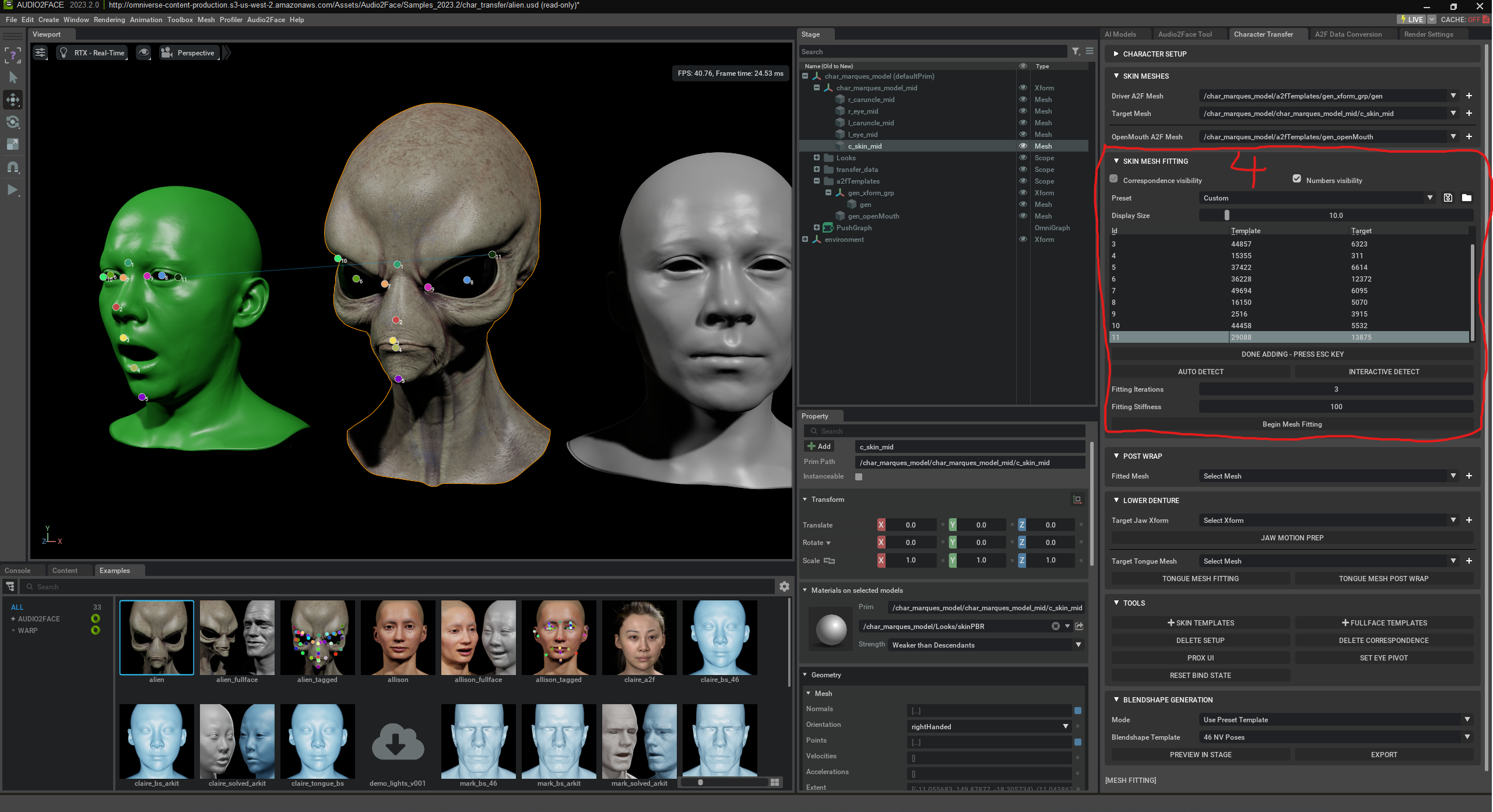
„Begin Mesh Fitting“ starts the automatic adjustment process of your character mesh to the Audio2Face system. Your mesh is analyzed, compared with the AI-driven Driver Mesh, and appropriately adapted using a skin template. The goal is for your character to automatically adopt facial expressions and speech without manual rigging (i.e. without placing bones/skeletons) or blendshapes. Blendshapes are predefined facial shapes like “mouth open,” “smile,” or “eyebrows up.” The AI can mix these to create expressions – e.g. 0% smile = neutral, 100% = full smile.
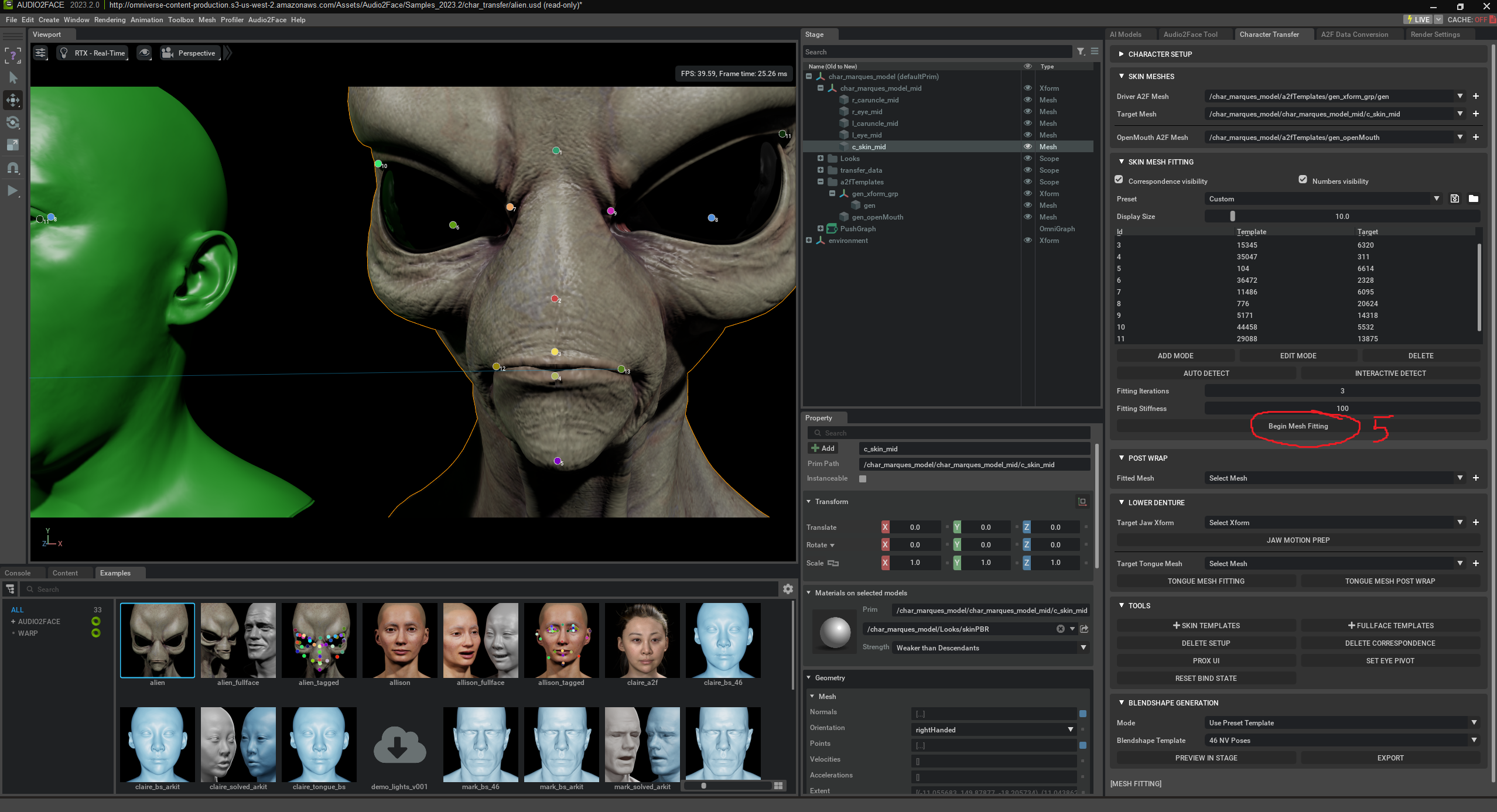
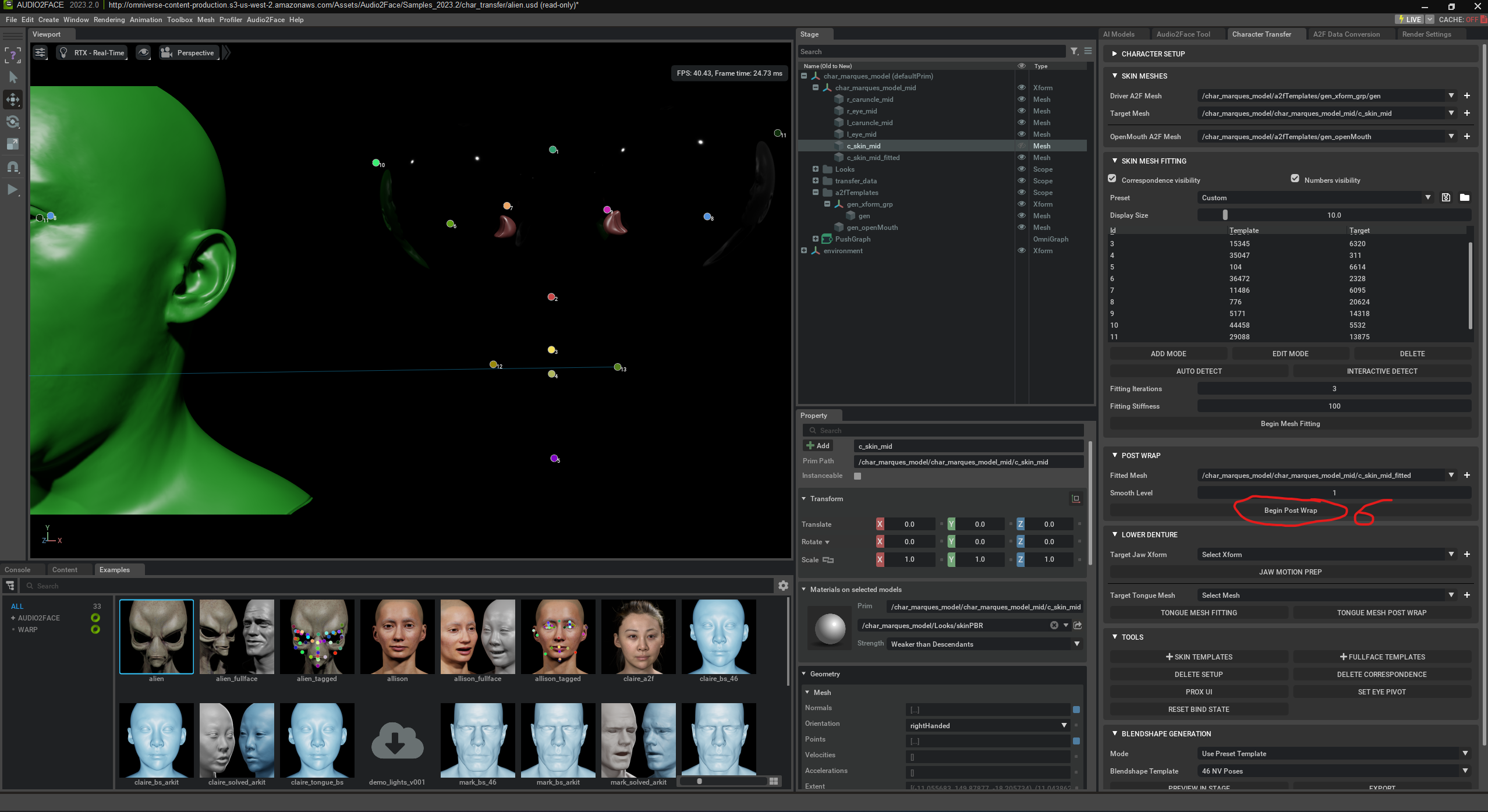
„Begin Post Wrap“ is the final step after mesh fitting in Audio2Face. It ensures that your character mesh is correctly attached to the animated Driver Mesh. Your mesh is laid over like a shell („Wrap“) on the Driver Mesh so that all facial areas move realistically with speech and expressions. This step refines movement transfer and improves animation accuracy and quality. The goal is for your character to speak naturally and move like the original – without manual intervention.
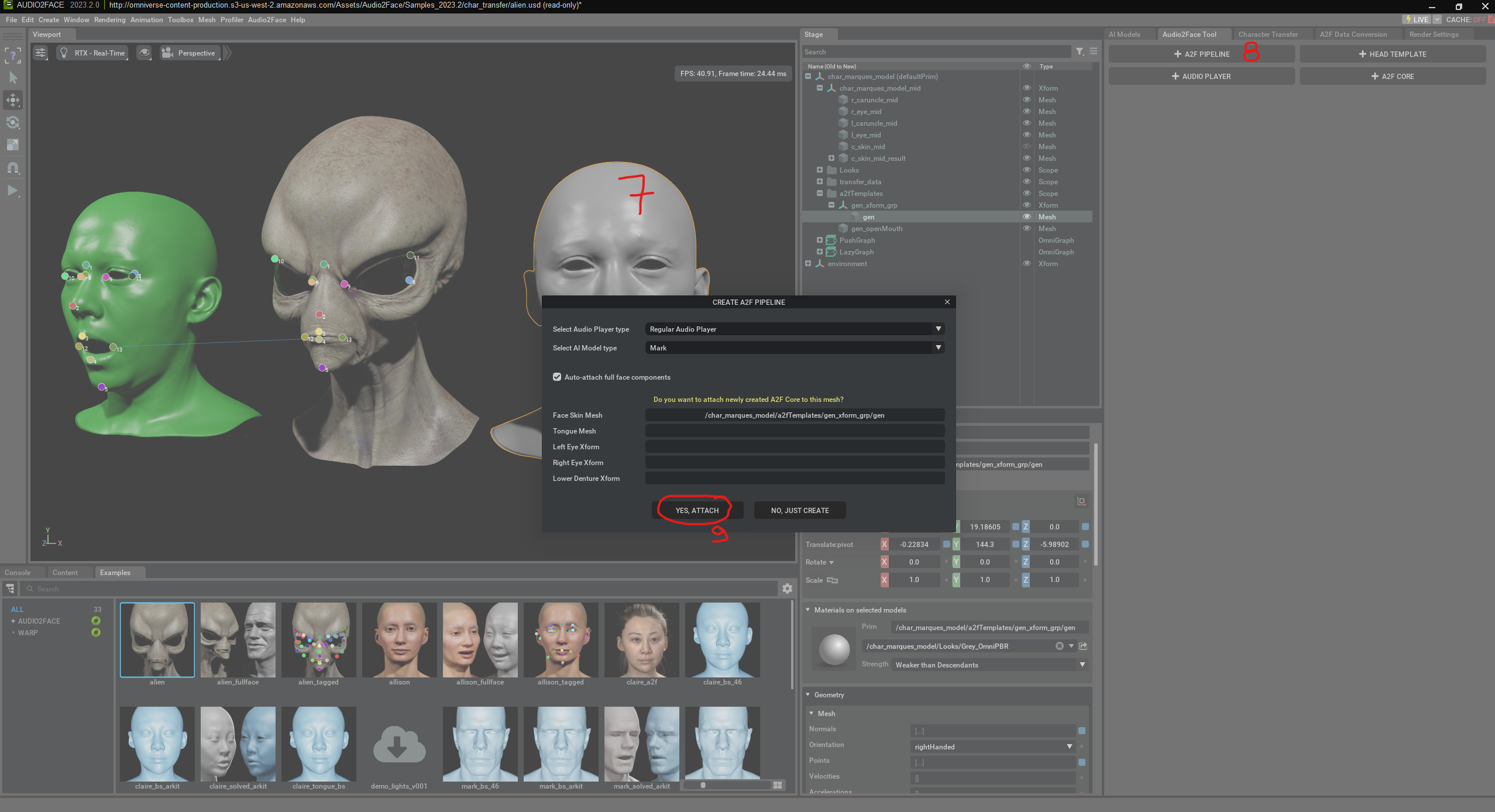
Here, an „A2F Pipeline“ is created. This pipeline is necessary to connect a 3D face with the audio-driven AI animation. In the shown window, the user selects the audio player type and a pretrained AI model („Mark“) used for facial analysis. Additionally, the option is enabled to automatically detect and link all facial components (such as eyes, tongue, lower jaw). The A2F Pipeline is the technical framework that controls the interplay of audio, AI, and the 3D mesh.
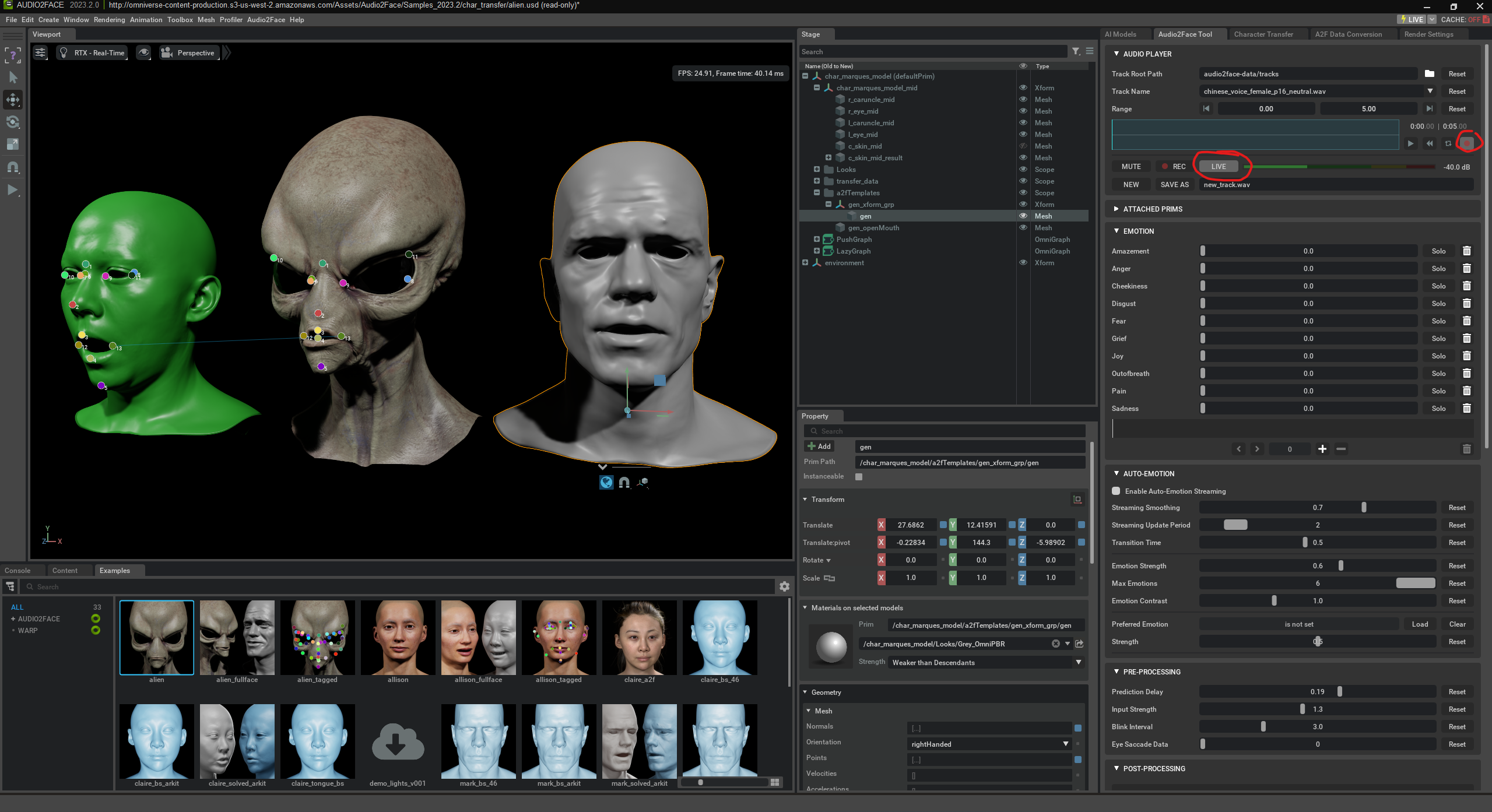
Finally, we just have to press “play” to see the animation.
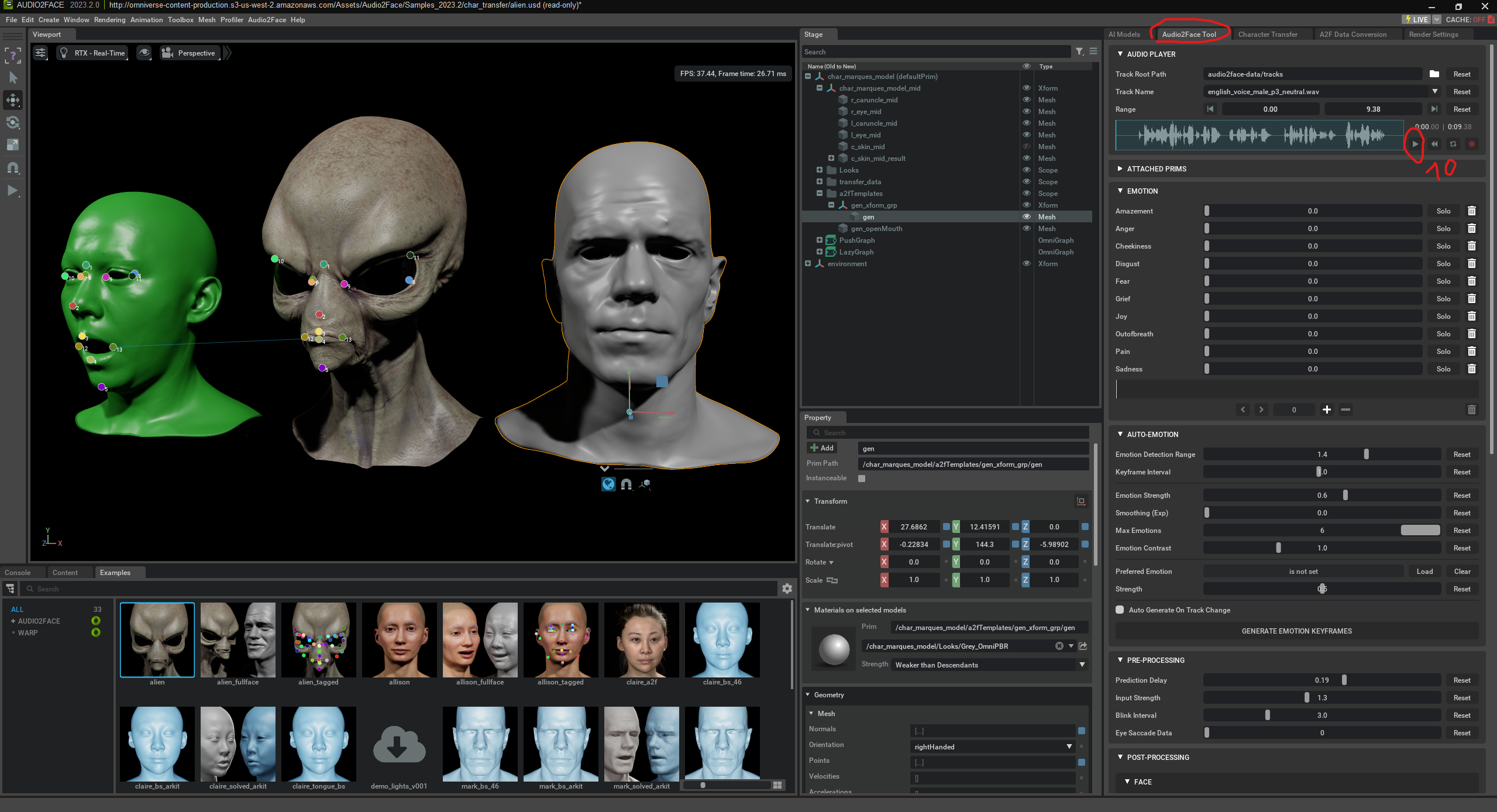
The alien can also be animated in real time through spoken language.