What it is about
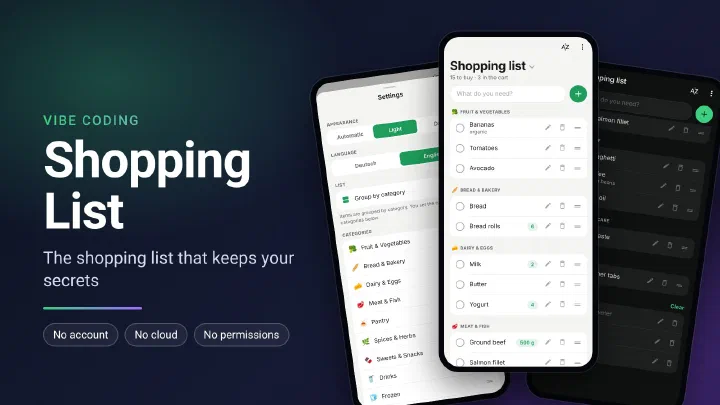
Shopping List is a shopping list app for Android. There is no account, no cloud and no sync through third party servers. All lists are stored in a database on the phone and only leave it when you share a backup yourself. I built the app with the help of AI.
The current version is available directly as an APK file:
https://github.com/netperformance/ShoppingList/releases/download/v1.4.2/ShoppingList-1.4.2.apk
The project is open source under the MIT license and is hosted on GitHub:
github.com/netperformance/ShoppingList
Why a shopping list of my own
A shopping list reveals more than you might think. Anyone who reads it over several weeks learns how someone eats, whether there are children or pets in the household, which medicines come from the pharmacy and on which days the shopping is done. Many shopping list apps store the lists on their provider’s servers so they can be synced between devices. That puts this knowledge in the hands of another company.
The app at a glance
The app is deliberately kept simple. At the top there is an input field, below it the list, grouped by category. From the first letter on, the app suggests matching products, and frequently bought ones move up in the suggestions. Tap an item and it moves to “In the cart”.
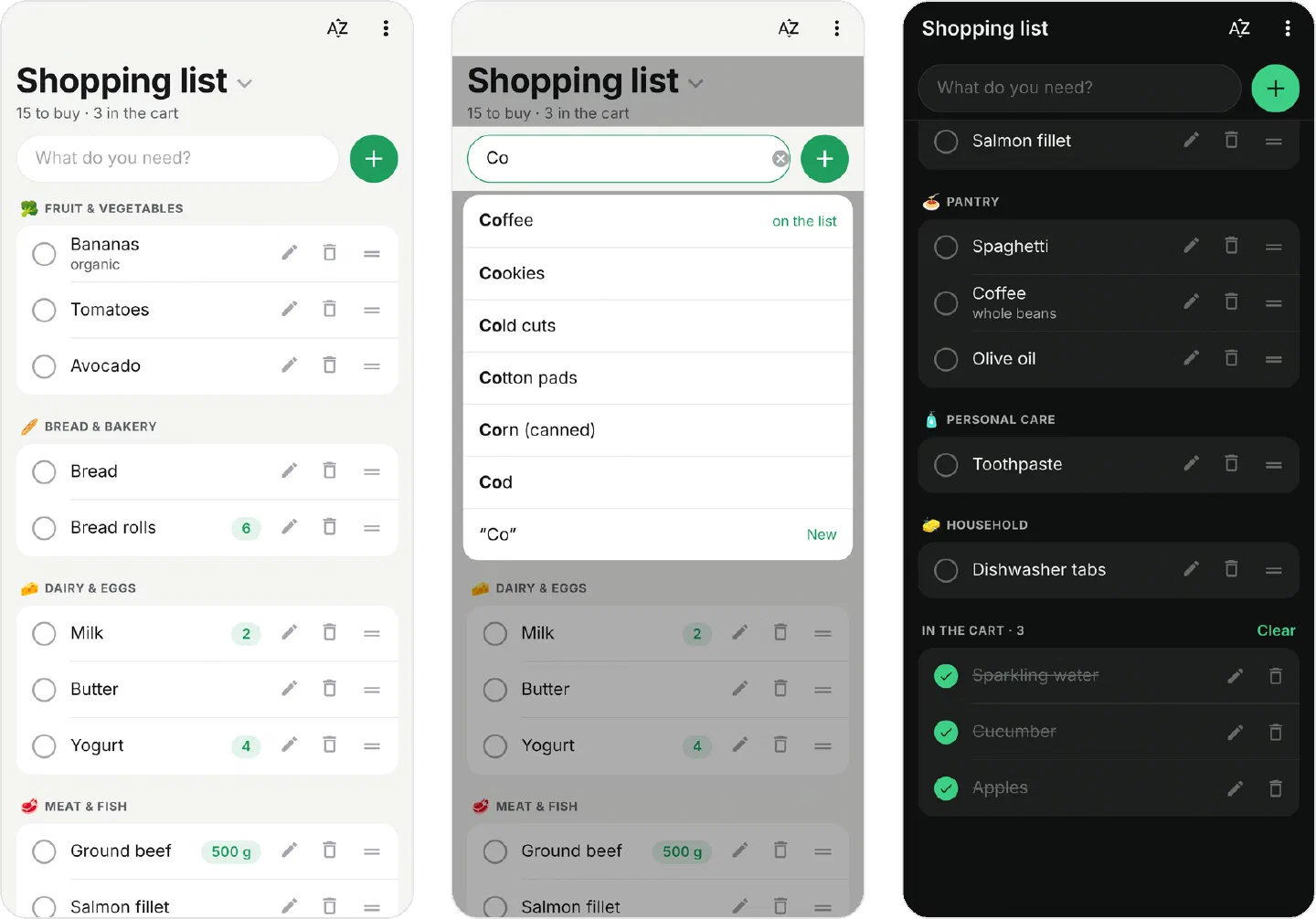
- Quick entry: suggestions from about 2,700 products, from groceries to the drugstore, the pharmacy and the hardware store. The app recognizes quantities right in the input, for example
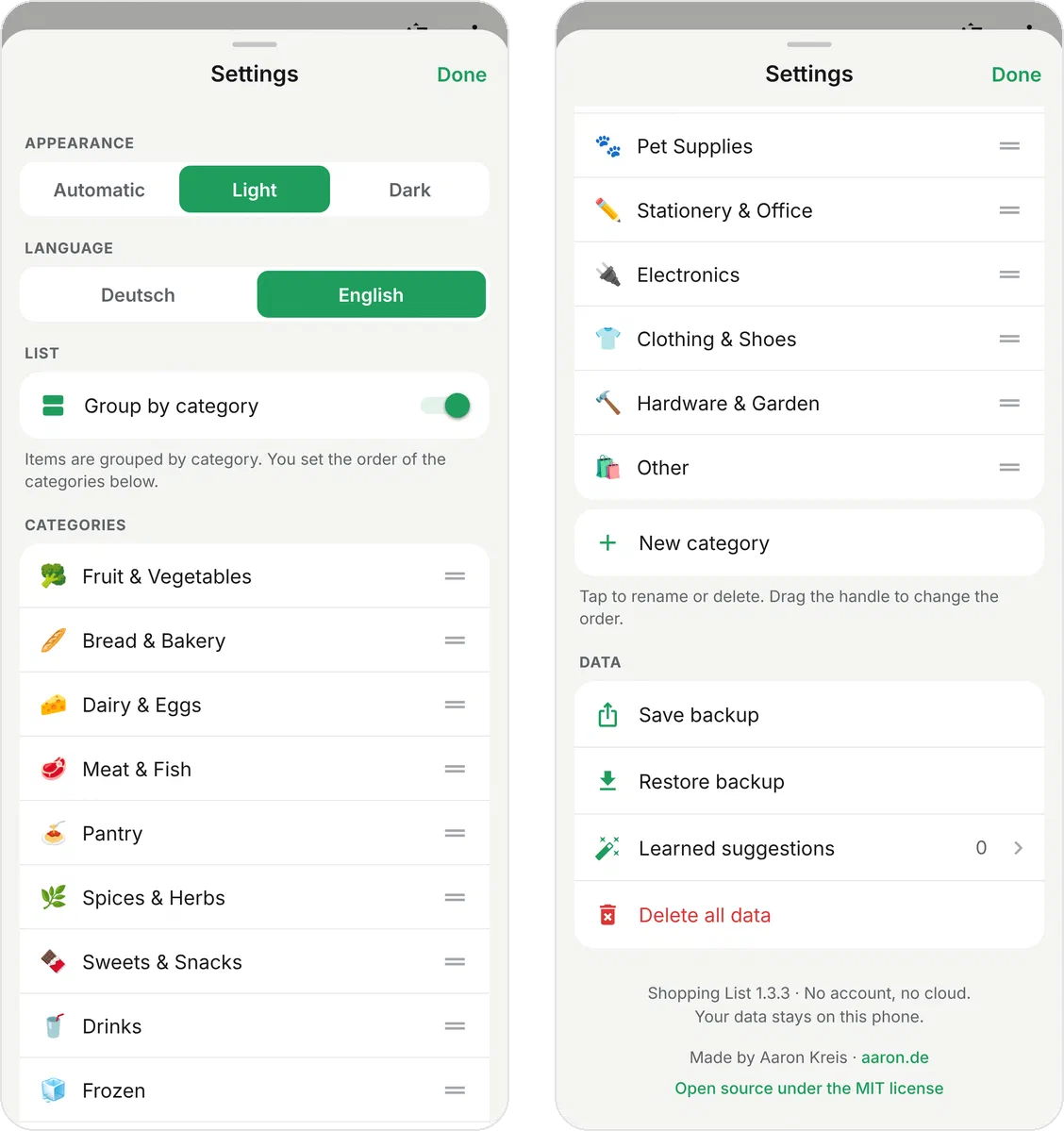
2 Milk,500g Ground beeforYogurt x4. - Grouped by category: items are grouped by category, for example Fruit & Vegetables, Bread & Bakery or Drinks. The order of the categories can be changed by dragging, and you can create, rename and delete your own categories. If you don’t want categories, turn them off in the settings. All products are then simply listed one below the other.
- Multiple lists: for example a private list, one for work and one for the whole family, each with its own items.
- Learns as you go: products the app does not know yet are remembered together with their category and suggested next time.
- English and German: the language of the app can be switched between English and German in the settings.
- Light and dark: the app starts in light mode. Dark or “Automatic” can be chosen in the settings.
- Backup: the whole list can be saved as a file and restored, for example when moving to a new phone.
Permissions and privacy
The app does not ask for a single permission. Since the app has no internet access either, Android itself blocks every outside connection. Contacts, location, camera and storage stay locked. Even vibration is not granted: the short haptic feedback when checking off an item comes from an Android feature that needs no permission.
In addition:
- No backup to Google’s cloud: Android’s automatic backup is turned off, so the list does not end up at Google on the side either.
- No ads and no analytics: the app contains no ads, no tracking and no third party code that collects usage data.
- Backups only when you want them: a backup is only created when you make one yourself. You decide where the file goes through Android’s share menu.
- The link to aaron.de in the settings opens the phone’s browser. The app itself loads nothing.
The app’s installation file (APK) lists exactly one entry under permissions, DYNAMIC_RECEIVER_NOT_EXPORTED_PERMISSION. This is not a permission for the app but an internal Android safeguard: it makes sure that other apps cannot send messages to the app.
Limitations
- There is no sync between devices. This is intentional. To move to another phone, use the backup file.
- Uninstalling the app without saving a backup first deletes your lists.
- The app is only available for Android. It comes as an APK file and not through the Play Store, so Android asks during installation whether apps from this source should be allowed.