Introduction: Why I wanted to mirror my playlists
I listen on Spotify, but every now and then I need the same playlists on YouTube too, for a device without Spotify, for sharing, or for background videos. Rebuilding that by hand every time is tedious. So I wrote a tool that takes care of exactly that, and released it as open source.
What it does
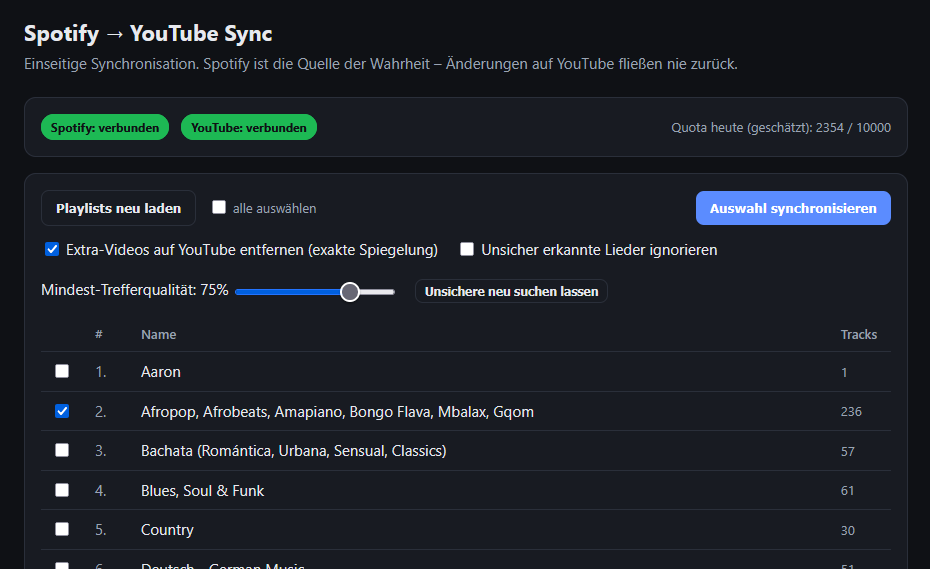
A lean web interface shows your Spotify playlists, numbered and sorted alphabetically. You select one, several, or all of them, and the tool creates the matching YouTube playlist or finds an existing one and fills it with the same songs.
The synchronization deliberately runs in one direction only: Spotify is the source of truth. Whatever you change or delete on YouTube never affects Spotify. If you delete something on YouTube and synchronize again, the Spotify state is restored. Missing tracks are added, surplus ones removed on request. The YouTube playlist is then an exact mirror of the Spotify original.
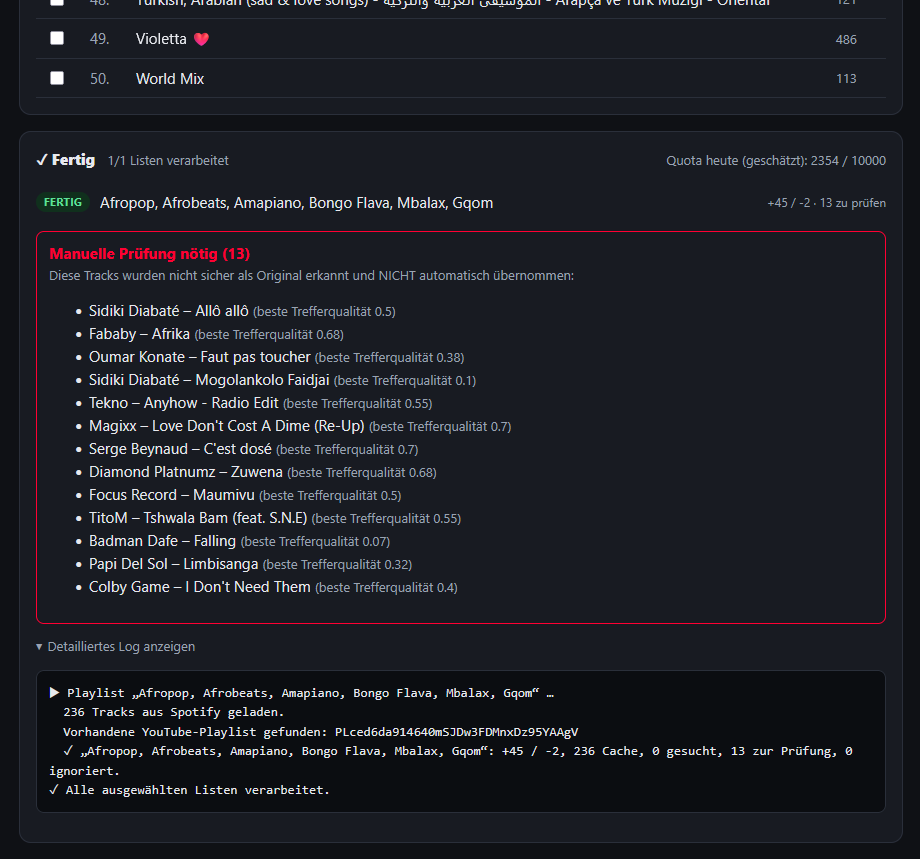
While a run is working, you see a live queue with a status per playlist (waiting, running, done) and can cancel individual lists or the whole job at any time.
Two technical limits
Two characteristics follow from the APIs and determine what the tool can do.
First, there is no guarantee that the exact Spotify version is always found and not a cover. There is no official mapping between a Spotify track ID and a specific YouTube video. You search, and you get videos back. What is possible is a good, rule-based match. More on that shortly. Songs the tool is not sure about land in a review list instead of being added silently.
Second, the YouTube interface has a daily quota. A search is comparatively expensive, which is why only a limited number of new tracks can be resolved per day. Large libraries therefore take several days. So that this does not start from scratch every time, the tool remembers every match permanently, including the unsuccessful ones. On the next run an already known song costs nothing more, and you can pick up exactly where the quota left off the day before.
How it finds the right version
The trick lies in a detail of the YouTube ecosystem: for almost every officially released song, YouTube automatically creates an entry on a channel following the pattern „Artist - Topic". That is the closest thing to the studio version. The matching therefore deliberately favors these Topic channels as well as official and VEVO channels, additionally compares the playing time with the Spotify length, and downgrades anything that sounds like a variant, such as cover, live, remix, karaoke, demo, or extended mix. If the best candidate falls below an adjustable minimum quality, it is not adopted automatically but listed for review. In practice this catches exactly the right suspects, while clean originals pass through.
Tech
The backend is written in Python with FastAPI, and login runs through the current OAuth mechanisms (Spotify Authorization Code, Google OAuth with offline access). Storage is a small SQLite database that also serves as the match cache. The interface is deliberately lean vanilla JavaScript without framework ballast. The tool runs locally, belongs to you, and there are no third-party servers in between.
Try it yourself
The code is openly available on GitHub, including a bilingual guide (English and German) that walks you step by step through creating the Spotify and Google credentials:
github.com/netperformance/SpotifyYoutubeSynchronizer
Everyone creates their own API keys and enters them into a local configuration file, so no credentials are shared. One short command, connect both services, select playlists, done.
On the list for the next version is an interface to manually assign the right video to uncertain matches, so the review list does not just sort out but also resolves. Feedback and pull requests are welcome.