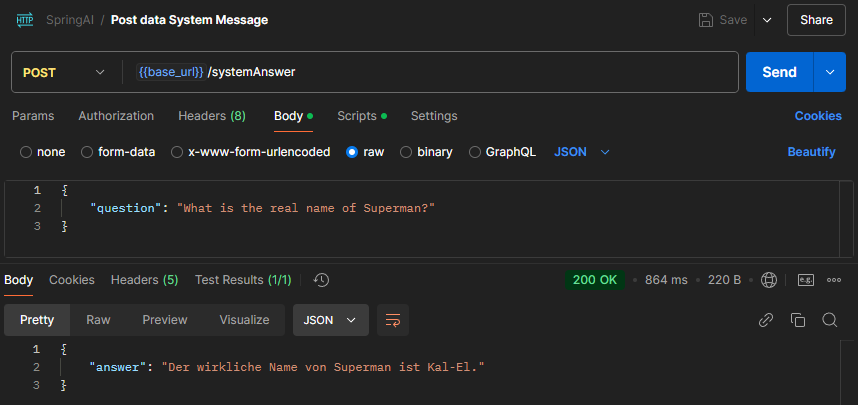
Send a question to OpenAI via Spring AI and display the answer
Create OpenAI key
https://platform.openai.com/settings/organization/api-keys
Then set the key as an environment variable: OPENAI_API_KEY
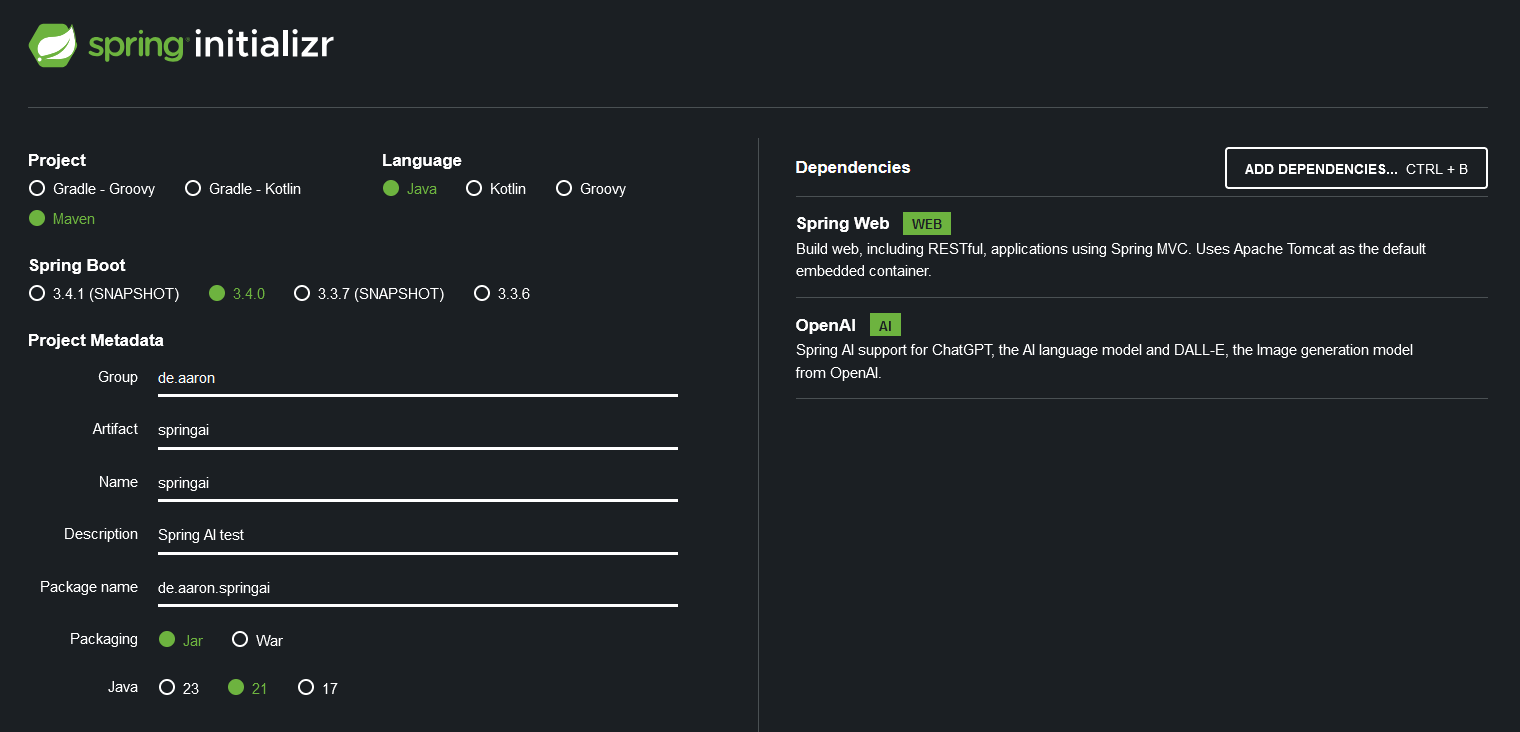
Create a new Spring Boot project:
https://start.spring.io/
Within the Spring Boot application, i.e., in the “application.properties” file, reference the OpenAI key, i.e., environment variable (OPENAI_API_KEY).
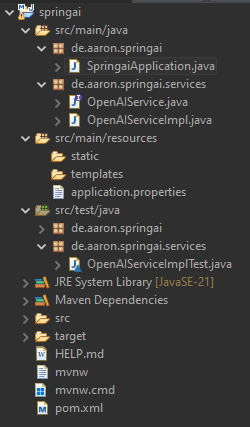
After creating the interface and classes, the project structure should look as follows:
After running the unit test, the answer to the question “Who would win in a fight between Superman and Chuck Norris?” should be displayed. In this case:
“Answer: In a hypothetical fight between Superman and Chuck Norris, it’s important to consider their respective attributes. Superman, being a fictional character from DC Comics, possesses superhuman strength, speed, flight, invulnerability, and various other powers, including heat vision and freezing breath. These abilities make him one of the most powerful superheroes.
Chuck Norris, on the other hand, is a real person known for his martial arts expertise and roles in action films. While he has a legendary status in popular culture, often exaggerated through jokes and memes about his toughness, he is still human and lacks the superhuman abilities that Superman has.
In a purely fictional context, Superman’s array of superpowers would likely give him the upper hand in a physical confrontation. However, the outcome of such a fight would ultimately depend on the context and the rules set within that fictional scenario.”
Use REST controller
Create REST controller.
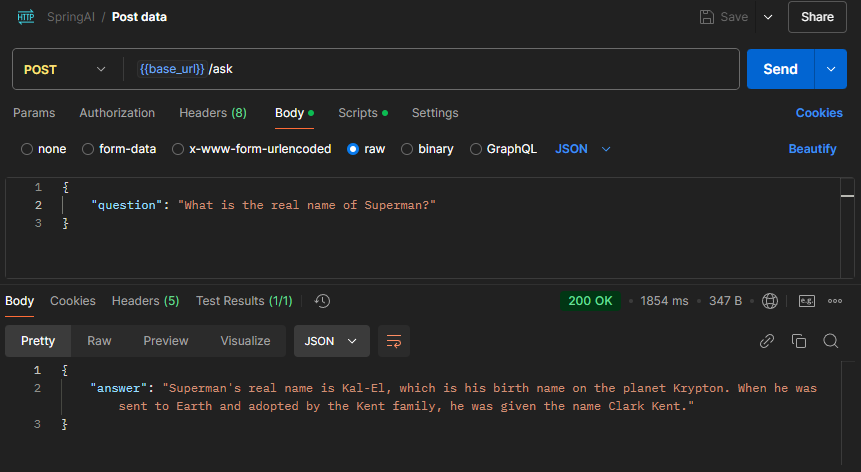
The endpoint can be reached, for example via Postman, at the following URL localhost:8080/ask.
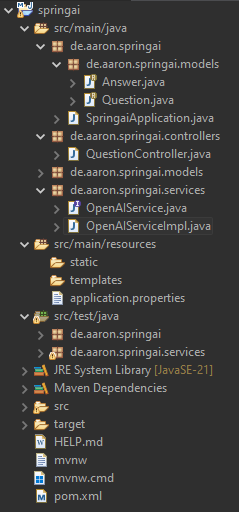
The project structure should look as follows:
Call the endpoint via Postman:
Use prompt template
A prompt template in Spring AI is a template containing placeholders for dynamic inputs to create structured prompts for AI models. It enables flexible generation of requests by inserting variables like user inputs or context information.
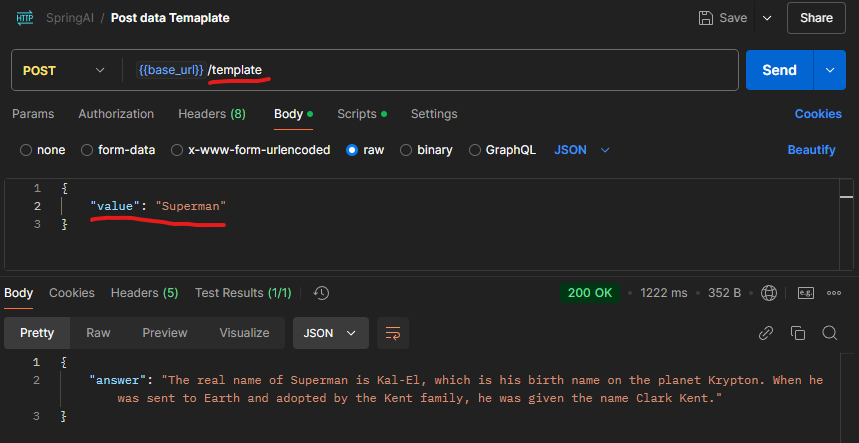
In this case, I want to send only the name “Superman” via Postman to the new endpoint “template”. In the background, the word “Superman” is inserted into the following sentence/question/template and answered: “What is the real name of {value}?”.
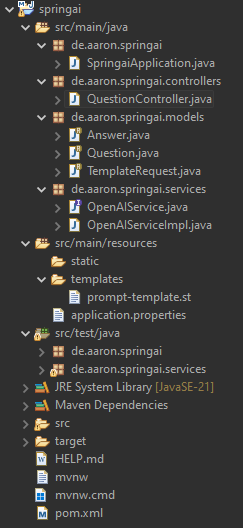
The project structure should look as follows:
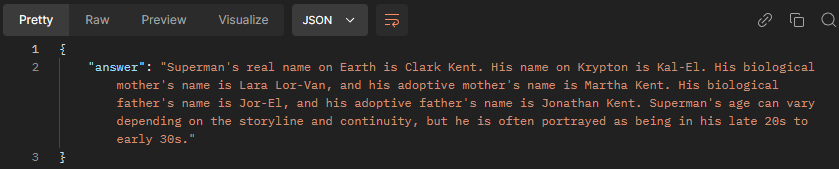
Use system prompt
