// Ansible is used for the configuration or provisioning of the following Vagrant VM infrastructure 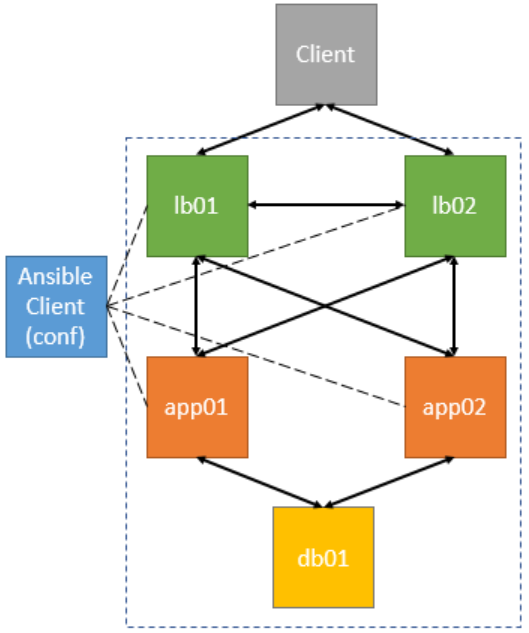
// Installation from “Personal Packages Archive (PPA)” sudo -s apt-get install software-properties-common apt-add-repository ppa:ansible/ansible apt-get update apt-get install ansible
// Check ansible –version ansible-playbook –version ansible-galaxy –help
// Creation of a new/custom ‘hosts’ or ‘inventory’ file // for configuring the ‘dev’ environment cd ~ mkdir ansible cd ansible vi dev 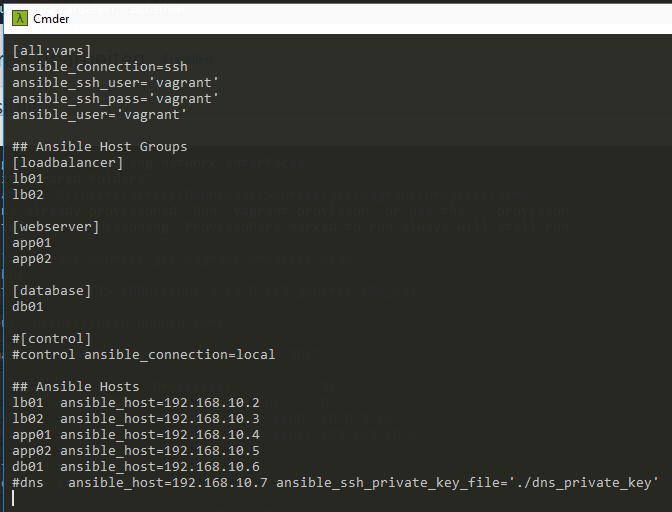
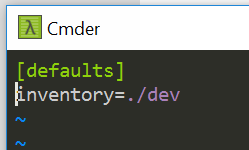
// Creating a custom config file (ansible.cfg) // Reference to the inventory (hosts) file cd ~/ansible vi ansible.cfg [defaults] inventory=./dev 
// Display the hosts from the ‘inventory’ file (dev) cd ~/ansible ansible –list-hosts all 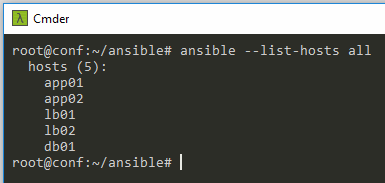
// Invoke individual groups (hosts) from the inventory file ansible –list-hosts all ansible –list-hosts “*” ansible –list-hosts webserver ansible –list-hosts loadbalancer ansible –list-hosts db01 ansible –list-hosts “db*” ansible –list-hosts webserver:databases ansible –list-hosts webserver[0] ansible –list-hosts webserver[1] ansible –list-hosts \!webserver
// Test SSH access e.g. lb01 (192.168.10.2) ssh vagrant@192.168.10.2
// Ping all hosts ansible -m ping all 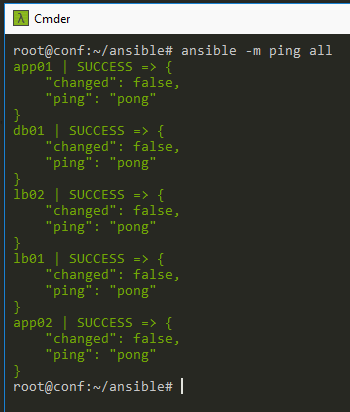
// Create playbook cd ~/ansible mkdir playbooks cd playbooks vi test.yml
// Run playbook cd ~/ansible ansible-playbook playbooks/test.yml
// Examples: Loadbalancer Playbook Webserver Playbook Database Playbook
// Set up role structure (loaded from Ansible repository) mkdir roles cd roles ansible-galaxy init haproxy ansible-galaxy init apache2 ansible-galaxy init mysql
// The structure generated by init looks as follows 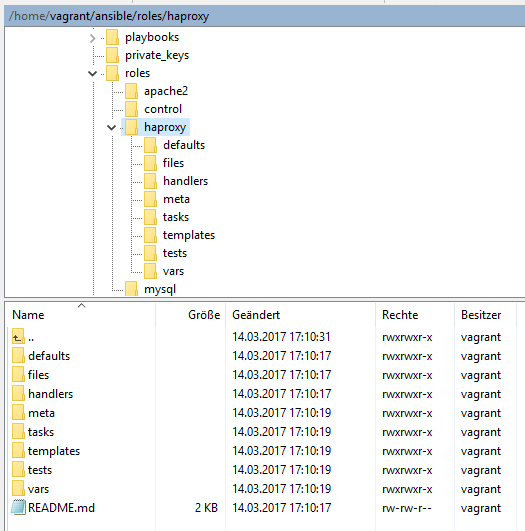
cd ~/.ansible touch haproxy.yml touch apache2.yml touch mysql.yml
// Reference roles in the created role structure cd ~/.ansible atom haproxy.yml 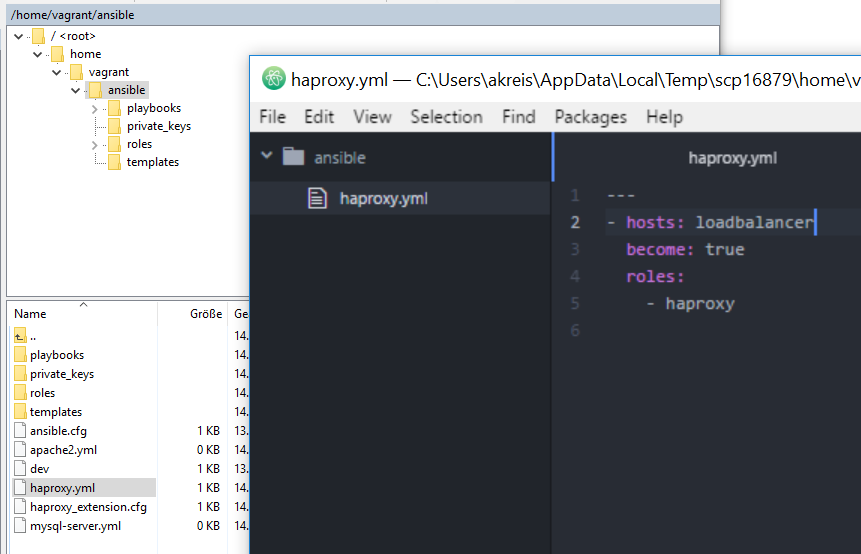
// ‘List playbook tasks’ within the roles cd ~/ansible/roles/haproxy/tasks/ vi haproxy.yml 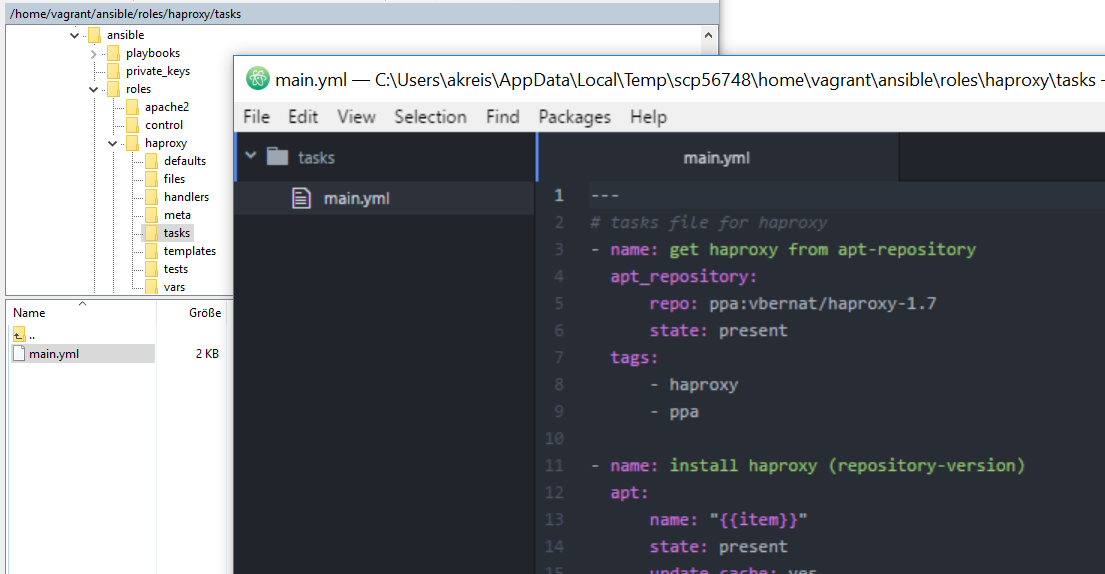
// Execute playbook using roles ansible-playbook haproxy.yml # instead of ansible-playbook ./playbooks/lb0x.yml
// Roles https://github.com/netperformance/ansible/tree/master/roles
// Example ‘haproxy Tasks’ within the ‘haproxy’ role https://github.com/netperformance/ansible/blob/master/roles/haproxy/tasks/main.yml
// Combine all roles in one file via (include) and run cd ~/.ansible atom site.yml ansible-playbook site.yml 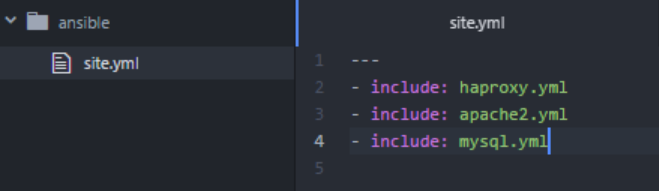
// Invoke defined roles ansible-playbook site.yml –limit app01
// External roles via https://galaxy.ansible.com ansible-galaxy install < nam_der_rolle >
// Retrieve VM information (Facts) ansible -m setup lb01
// Variables instead of hardcoded values // Starting situation within the tasks vi /home/vagrant/ansible/roles/haproxy/tasks/main.yml 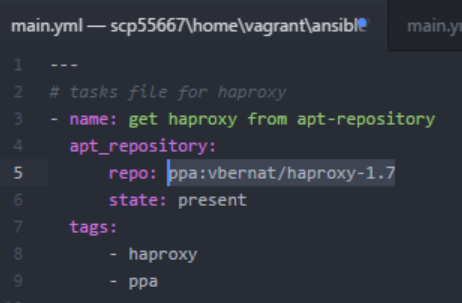
// Listing the variables within the ‘defaults’ folder vi /home/vagrant/ansible/roles/haproxy/defaults/main.yml repository: ppa:vbernat/haproxy-1.7 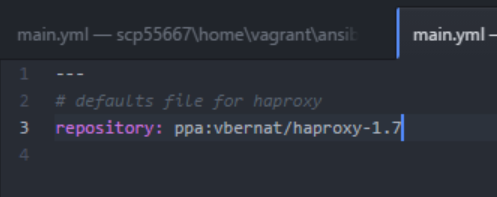
// Use of the variable vi /home/vagrant/ansible/roles/haproxy/tasks/main.yml “{{ repository }}” 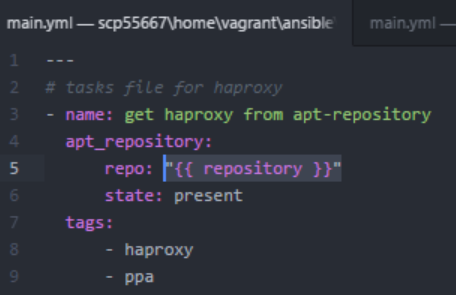
// Speed up execution by disabling ‘apt-get update’ // within a time span of x and ‘gather_facts’ — - hosts: all become: true gather_facts: false tasks: - name: update apt cache apt: update_cache=yes cache_valid_time=10000 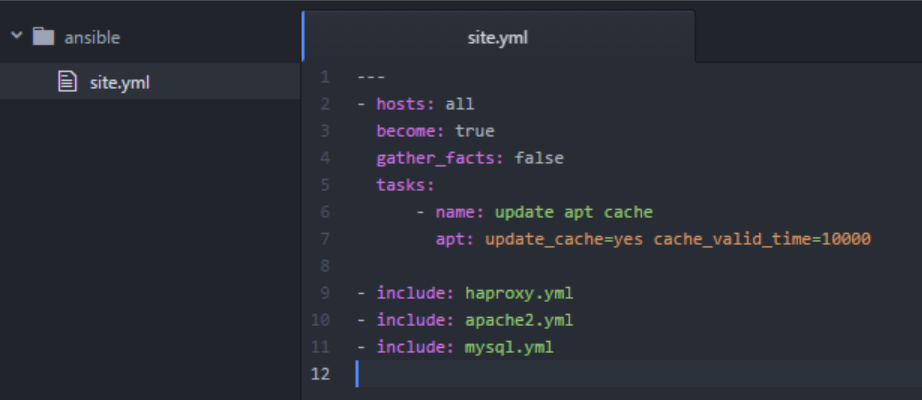
// Acceleration by enabling SSH pipelining sudo visudo vi ~/ansible/ansible.cfg 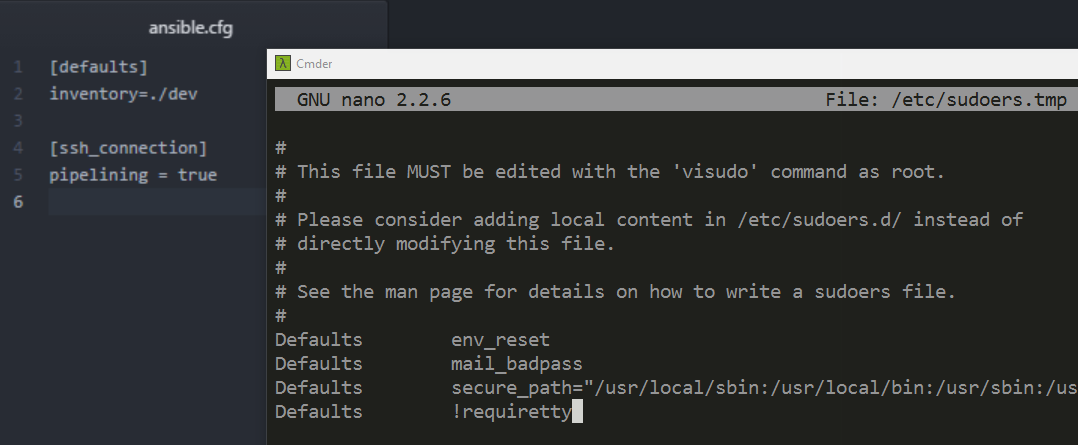
// Listing tags ansible-playbook site.yml –list-tags
// Run specific tags ansible-playbook site.yml –tags “haproxy”
// Skip tags ansible-playbook site.yml –skip-tags “haproxy”