This guide covers the function, components and practical implementation of a Web Application Firewall (WAF).
Definition of a Web Application Firewall
A Web Application Firewall (WAF) is a security system for monitoring, filtering and blocking HTTP traffic to and from a web application. Unlike a traditional network firewall, which operates at the network and transport layers (Layer 3 and 4) of the OSI model and filters traffic primarily based on IP addresses and ports, a WAF operates at the application layer (Layer 7).
This positioning allows the WAF to analyze the content of the communication. It inspects GET and POST requests for attack patterns targeting the application logic. These include, among others, Cross-Site Scripting (XSS) and SQL Injection.
After describing the basic operation of a Web Application Firewall, the question arises which established standards and guidelines provide orientation for practical implementation. This is where OWASP comes into play.
The Role of OWASP
The effectiveness of a WAF depends on the quality of its rule set. The Open Web Application Security Project (OWASP) is an organization that establishes standards in the field of web application security.
OWASP Top 10: This is a regularly updated document listing the ten most critical security risks for web applications. A WAF is designed to counteract attacks that exploit these vulnerabilities.
OWASP ModSecurity Core Rule Set (CRS): The CRS is an open-source set of attack detection rules for WAFs. It provides a standardized, expert-reviewed baseline for threat detection. A WAF engine like ModSecurity uses the CRS to evaluate requests.
The OWASP Core Rule Set (CRS) provides a collection of predefined rules intended to detect and defend against common attacks such as SQL Injection, Cross-Site Scripting or Remote Code Execution. Each rule file covers a specific attack vector or security area and can be enabled or customized as needed.
| Rule File | Purpose |
|---|---|
| REQUEST-900-EXCLUSION-RULES-BEFORE-CRS.conf.example | This file is a template for defining exceptions. You can specify that certain requests or parameters are not checked by the rules. For example, you can exclude fields like “password” for a login form if they would otherwise be falsely flagged as suspicious. |
| REQUEST-910-IP-REPUTATION.conf | This file checks IP addresses. If an IP is on a known list of malicious sources, access can be blocked immediately. This way, attacks from botnets or already identified attackers can be stopped early. |
| REQUEST-920-PROTOCOL-ENFORCEMENT.conf | These rules ensure that HTTP requests comply with the standard. Malformed or deliberately manipulated requests (for example, invalid methods, incomplete headers) are detected and rejected. This enforces “clean communication”. |
| REQUEST-930-APPLICATION-ATTACK-LFI.conf | Protects against Local File Inclusion (LFI). In this attack, an attacker tries to include files from the server that should not be accessible (e.g. /etc/passwd). These rules prevent access to internal system files. |
| REQUEST-931-APPLICATION-ATTACK-RFI.conf | Protects against Remote File Inclusion (RFI). In this case, attackers attempt to load and execute external files from other servers. The rules block such attempts to keep malicious code out. |
| REQUEST-932-APPLICATION-ATTACK-RCE.conf | Protection against Remote Code Execution (RCE). These attacks aim to execute commands directly on the server. The rules detect typical patterns like exec() or shell commands in requests and thus prevent system takeover. |
| REQUEST-933-APPLICATION-ATTACK-PHP.conf | Special rules for PHP applications. Many attacks exploit known vulnerabilities or unsafe functions in PHP. These rules detect dangerous constructs such as manipulations of php://input or misuse of variables |
| REQUEST-941-APPLICATION-ATTACK-XSS.conf | Protection against Cross-Site Scripting (XSS). Attackers try to inject malicious JavaScript code into web pages. These rules detect typical patterns such as |
| REQUEST-942-APPLICATION-ATTACK-SQLI.conf | Protection against SQL Injection (SQLi). Attackers try to manipulate database queries by entering inputs like OR 1=1. These rules detect such patterns and prevent unwanted database access. |
| REQUEST-943-APPLICATION-ATTACK-SESSION-FIXATION.conf | Protects against session fixation. Attackers try to force a specific session ID on a user to later hijack the same session. The rules check for suspicious manipulations of session IDs. |
| REQUEST-949-BLOCKING-EVALUATION.conf | This file consolidates the previous checks and decides whether a request should ultimately be blocked. It weights how many violations a request contains and whether they are severe enough to justify blocking. |
| RESPONSE-950-DATA-LEAKAGES.conf | These rules inspect server responses for unintended data leaks. Error messages often contain sensitive information about the application or the system. The rules detect such leaks and can block or modify the output. |
| RESPONSE-951-DATA-LEAKAGES-SQL.conf | Specialized rules to detect SQL error messages in responses. Such messages often reveal details about tables, columns or databases that an attacker could exploit. |
| RESPONSE-952-DATA-LEAKAGES-JAVA.conf | Protection against Java error outputs. Java applications often return full stack traces on errors, revealing internals of the application. These rules prevent such sensitive information from reaching the user. |
| RESPONSE-953-DATA-LEAKAGES-PHP.conf | Similar to Java, but for PHP. PHP often exposes file paths, configurations or variable contents on errors. These rules block or mask such information. |
| RESPONSE-954-DATA-LEAKAGES-IIS.conf | Rules for Microsoft IIS. These also detect typical error pages that could reveal internal system details. |
| RESPONSE-959-BLOCKING-EVALUATION.conf | As with requests, there is a final evaluation for responses. This file decides whether a response with data leaks should actually be blocked or allowed. |
| RESPONSE-980-CORRELATION.conf | These rules do not only look at individual requests or responses but correlate patterns across multiple interactions. For example, repeated minor violations can be detected as an indication of a targeted attack. |
The Role of ModSecurity
ModSecurity is one of the best-known open source WAF modules for web servers like Apache and Nginx. It works on a rule-based system and enables detailed analysis, logging and blocking of HTTP traffic. In combination with the OWASP Core Rule Set, preconfigured rules for common attack patterns are available. This makes ModSecurity suitable both for training environments such as DVWA and for the production protection of web applications.
While OWASP primarily provides guidelines and rule sets, ModSecurity delivers the practical WAF module that allows these specifications to be implemented directly on a technical level.
Advantages and Disadvantages of a WAF
Advantages
- Protection against known attack patterns: A WAF offers protection against the vulnerabilities listed in the OWASP Top 10 and other attack vectors.
- Virtual patching: When a vulnerability in the application code becomes known, a WAF rule can be created to block attacks targeting this flaw. This serves as a temporary protective measure until the source code is fixed.
- Logging and monitoring: Attack attempts are logged. These data are relevant for security analyses and the detection of attack patterns.
- Compliance support: Deploying a WAF is often part of security standards such as the PCI DSS (Payment Card Industry Data Security Standard).
Disadvantages
- False positives: Legitimate requests can be mistakenly classified as malicious and blocked. This requires tuning the rule set.
- False negatives: Complex or unknown attack vectors might not be detected. A WAF does not provide one hundred percent protection.
- Performance impact: Analyzing requests introduces latency in processing.
- Configuration and maintenance effort: A WAF requires careful configuration and regular maintenance to be effective and to minimize false positives.
Guide for the Practical Showcase
This section describes the setup of a test environment to demonstrate a WAF.
Required Components
- Docker: A containerization platform for isolated and reproducible deployment of software components.
- DVWA (Damn Vulnerable Web Application): A web application developed for security demonstrations that contains known vulnerabilities.
- Nginx: A web server used as a reverse proxy to receive and inspect requests before forwarding them to the target application.
- ModSecurity: An open source WAF engine integrated as a module in Nginx.
Step 1: Starting the Target Application (DVWA)
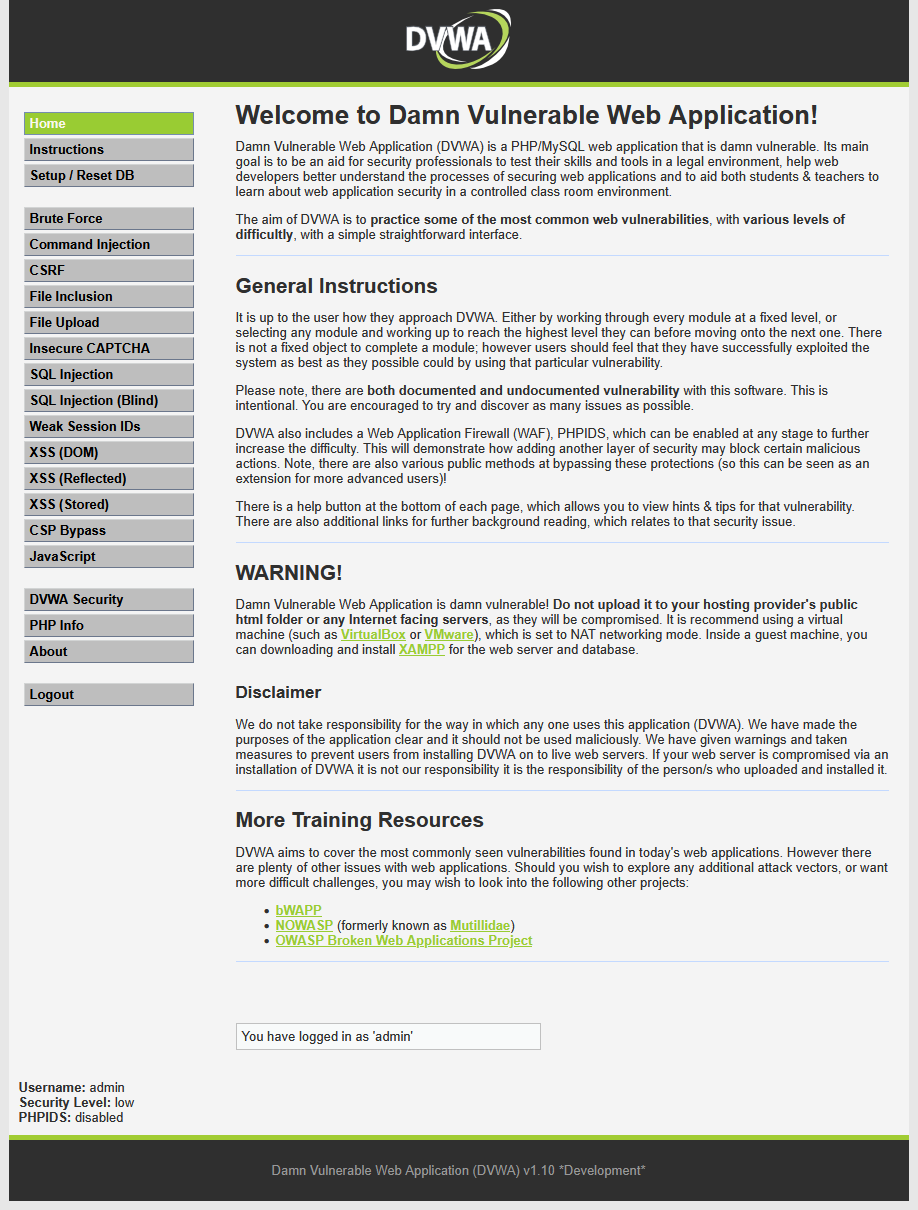
DVWA stands for Damn Vulnerable Web Application. It is an intentionally insecure web application project designed as a learning and testing environment for IT security. The application contains typical vulnerabilities such as SQL Injection, Cross-Site Scripting or File Inclusion. Security researchers, developers and students use DVWA in a protected environment to practice attacks and test defense measures. Since the software is deliberately vulnerable, it must only be used in isolated test environments and never on production systems.
The following command starts a DVWA container:
The application is then accessible at http://localhost:8080.
Step 2: Configuration of the WAF
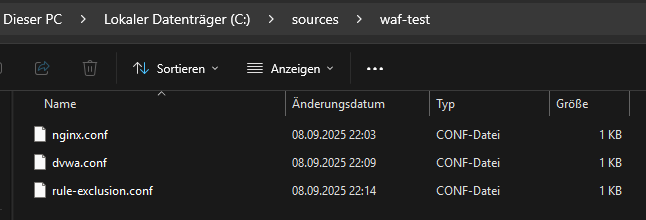
In this setup, three configuration files control operation and security.
nginx.conf governs the basic settings of the web server and routing.
dvwa.conf integrates the DVWA test application into the environment.
rule-exclusion.conf defines exceptions for certain rules to allow targeted security tests without blockages.
nginx configuration (nginx.conf)
This code block is a configuration directive for the Nginx web server. It defines how Nginx should respond to the requests it receives. Essentially, it sets up Nginx as a protective forwarding station (reverse proxy) with an integrated Web Application Firewall (WAF).
The code configures Nginx to act as a Web Application Firewall and reverse proxy on port 80. Every incoming request is first checked by ModSecurity (WAF) for attack patterns. If the request is deemed safe, Nginx forwards it to the actual web application running on port 8080.
proxy configuration (dvwa.conf)
A file named dvwa.conf is created. It contains the directive for Nginx to forward requests to the DVWA container and enable ModSecurity.
exclusion rule (rule-exclusion.conf)
A file named rule-exclusion.conf is created to fix a false positive triggered, for example, by a browser cookie.
Step 3: Starting the WAF container
In the terminal, navigate to the folder with the configuration files and start the WAF container with the following command:
docker run –rm -it -p 80:80 -v “%cd%\dvwa.conf:/etc/nginx/conf.d/dvwa.conf” -v “%cd%\rule-exclusion.conf:/etc/modsecurity.d/owasp-crs/rules/REQUEST-900-EXCLUSION-RULES-BEFORE-CRS.conf” owasp/modsecurity-crs:nginx
Test Execution
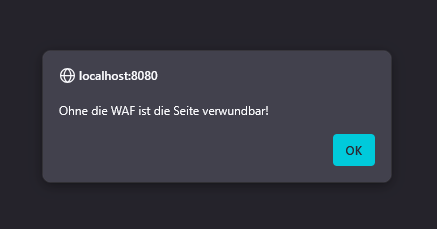
Test without WAF: An attack is carried out against http://localhost:8080. On the “XSS (Reflected)” page, after login and setting the security level to “low”, the payload is entered. Result: A JavaScript alert is executed in the browser.
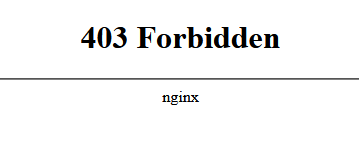
Test with WAF: The same attack is carried out against http://localhost. Result: The browser shows the 403 Forbidden error page. The WAF logs in the terminal show a message logging the detected XSS attack.
Modern Developments in WAF
Automated Rule Updates
Traditional WAFs work with static rule sets that administrators must maintain manually. This approach is error-prone and often leads to new attack patterns being recognized only with a delay. Modern systems use automated updates that continuously align their rule base with the latest threat intelligence. This reduces the risk that zero-day attacks go unnoticed. Additionally, maintenance effort decreases, as fewer manual interventions are required. This automation is comparable to antivirus software that regularly updates signature databases, except that here the protection is specifically aimed at web applications.
Machine-Learning Enhancements
Classic WAFs detect attacks primarily by matching known patterns. This approach reaches its limits when an attack is novel or slightly modified. Machine-learning-based systems go a step further: they analyze the typical traffic of an application and learn what normal behavior means. Deviations from this pattern can be detected as anomalies, even if they are not contained in the classic rule sets. This way, gradual attacks that build up in small steps over multiple requests can be identified. ML methods thus complement the classic rules by dynamically reacting to changes.
From WAF to WAAP
The term Web Application and API Protection (WAAP) describes the evolution of classic WAFs into more comprehensive protection platforms. Since modern applications increasingly rely on APIs, it is no longer sufficient to monitor only the traditional HTTP traffic of a web application. WAAP solutions combine WAF functionality with API protection, bot management and DDoS mitigation in an integrated package. As a result, not only websites but also interfaces and automated access patterns are secured. For companies, this means a more holistic protection that better matches the current architectural conditions of modern applications.