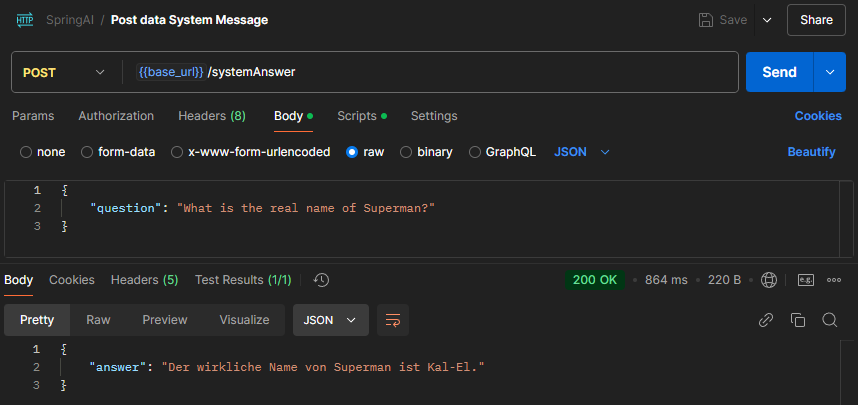
Frage via Spring AI an OpenAI senden und die Antwort anzeigen
OpenAI Key erstellen
https://platform.openai.com/settings/organization/api-keys
Anschließend den Key als Umgebungsvariable setzen: OPENAI_API_KEY
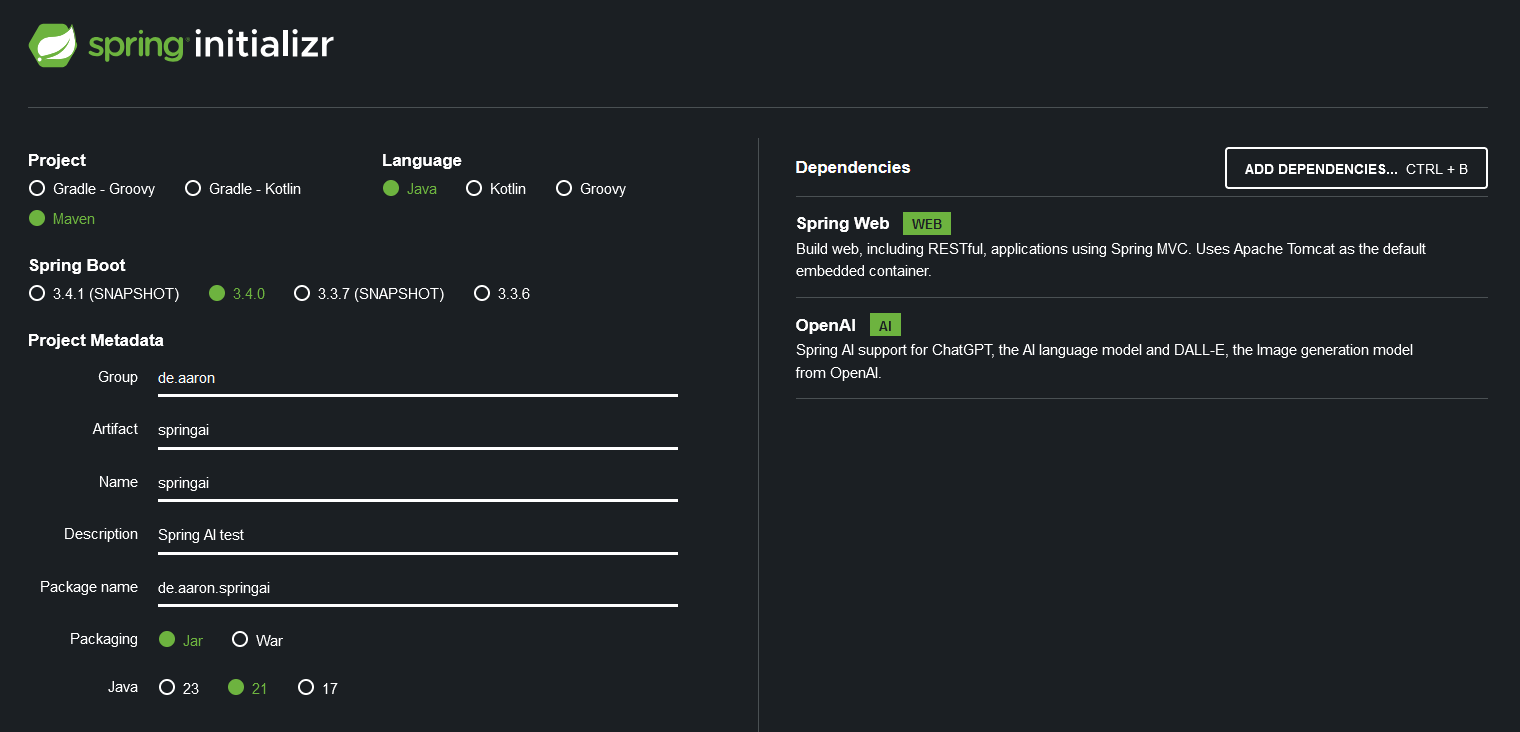
Neues Spring Boot Projekt erstellen:
https://start.spring.io/
Innerhalb der Spring Boot Anwendung bzw. der “application.properties” Datei den OpenAI Key bzw. Umgebungsvariable (OPENAI_API_KEY) referenzieren.
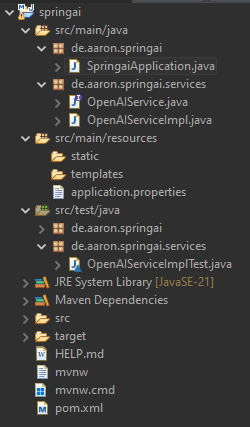
Nachdem wir das Interface und die Klassen erstellt haben, sollte die Projektstruktur wie folgt aussehen:
Nachdem Ausführen des Unit-Tests, sollte auf die Frage “Who would win in a fight between Superman and Chuck Norris?” die Antwort angezeigt werden. In diesem Fall:
“Answer: In a hypothetical fight between Superman and Chuck Norris, it’s important to consider their respective attributes. Superman, being a fictional character from DC Comics, possesses superhuman strength, speed, flight, invulnerability, and various other powers, including heat vision and freezing breath. These abilities make him one of the most powerful superheroes.
Chuck Norris, on the other hand, is a real person known for his martial arts expertise and roles in action films. While he has a legendary status in popular culture, often exaggerated through jokes and memes about his toughness, he is still human and lacks the superhuman abilities that Superman has.
In a purely fictional context, Superman’s array of superpowers would likely give him the upper hand in a physical confrontation. However, the outcome of such a fight would ultimately depend on the context and the rules set within that fictional scenario.”
REST-Controller verwenden
REST-Controller erstellen.
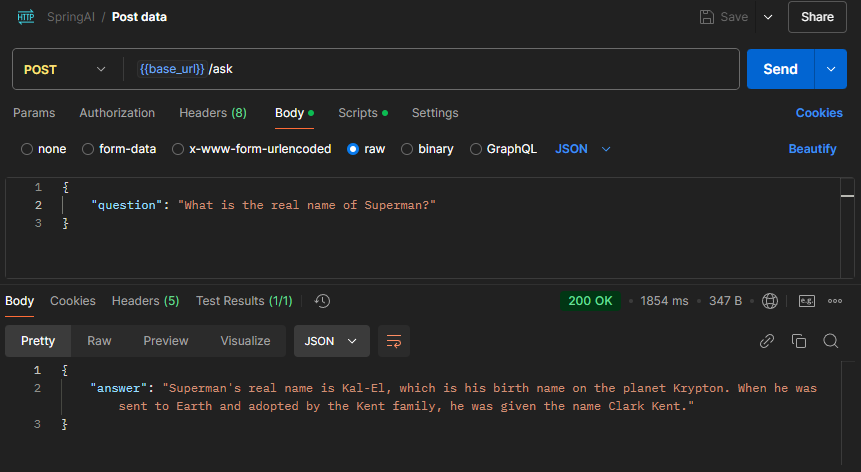
Der Endpoint ist z.B. via Postman unter der folgenden URL localhost:8080/ask zu erreichen.
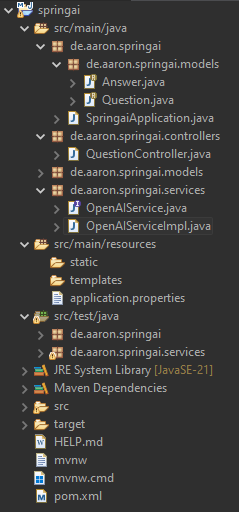
Die Projektstruktur sollte wie folgt aussehen:
Endpoint via Postman aufrufen:
Prompt-Template verwenden
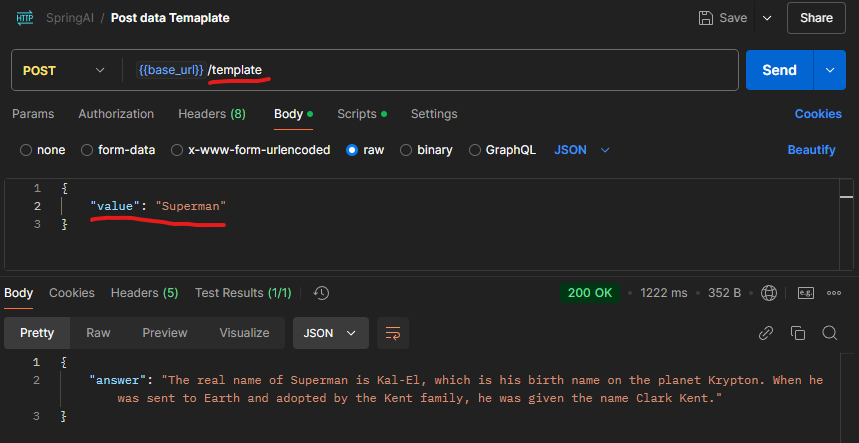
Ein Prompt-Template in Spring AI ist eine Vorlage, die Platzhalter für dynamische Eingaben enthält, um strukturierte Prompts für KI-Modelle zu erstellen. Es ermöglicht die flexible Generierung von Anfragen, indem Variablen wie Benutzereingaben oder Kontextinformationen eingefügt werden.
In diesem Fall möchte ich via Postman lediglich den Namen “Superman” an den neuen Endpoint “template” übertragen. Im Hintergrund wird das Wort “Superman” in dem folgenden Sazt/Frage/Template eingesetzt und beantwortet: “What is the real name of {value}?”.
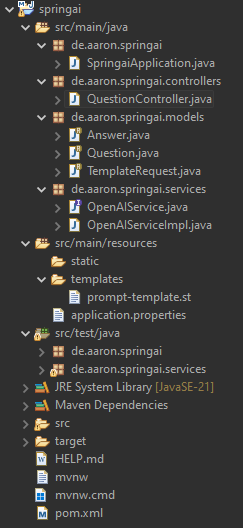
Die Projektstruktur sollte wie folgt aussehen:
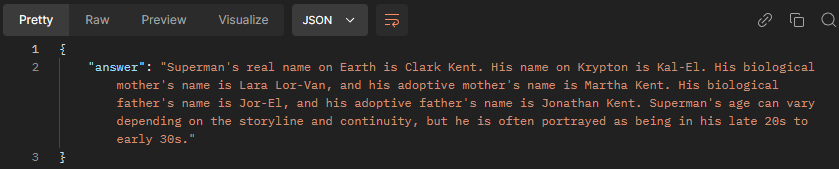
System-Prompt verwenden
