// Ansible wird für die Konfiguration bzw. Provisionierung // der folgenden Vagrant VM-Infrastruktur verwendet 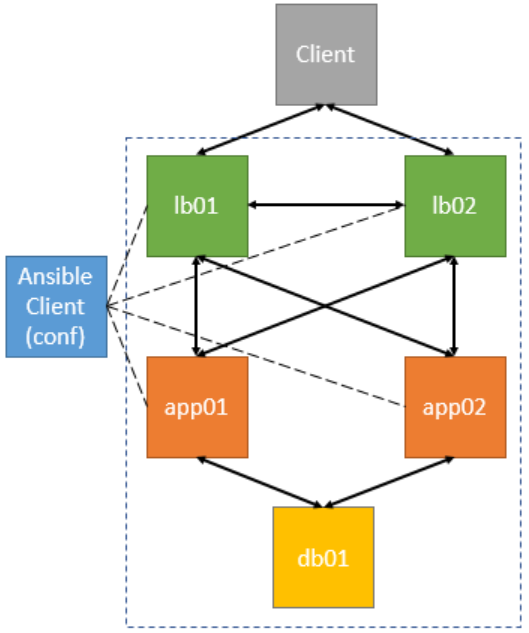
// Installation aus “Personal Packages Archiv (PPA)” sudo -s apt-get install software-properties-common apt-add-repository ppa:ansible/ansible apt-get update apt-get install ansible
// Kontrolle ansible –version ansible-playbook –version ansible-galaxy –help
// Erstellung einer neuen/eigenen ‘hosts’ bzw. ‘inventory’ Datei // für die Konfiguration der ‘dev’ Umgebung cd ~ mkdir ansible cd ansible vi dev 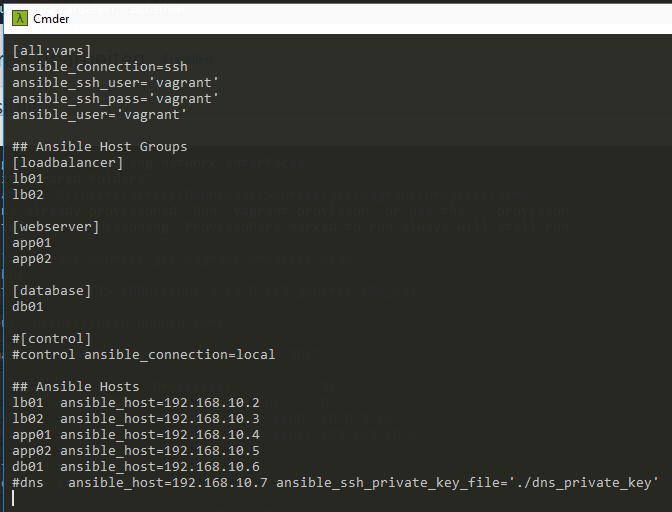
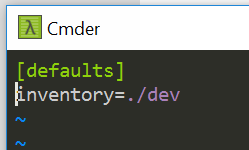
// Erstellung einer eigenen Config-Datei (ansible.cfg) // Referenz auf die inventory (hosts) Datei cd ~/ansible vi ansible.cfg [defaults] inventory=./dev 
// Anzeige der Hosts aus der ‘inventory’ Datei (dev) cd ~/ansible ansible –list-hosts all 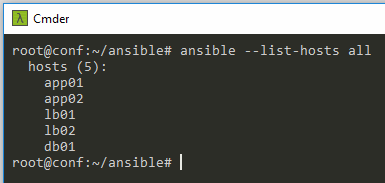
// Aufruf der einzelnen Gruppen (Hosts) aus der inventory Datei ansible –list-hosts all ansible –list-hosts “*” ansible –list-hosts webserver ansible –list-hosts loadbalancer ansible –list-hosts db01 ansible –list-hosts “db*” ansible –list-hosts webserver:databases ansible –list-hosts webserver[0] ansible –list-hosts webserver[1] ansible –list-hosts \!webserver
// SSH-Zugang testen z.B. lb01 (192.168.10.2) ssh vagrant@192.168.10.2
// Alle Hosts anpingen ansible -m ping all 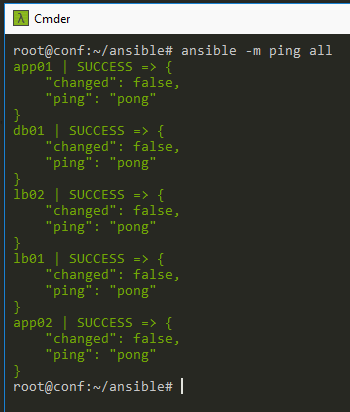
// Playbook erstellen cd ~/ansible mkdir playbooks cd playbooks vi test.yml
// Playbook ausführen cd ~/ansible ansible-playbook playbooks/test.yml
// Beispiele: Loadbalancer Playbook Webserver Playbook Datenbank Playbook
// Rolle Struktur anlegen (wird aus Ansible Repository geladen) mkdir roles cd roles ansible-galaxy init haproxy ansible-galaxy init apache2 ansible-galaxy init mysql
// Die mit init generierte Struktur sieht wie folgt aus 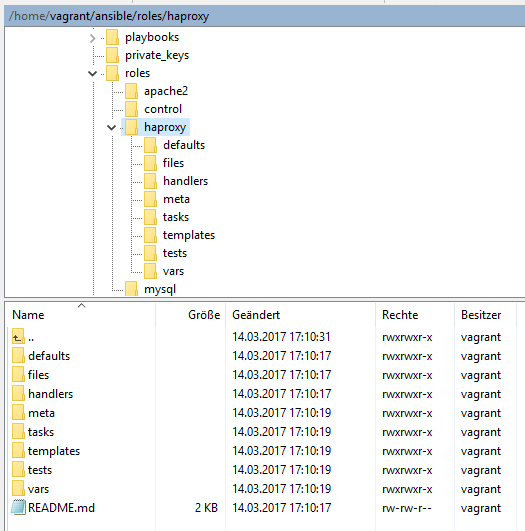
cd ~/.ansible touch haproxy.yml touch apache2.yml touch mysql.yml
// Rollen auf die angelegten Rollenstruktur referenzieren cd ~/.ansible atom haproxy.yml 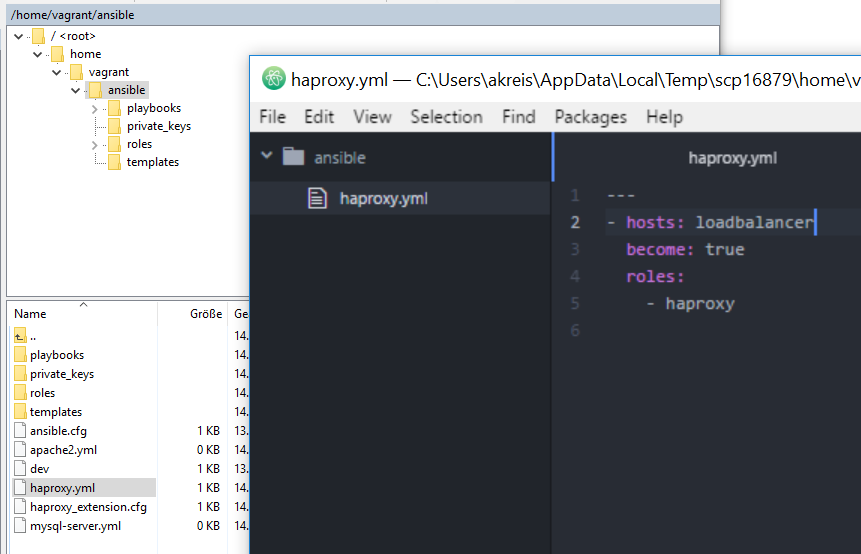
// ‘Playbook Tasks’ innerhalb der Rollen auflisten cd ~/ansible/roles/haproxy/tasks/ vi haproxy.yml 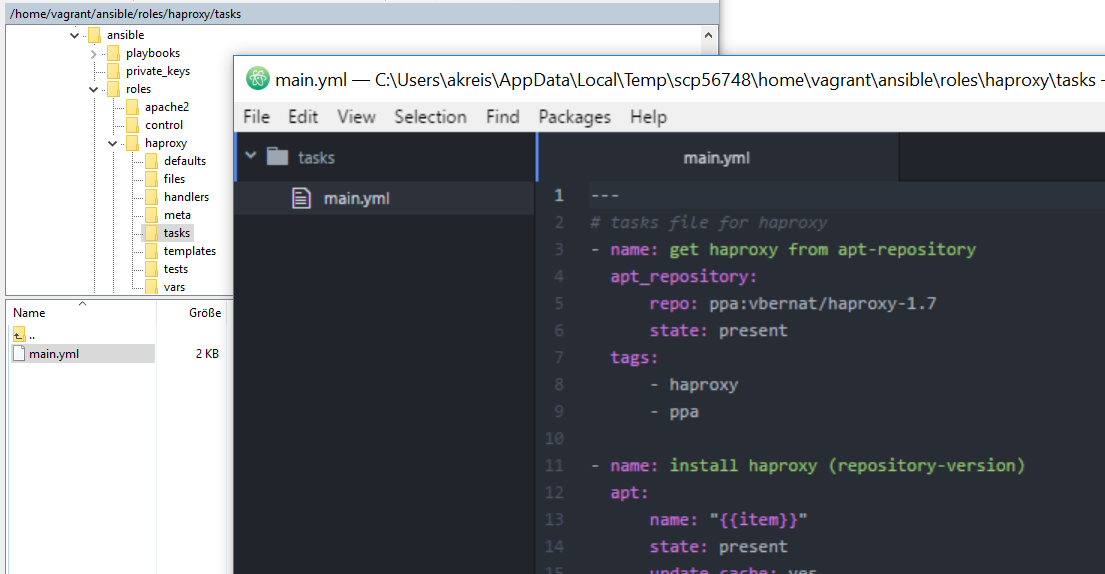
// Playbook über die Rollen (roles) ausführen ansible-playbook haproxy.yml # statt ansible-playbook ./playbooks/lb0x.yml
// Rollen https://github.com/netperformance/ansible/tree/master/roles
// Bsp. ‘haproxy Tasks’ innerhalb der Rolle ‘haproxy’ https://github.com/netperformance/ansible/blob/master/roles/haproxy/tasks/main.yml
// Alle Rollen in einer Datei via (include) zusammenfassen und ausführen cd ~/.ansible atom site.yml ansible-playbook site.yml 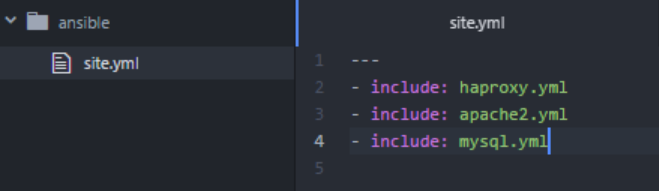
// Definierte Rollen aufrufen ansible-playbook site.yml –limit app01
// Externe Rollen über https://galaxy.ansible.com ansible-galaxy install < nam_der_rolle >
// VM Informationen (Facts) auslesen ansible -m setup lb01
// Variablen statt hartcodierte Werte // Ausgangssituation innerhalb der Tasks vi /home/vagrant/ansible/roles/haproxy/tasks/main.yml 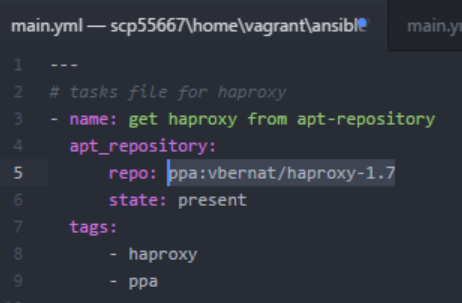
// Auflistung der Variablen innerhalb von ‘defaults’ Ordner vi /home/vagrant/ansible/roles/haproxy/defaults/main.yml repository: ppa:vbernat/haproxy-1.7 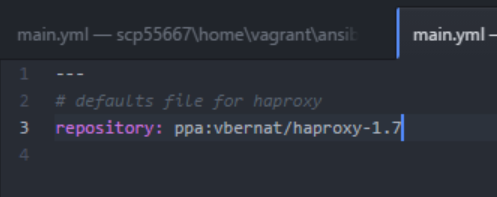
// Einsatz der Variable vi /home/vagrant/ansible/roles/haproxy/tasks/main.yml “{{ repository }}” 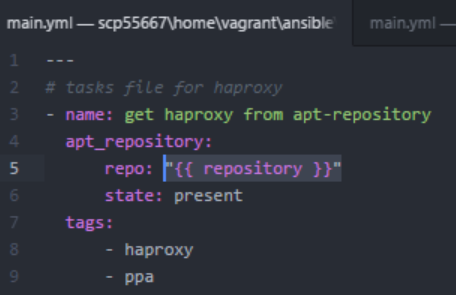
// Ausführung Beschleunigen durch Deaktivierung von ‘apt-get update’ // innerhalb von Zeitraum x und ‘gather_facts’ — - hosts: all become: true gather_facts: false tasks: - name: update apt cache apt: update_cache=yes cache_valid_time=10000 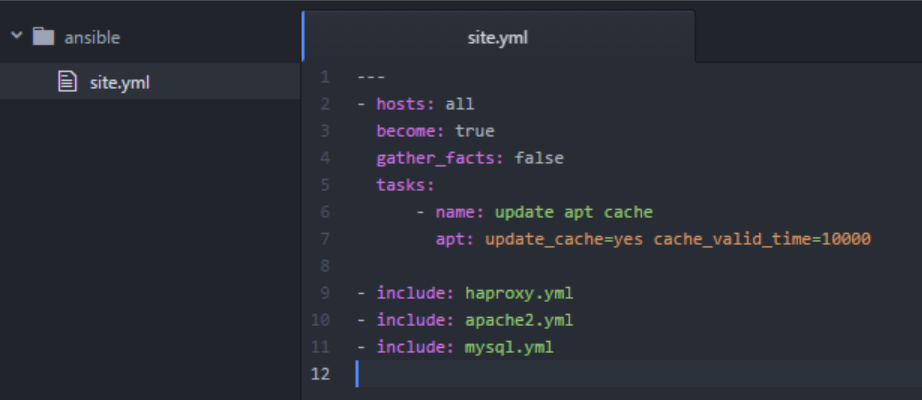
// Beschleunigung durch Aktivierung von SSH pipelining sudo visudo vi ~/ansible/ansible.cfg 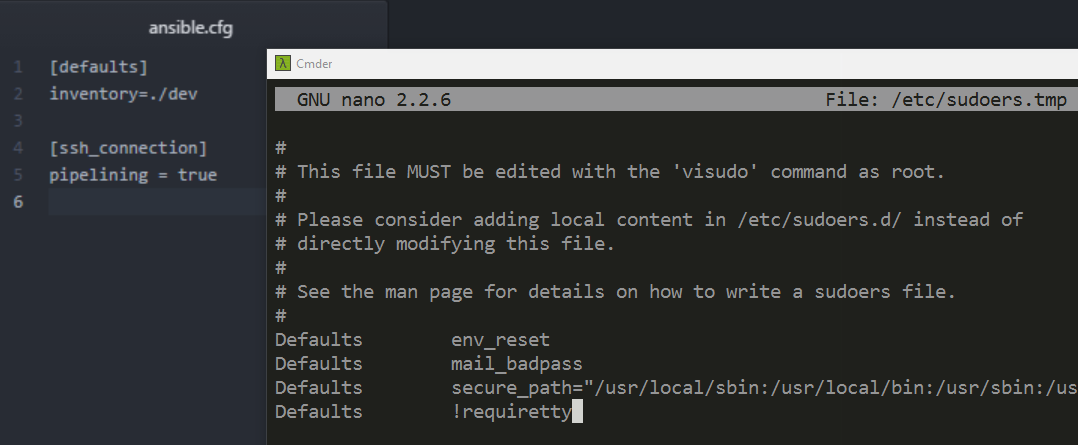
// Auflistung von Tags ansible-playbook site.yml –list-tags
// Bestimmte Tags ausführen ansible-playbook site.yml –tags “haproxy”
// Tags überspringen ansible-playbook site.yml –skip-tags “haproxy”